Nav Bar
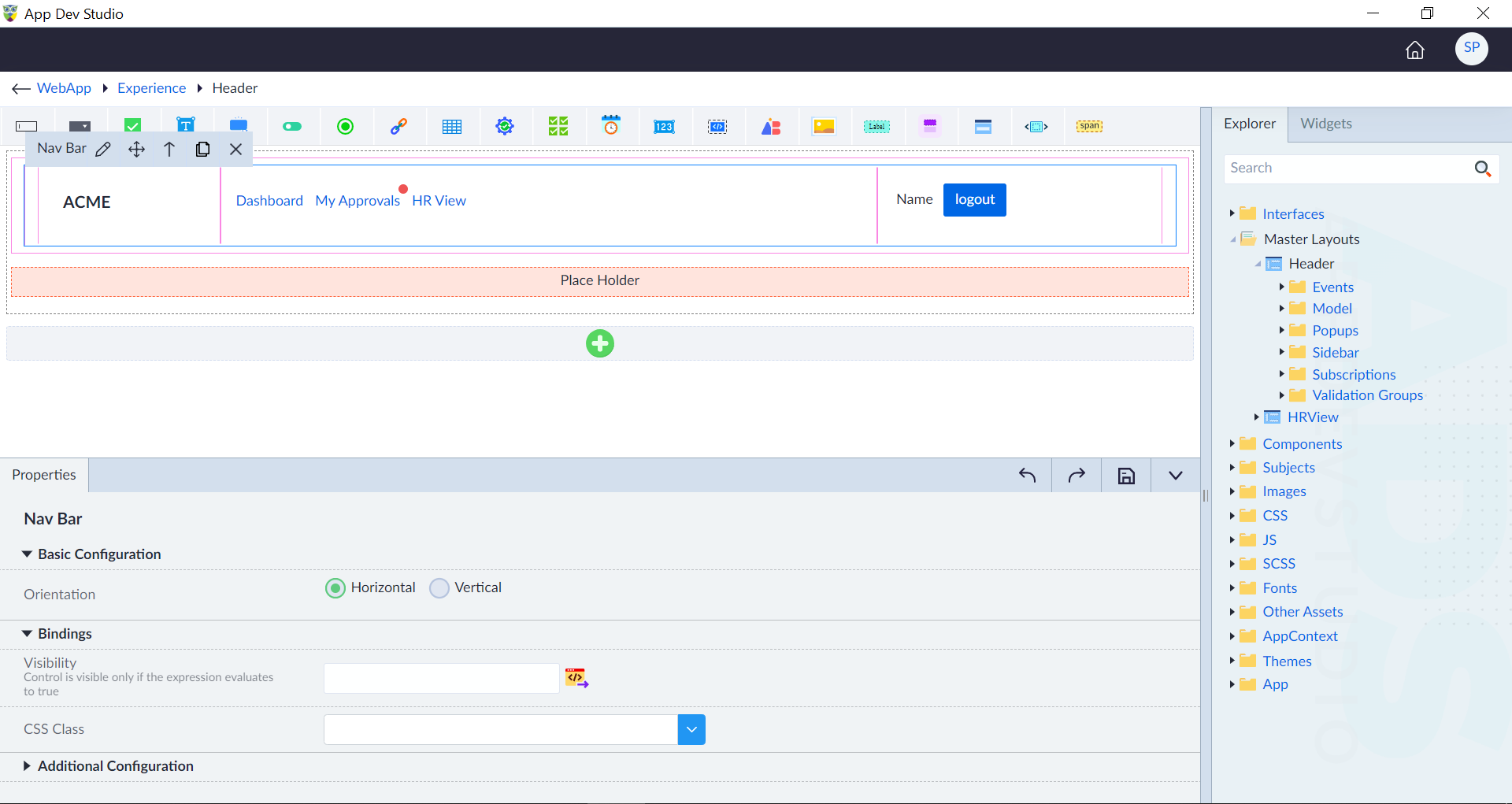
The Navigation Bar (Nav Bar) provides an intuitive way to navigate through the application. It supports both vertical and horizontal layouts and is divided into three primary sections:
- Nav Brand: Displays the brand logo or application name.
- Nav Item List: Contains the navigation items linking to different views. Nav Item – Contains a link for navigating to a view Allowed widgets in Nav Item Link - Button, Image, Icon, List Items, Heading, Paragraph, HR, Element, Skeleton, Block, Inline, Iterable Container, Html Snippet.
- Nav Form: Provides additional controls such as search boxes, buttons, or user account options.
The Nav Bar widget contains links to navigate between different interfaces or master layouts of the application.
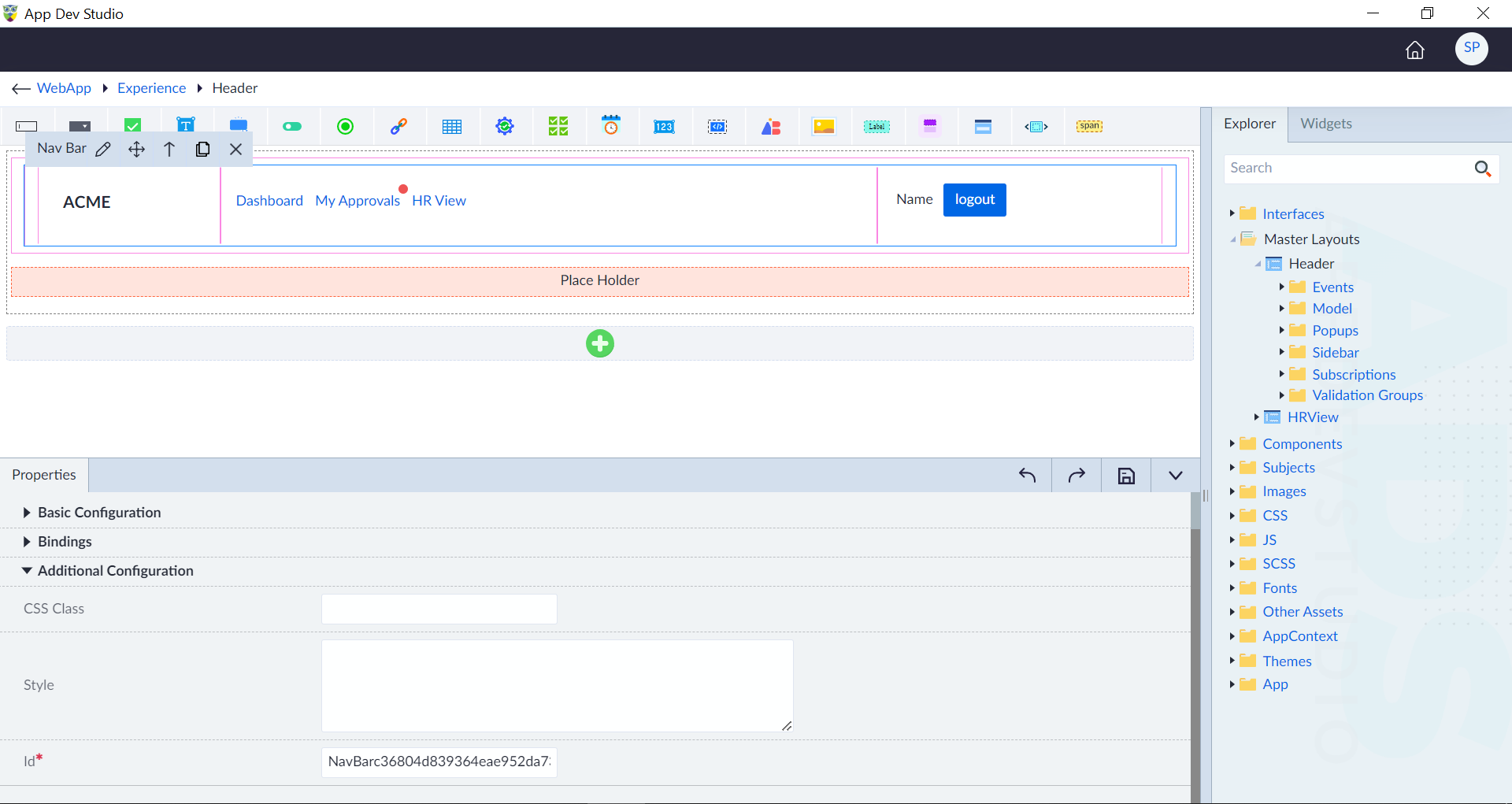
Following are the properties to be configured for this widget:
| Property | Description | Comments |
|---|---|---|
| Basic Configuration | ||
| Orientation | Select the appropriate radio button to choose the orientation. Either Horizontal or Vertical. | Horizontal NavBar (Default) – Displays navigation items horizontally in a row. Vertical NavBar – Displays nav items in a column for sidebar navigation. |
| Bindings | ||
| Visibility | Specify a visibility condition for the widget. The widget will be visible only if the expression evaluates to true. If no condition is provided, the widget is visible by default. | - |
| CSS Class | Specify model property binding which contains CSS class. | - |
| Style & Layout | ||
| CSS Class | Specify the custom CSS classes for styling the nav bar. | - |
| Style | Specify Inline styles to apply CSS directly for customizing the nav bar. It allows quick styling without needing an external or internal CSS file. | - |
| Additional Configuration | ||
| Id* | Specify a unique identifier. | An id is created by default. User can change the unique id as required. |
| Comment | Specify Comment either Yes or No. | Widget will not be generated if 'Yes' is selected. By default, 'No' is selected. |
Style Bindings: Refer the common configuration groups document.
ARIA Attributes Bindings: Refer the common configuration groups document.
Note: An asterisk (*) denotes that the property is mandatory for configuring the nav bar.
The "Configuration saved successfully" message displays upon successfully configuring the widget.
Nav Brand
Nav Brand is container to design application brand name or logo within the navigation bar that represents the identity or name of the application or website. Following are the properties to be configured for the Nav Brand.
| Property | Description | Comments |
|---|---|---|
| Bindings | ||
| Visibility | Specify a visibility condition for the Nav Brand. It will be visible only if the expression evaluates to true. If no condition is provided, Nav Brand is visible by default. | - |
| CSS Class | Specify model property binding which contains CSS class. | - |
| Additional Configuration | ||
| CSS Class | Specify the custom CSS classes for styling the nav brand. | - |
| Style | Specify Inline styles to apply CSS directly for customizing the nav brand. It allows quick styling without needing an external or internal CSS file. | - |
| Id* | Specify a unique identifier. | An id is created by default. User can change the unique id as required. |
Nav Item List
Nav Item List is a container for nav items in a nav bar. These nav items provide navigation links to different interfaces or master layouts of an application. Nav item contains link widget .
Users can add a new Nav Item by clicking the plus (+) icon in the action bar that appears when hovering over the Nav Item List.
Following are the properties to be configured for the Nav Item List:
| Property | Description | Comments |
|---|---|---|
| Bindings | ||
| Visibility | Specify a visibility condition for the Nav Item List. It will be visible only if the expression evaluates to true. If no condition is provided, Nav Item is visible by default. | - |
| CSS Class | Specify model property binding which contains CSS class. | - |
| Additional Configuration | ||
| CSS Class | Specify the custom CSS classes for styling the nav item list. | - |
| Style | Specify Inline styles to apply CSS directly for customizing the nav item list. It allows quick styling without needing an external or internal CSS file. | - |
| Id* | Specify a unique identifier. | An id is created by default. User can change the unique id as required. |
Nav Item
A Nav Item in the Nav Bar Widget serves as an interactive element that allows users to navigate between different interfaces or master layouts of the application.
Users can rearrange Nav Items by clicking the "Move Next" and "Move Previous" icons in the action bar when hovering over an item.
Following are the properties to be configured for the Nav Item:
| Property | Description | Comments |
|---|---|---|
| Bindings | ||
| Visibility | Specify a visibility condition for the Nav Item. It will be visible only if the expression evaluates to true. If no condition is provided, Nav Item is visible by default. | - |
| CSS Class | Specify model property binding which contains CSS class. | - |
| Click* | Select the click event handler. | - |
| Additional Configuration | ||
| CSS Class | Specify the custom CSS classes for styling the nav item. | - |
| Style | Specify Inline styles to apply CSS directly for customizing the nav item. It allows quick styling without needing an external or internal CSS file. | - |
| Id* | Specify a unique identifier. | An id is created by default. User can change the unique id as required. |
Link
The individual navigation link or menu item that allows users to navigate to different interfaces or master layouts within the application or website.
Note: Please refer to Link widget properties.
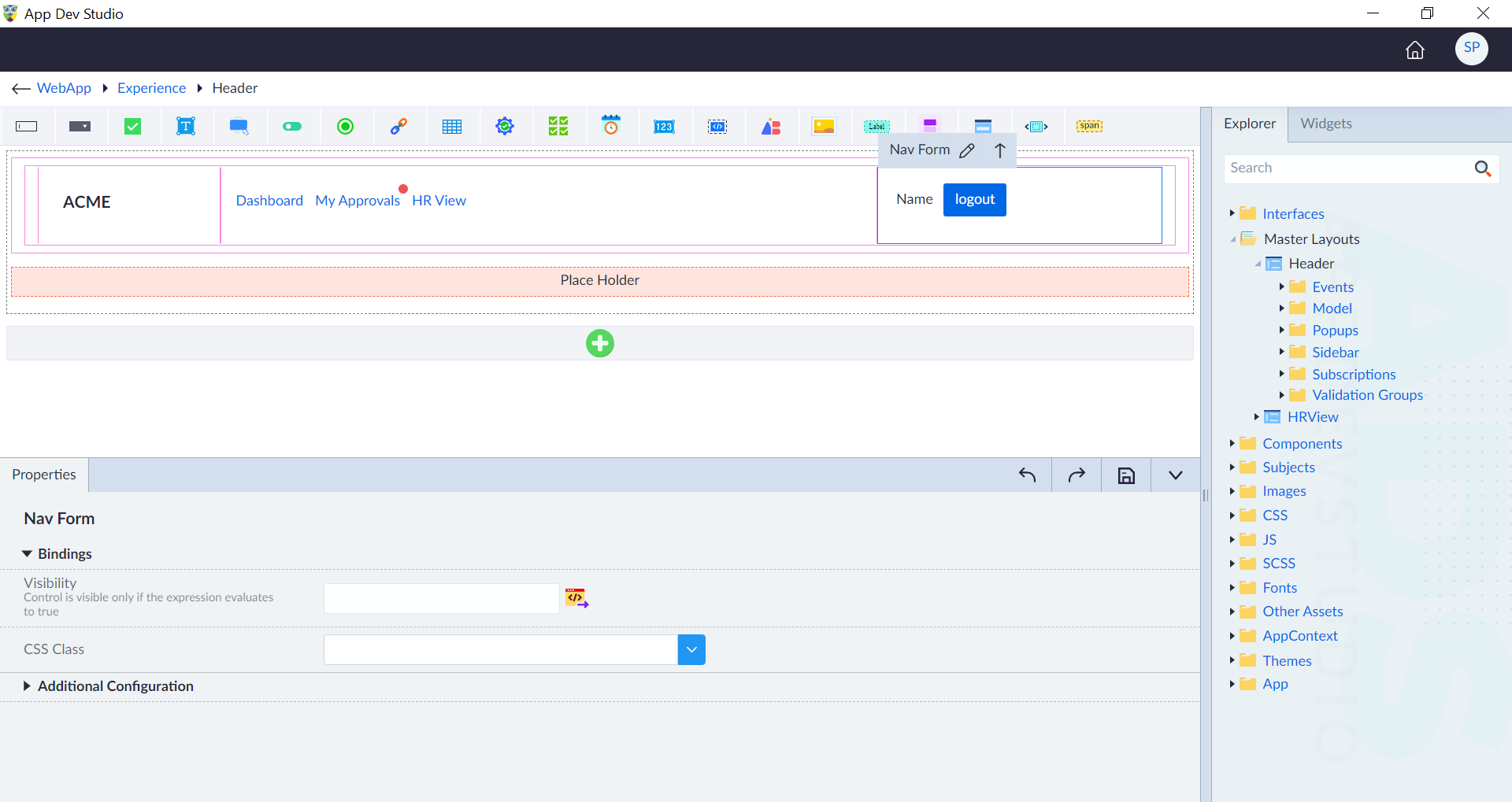
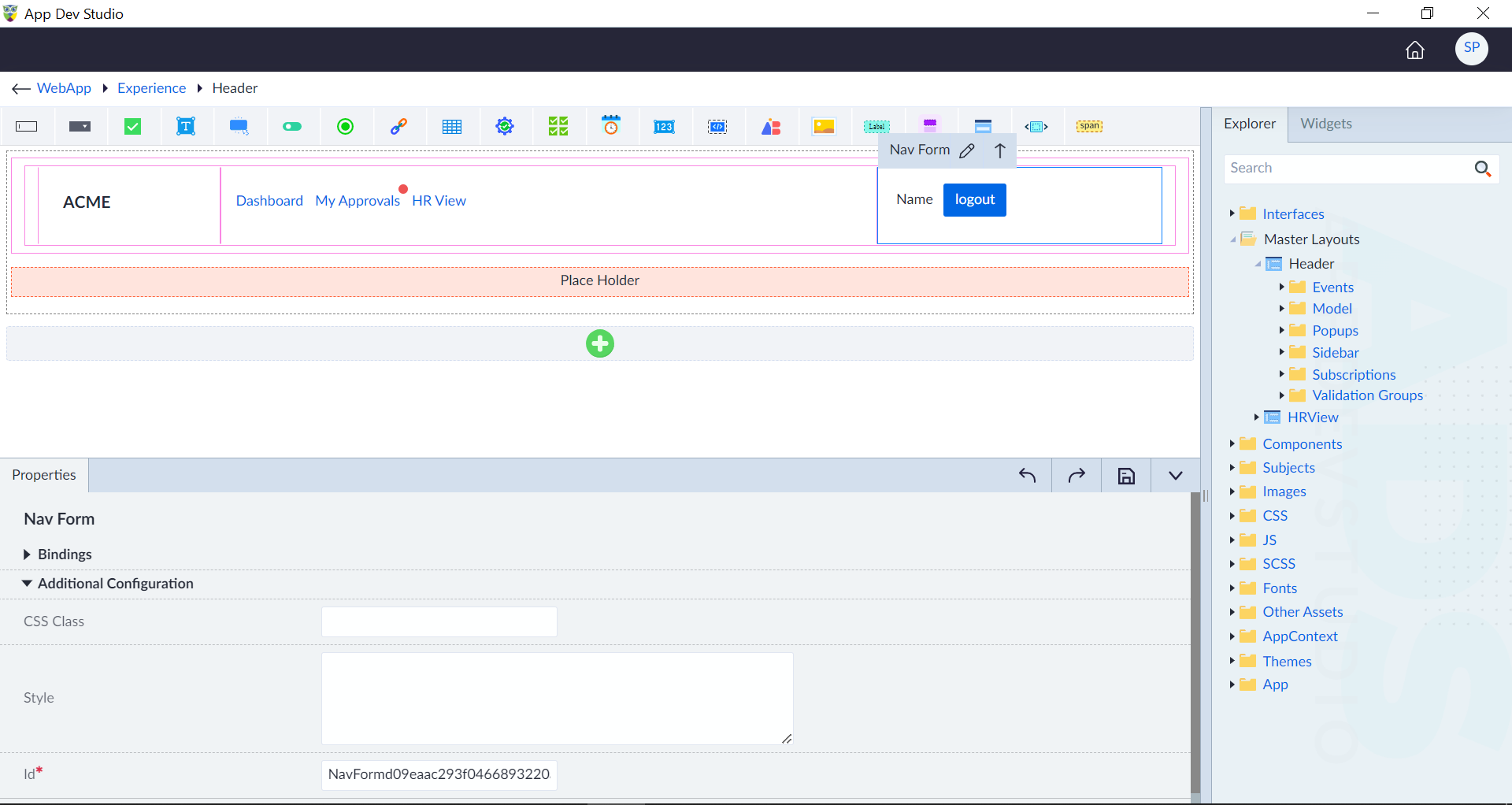
Nav Form
A Nav Form is an input form container within the Nav Bar Widget to allow users to configure widgets and perform quick actions such as searching, logging in, filtering content.
Following are the properties to be configured for the Nav Form:
A search bar within the navbar lets users quickly find content.
Example: Search for products, articles, or users.
| Property | Description | Comments |
|---|---|---|
| Bindings | ||
| Visibility | Specify a visibility condition for the Nav Form. It will be visible only if the expression evaluates to true. If no condition is provided, Nav Form is visible by default. | - |
| CSS Class | Specify model property binding which contains CSS class. | - |
| Additional Configuration | ||
| CSS Class | Provide the custom CSS class for styling the nav form. | - |
| Style | Style allows to apply inline styles directly for the widget. It allows quick styling without needing an external or internal CSS file. | - |
| Id* | Provide a unique identifier. | An id is created by default. User can change the unique id as required. |
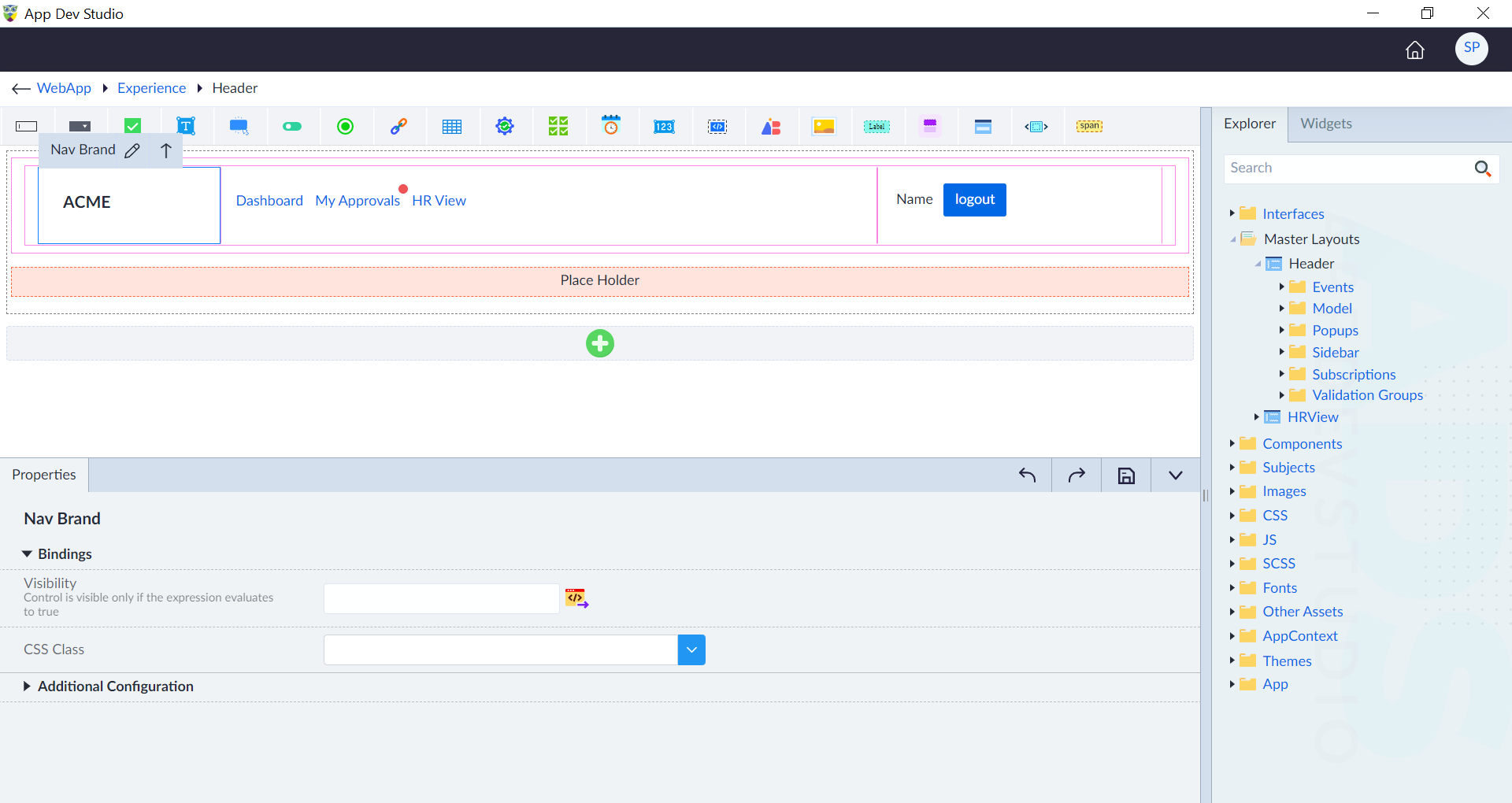
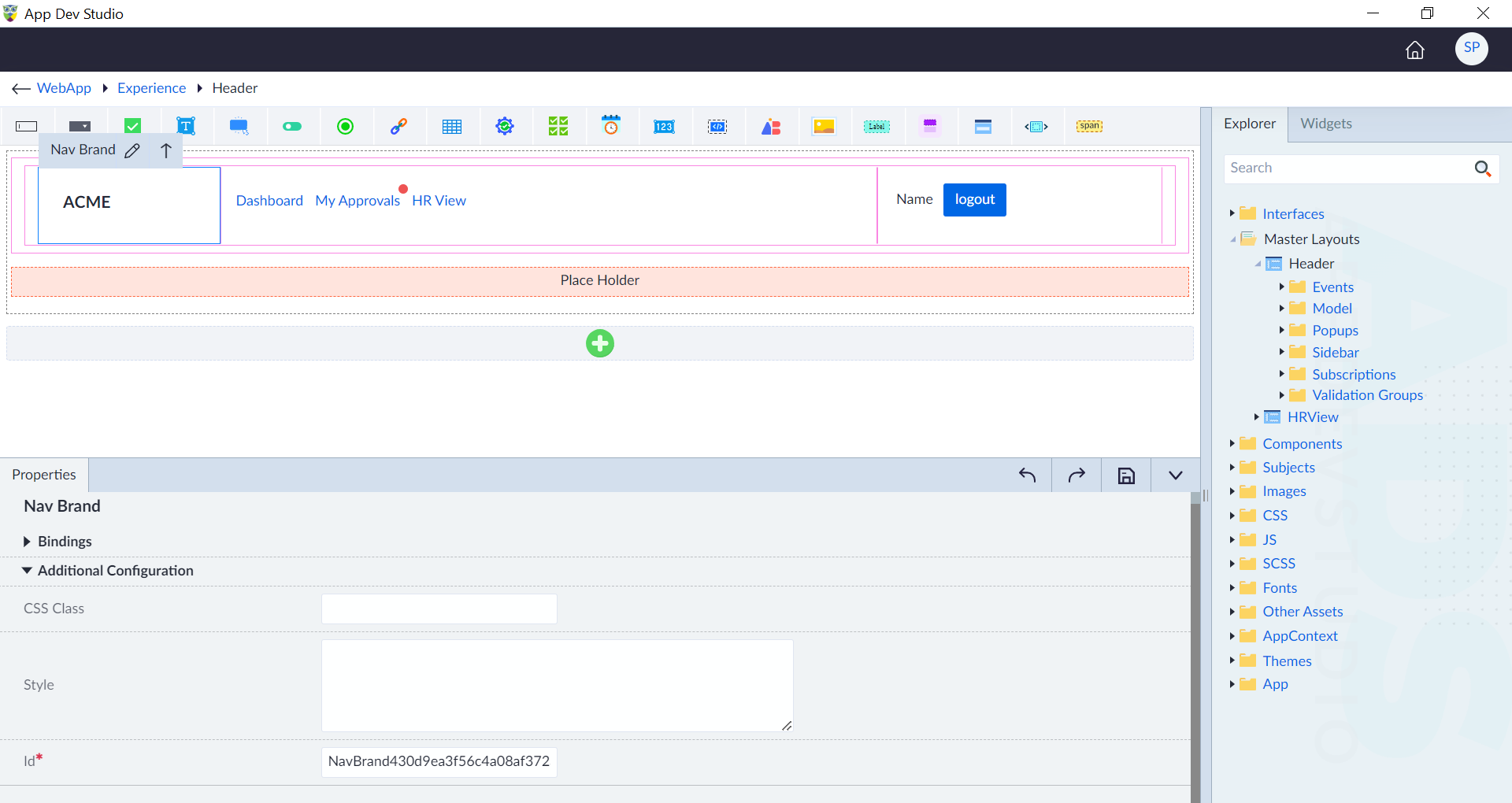
Nav Brand
The branding or logo section within the navigation bar that represents the identity or name of the application or website. Following are the properties to be configured for the Nav Brand:
| Property | Description | Comments |
|---|---|---|
| Bindings | ||
| Visibility | Provide the expression using the expression builder. The control is visible only if the evaluated expression is true. | - |
| CSS Class | Select the CSS class from the drop-down. | - |
| Additional Configuration | ||
| CSS Class | Provide the custom CSS class for styling the nav brand. | - |
| Style | Provide the CSS rule sets for customizing the nav brand styling. | - |
| Id* | Provide a unique identifier. | An id is created by default. User can change the unique id as required. |
Note: An asterisk (*) denotes that the property is mandatory for configuring Nav Brand.
The "Configuration saved successfully" message displays upon successfully configuring the Nav Brand.
Nav Item List
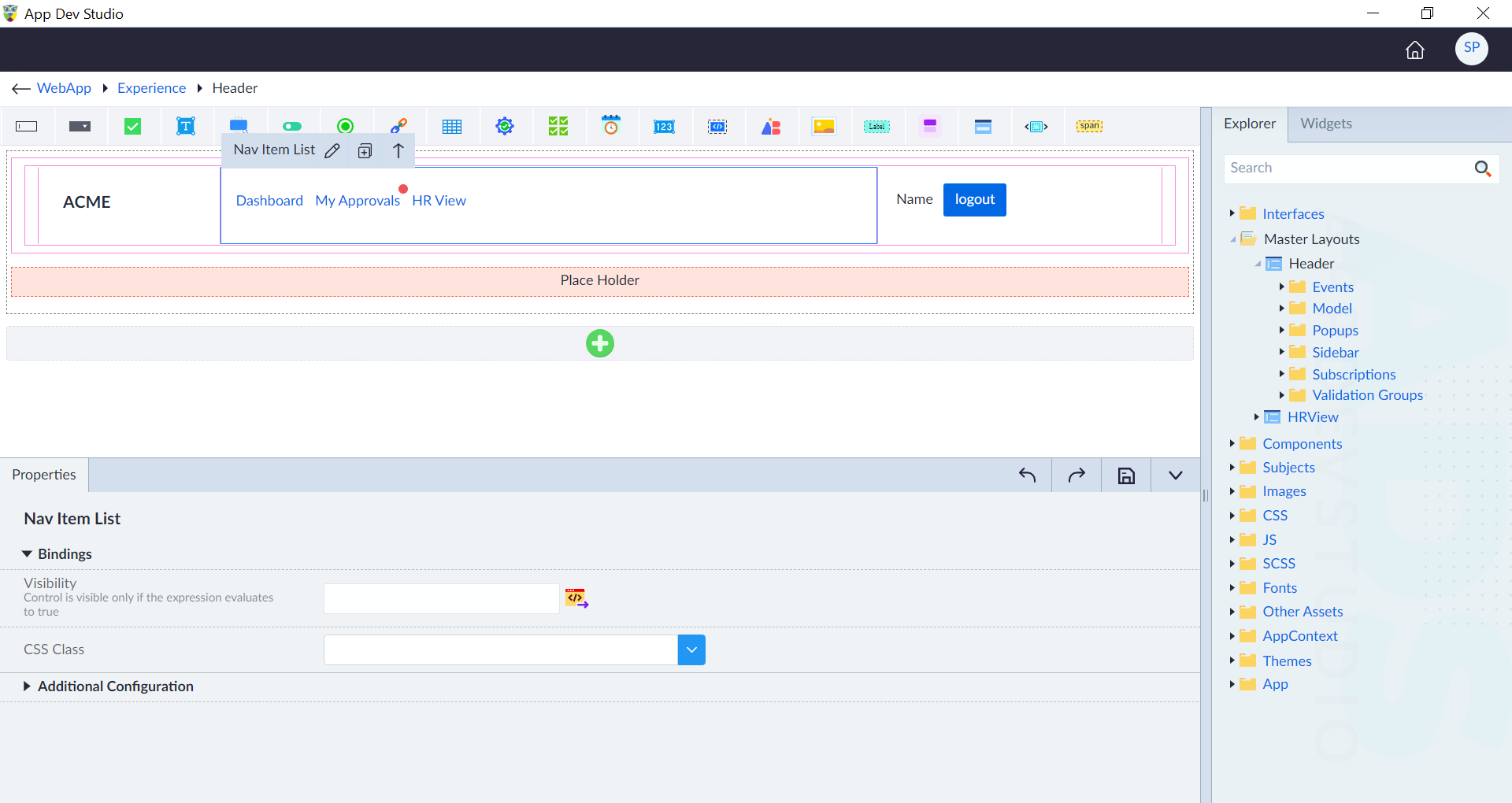
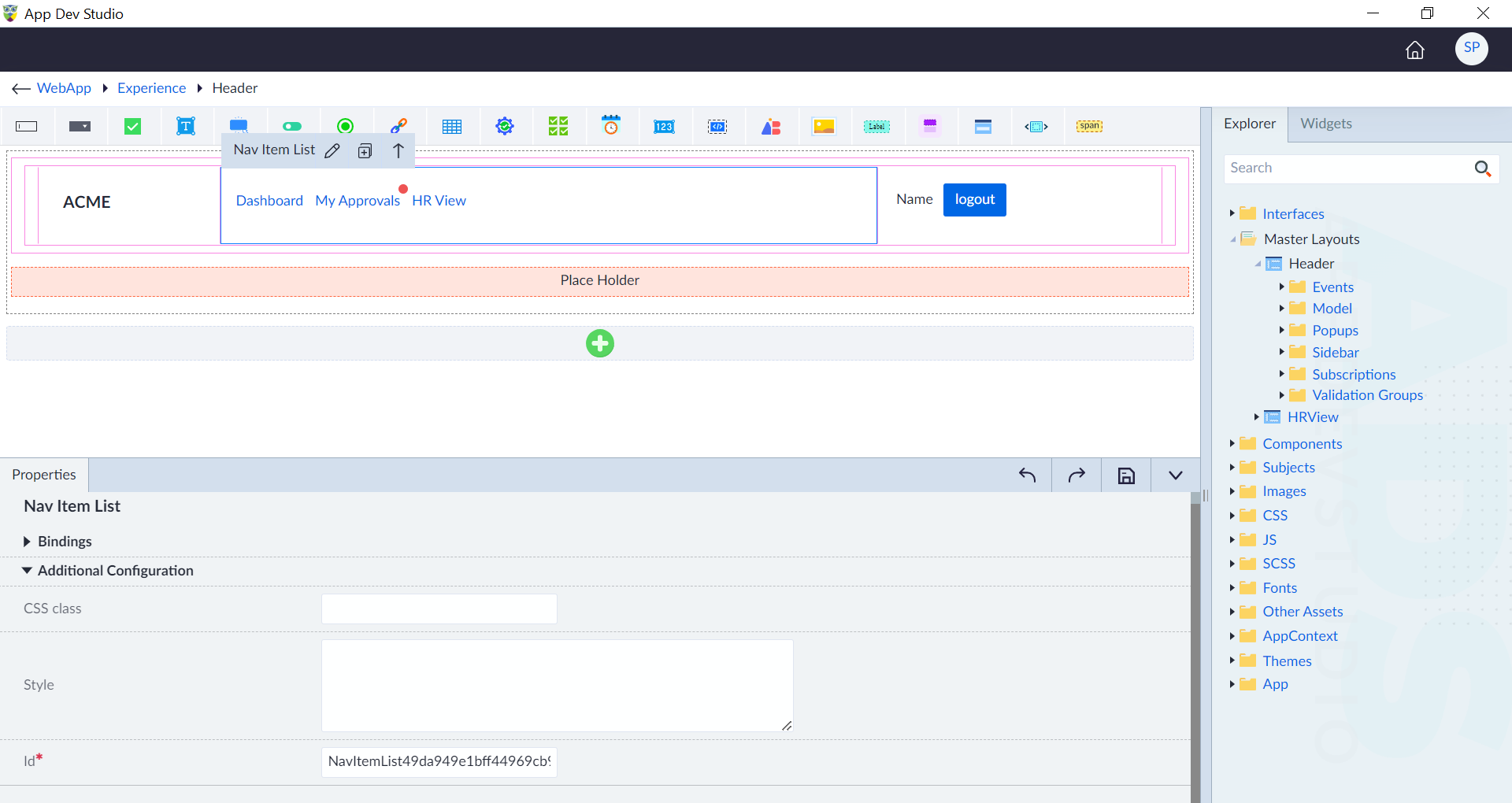
The list of nav items in a nav bar. Following are the properties to be configured for the Nav Item List:
| Property | Description | Comments |
|---|---|---|
| Bindings | ||
| Visibility | Provide the expression using the expression builder. The control is visible only if the evaluated expression is true. | - |
| CSS Class | Select the CSS class from the drop-down. | - |
| Additional Configuration | ||
| CSS Class | Provide the custom CSS class for styling the nav item list. | - |
| Style | Provide the CSS rule sets for customizing the nav item list styling. | - |
| Id* | Provide a unique identifier. | An id is created by default. User can change the unique id as required. |
Note: An asterisk (*) denotes that the property is mandatory for configuring Nav Item List.
The "Configuration saved successfully" message displays upon successfully configuring the Nav Item List.
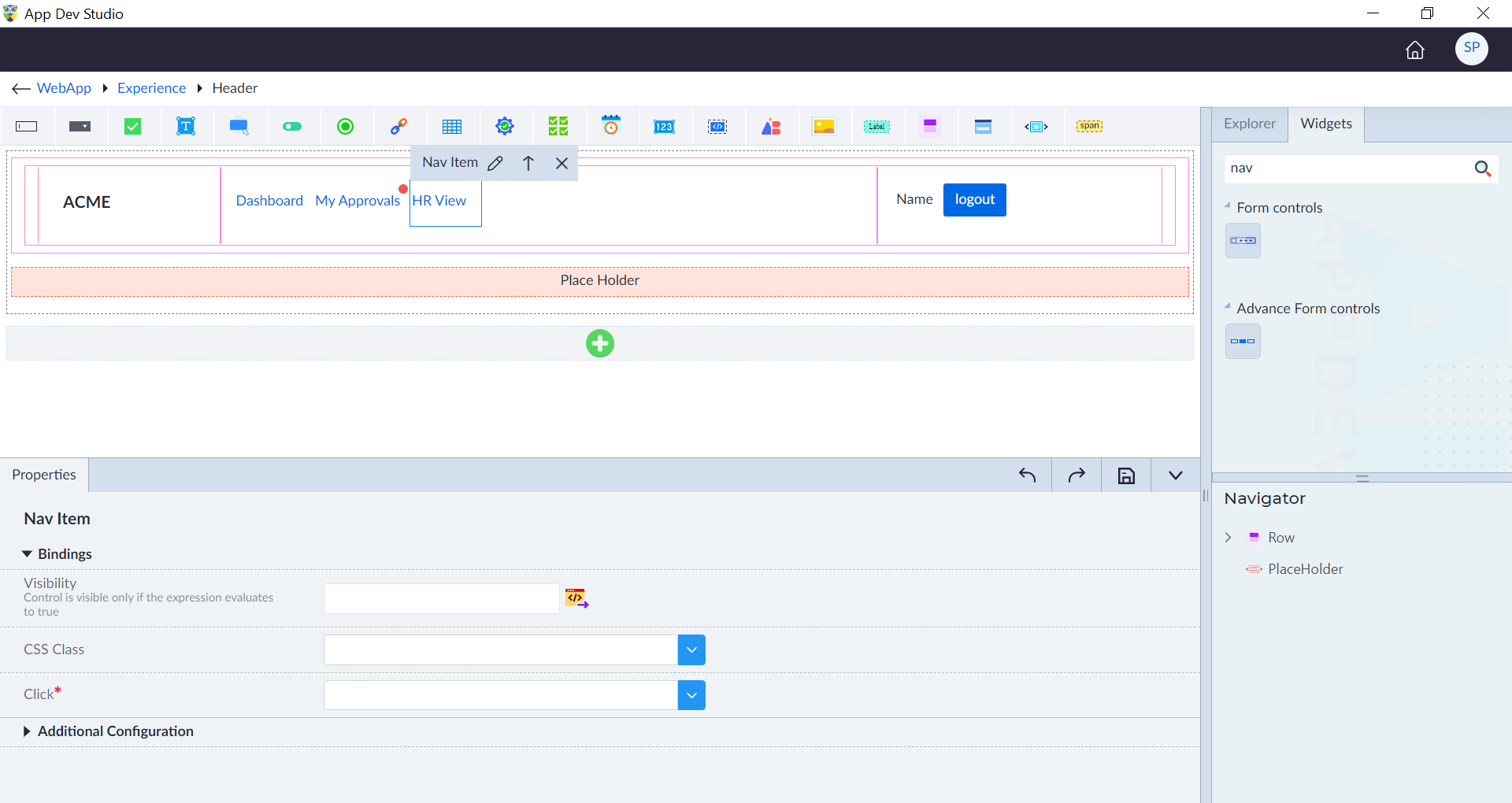
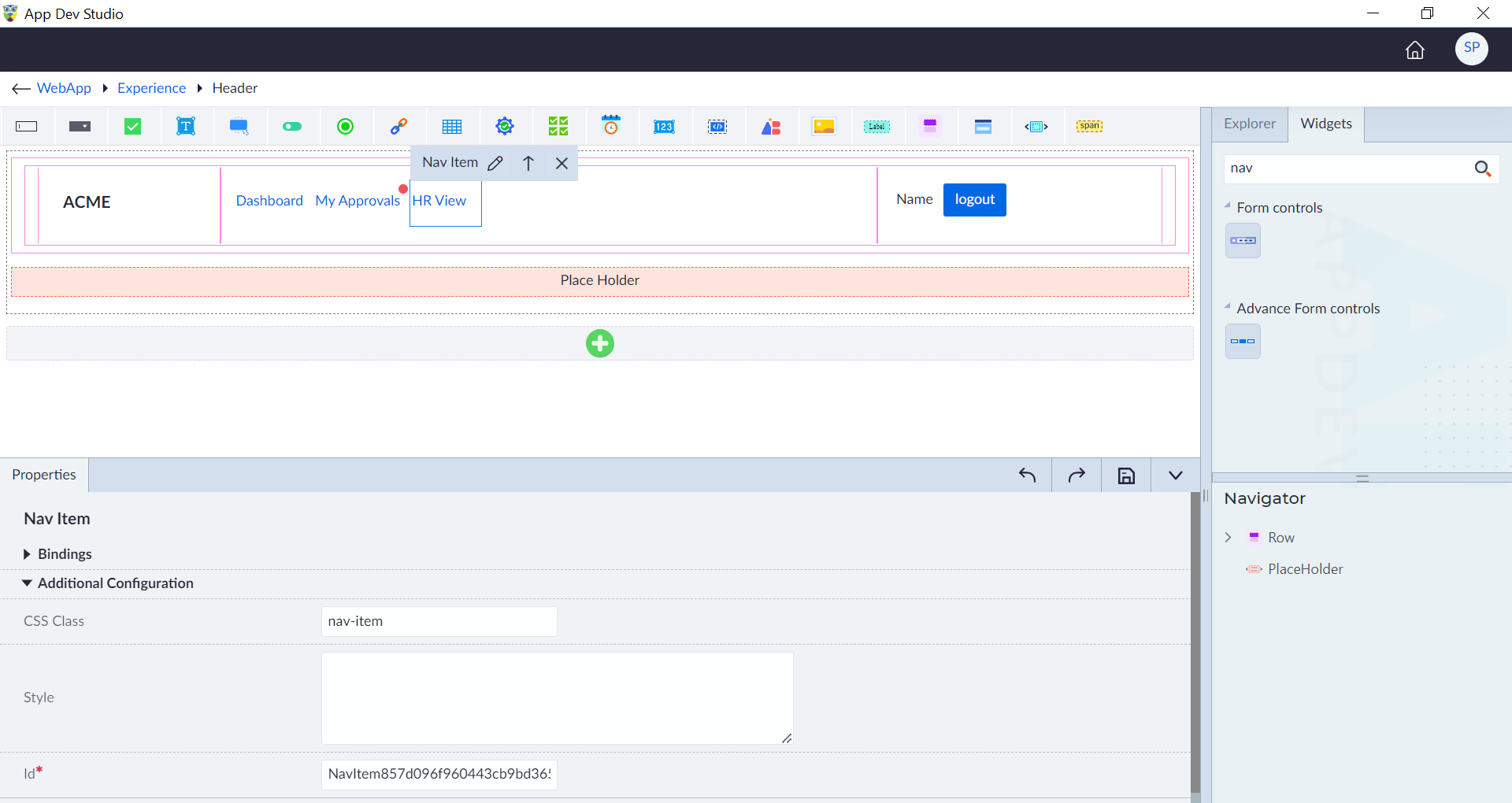
Nav Item
The nav item in a nav item list. Following are the properties to be configured for the Nav Item:
| Property | Description | Comments |
|---|---|---|
| Bindings | ||
| Visibility | Provide the expression using the expression builder. The control is visible only if the evaluated expression is true. | - |
| CSS Class | Select the CSS class from the drop-down. | - |
| Click* | Select the click event. | - |
| Additional Configuration | ||
| CSS Class | Provide the custom CSS class for styling the nav item list. | - |
| Style | Provide the CSS rule sets for customizing the nav item list styling. | - |
| Id* | Provide a unique identifier. | An id is created by default. User can change the unique id as required. |
Note: An asterisk (*) denotes that the property is mandatory for configuring Nav Item.
The "Configuration saved successfully" message displays upon successfully configuring the Nav Item.
Link
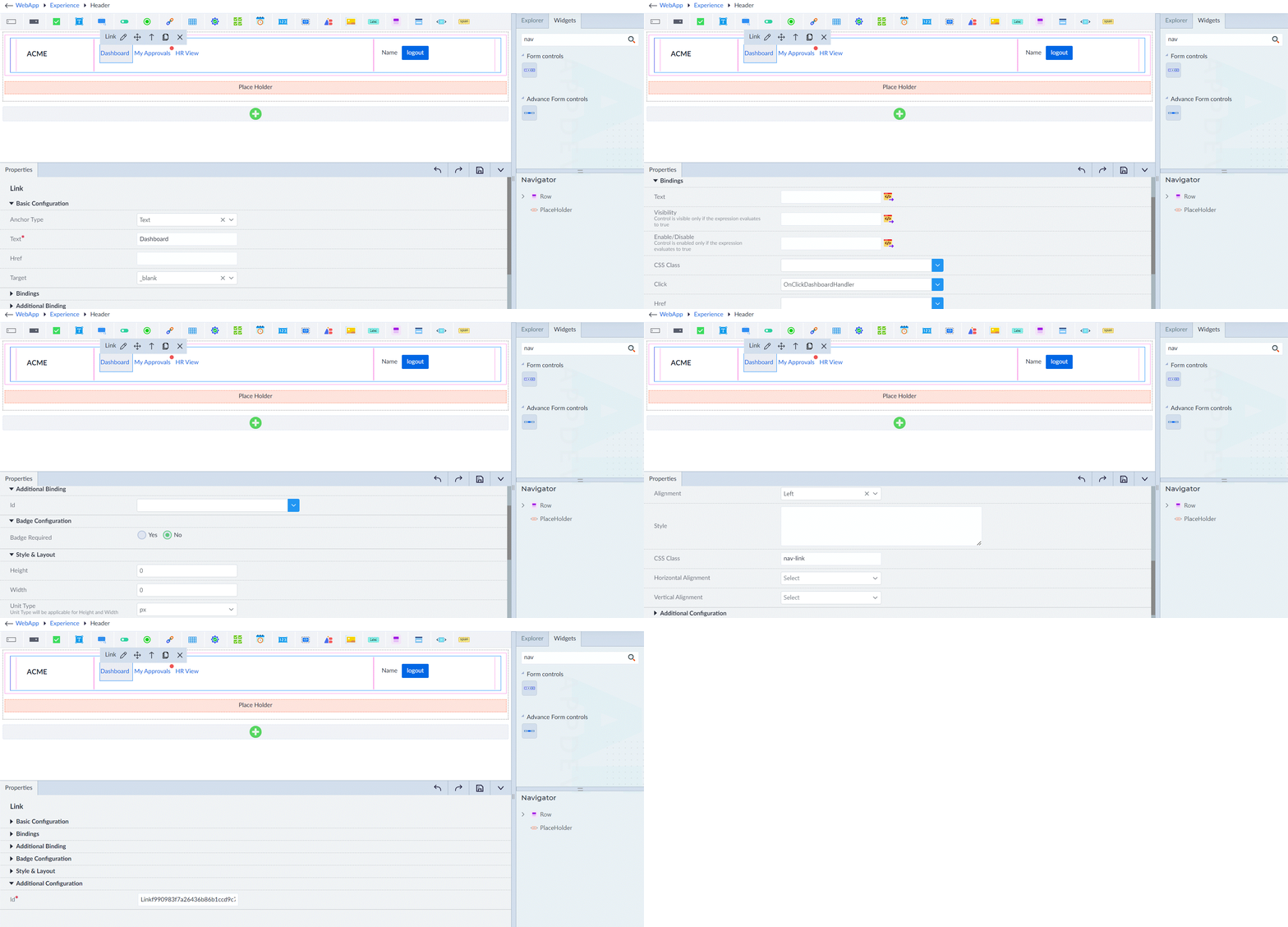
The individual navigation link or menu item that allows users to navigate to different pages or sections within the application or website. Following are the properties to be configured for the link:
| Property | Description | Comments |
|---|---|---|
| Basic Configuration | ||
| Anchor Type | Select the type of anchor link. Either text or template. | - |
| Text* | Provide the text for a menu item. | - |
| Href | Provide the href. It is the URL or destination the link navigates to. | - |
| Target | Provide the target. It is the target window or frame where the linked content will open (e.g., _blank, _self, etc.). | |
| Bindings | ||
| Text | Provide the expression using the expression builder. The binding expression for dynamically updating the menu item's text. | - |
| Visibility | Provide the expression using the expression builder. The control is visible only if the evaluated expression is true. | - |
| Enable/Disable | Provide the expression using the expression builder. The binding expression for dynamically enabling the nav item. | - |
| CSS Class | Select the CSS class from the drop-down. | - |
| Click* | Provide the click event for the nav item. | - |
| Additional Binding | ||
| Id | Select the appropriate id from the drop-down. It is the unique identifier of the link item. | - |
| Badge Configuration | ||
| Badge Required | Specify whether the badge is required. Select either Yes or No. | - |
| Badge Type | Select the type of badge. Choose the radio buttons Indicator Only or With Value as required. | Indicator Only: Display a simple indicator without a specific value. With Value: Display a badge with a specific value. |
| Badge Position | Select the badge position. | This option is visible only when the badge type is set as With Value. |
| Contextual Variation | Provide the contextual variation or color scheme applied to the badge. | - |
| Badge Css Class | Provide the custom CSS class for the badge. | - |
| Badge Style | Provide the CSS rule sets for styling the badge. | - |
| Badge Value Binding | Provide the binding expression for dynamically updating the badge value. | - |
| Badge Visible Binding | Provide the binding expression for dynamically controlling the visibility of the badge. | |
| Style & Layout | ||
| Height | Provide the value as required. | - |
| Width | Provide the value as required. | - |
| Unit Type | Select the unit type. px rem % | This will be applicable for Height and Width. |
| Alignment | Specify the alignment. | - |
| Style | Provide the CSS rule sets for customizing nav item. | - |
| CSS Class | Provide the custom CSS class for styling the nav item. | - |
| Additional Configuration | ||
| Id* | Provide a unique identifier. | An id is created by default. User can change the unique id as required. |
Note: An asterisk (*) denotes that the property is mandatory for link.
The "Configuration saved successfully" message displays upon successfully configuring the link.
Nav Form
Following are the properties to be configured for the Nav Form:
| Property | Description | Comments |
|---|---|---|
| Bindings | ||
| Visibility | Provide the expression using the expression builder. The control is visible only if the evaluated expression is true. | - |
| CSS Class | Select the CSS class from the drop-down. | - |
| Additional Configuration | ||
| CSS Class | Provide the custom CSS class for styling the nav form. | - |
| Style | Provide the CSS rule sets for customizing the nav form styling. | - |
| Id* | Provide a unique identifier. | An id is created by default. User can change the unique id as required. |
Note: An asterisk (*) denotes that the property is mandatory for configuring Nav Form.
The "Configuration saved successfully" message displays upon successfully configuring the Nav Form.