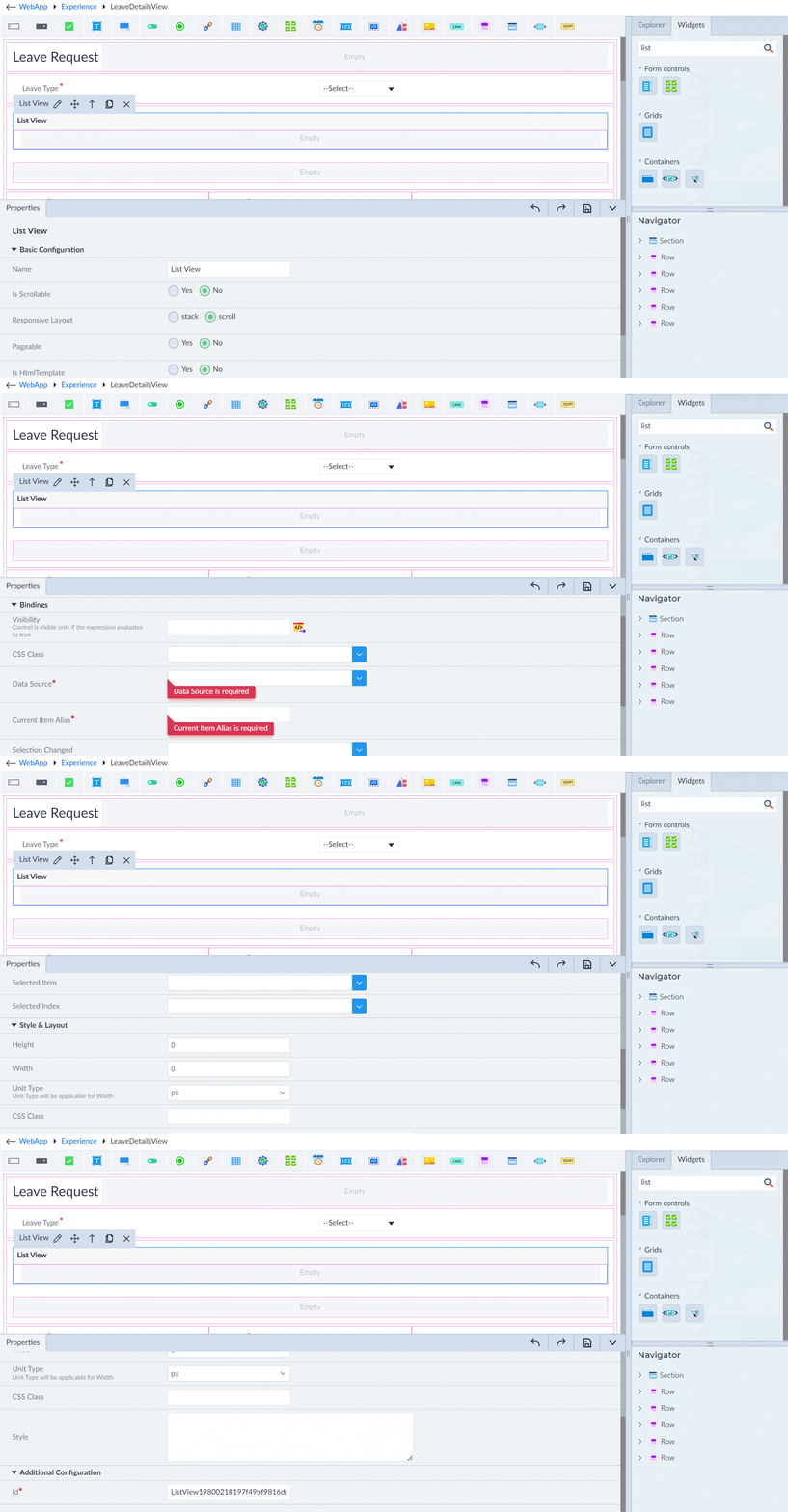
List View
The List View widget displays a customizable list of items with various layout and interaction options. Following are the properties to be configured for this widget:
| Property | Description | Comments |
|---|---|---|
| Basic Configuration | ||
| Name | Provide the name of the list view. | - |
| Is Scrollable | Specify whether the list view is scrollable. Select either Yes or No. | - |
| Responsive Layout | Specify whether the layout is responsive. Select either stack or scroll. | - |
| Pageable | Specify whether the items are pageable. Select either Yes or No. | - |
| Page Size | Specify the page size. | - |
| Rows Per Page Options | Specify how many list items per page size. | Allows customization of the available options for the number of rows per page in the pagination control. |
| Is HtmlTemplate | Specify whether the item template property is enabled or not. If enabled, an HTML code snippet can be added as the item template. | - |
| Item Template* | Provide the HTML code snippet that defines the template for each item in the List View. | - |
| Bindings | ||
| Visibility | Provide the expression using the expression builder. The control is visible only if the evaluated expression is true. | - |
| CSS Class | Select the CSS class. | - |
| Data Source* | Select the data source from the dropdown. | - |
| Current Item Alias* | Provide the alias name for the current item in the data source. | - |
| Selection Changed | Specify the callback that is triggered when the selection of items in the List View changes. | - |
| Selected Item | Select the item that is selected by default. | - |
| Selected Index | Specify the index of the selected item. | - |
| Style & Layout | ||
| Height | Provide the value as required. | - |
| Width | Provide the value as required. | - |
| Unit Type | Select the unit type. px rem % | This will be applicable for Height and Width. |
| CSS Class | Provide the custom CSS class for styling the tree view. | - |
| Style | Provide the CSS rule sets for customizing the tree view. | - |
| Additional Configuration | ||
| Id* | Provide a unique identifier. | An id is created by default. User can change the unique id as required. |
Note: An asterisk (*) denotes that the property is mandatory for adding a list view.
The "Configuration saved successfully" message displays upon successfully adding the widget.