Using Component in Interface of Master Layout
The process described allows for the establishment of a practical interface within the application for managing leave requests. It involves defining the interface layout, setting up event handlers for user interactions, and creating data models to store leave request details.
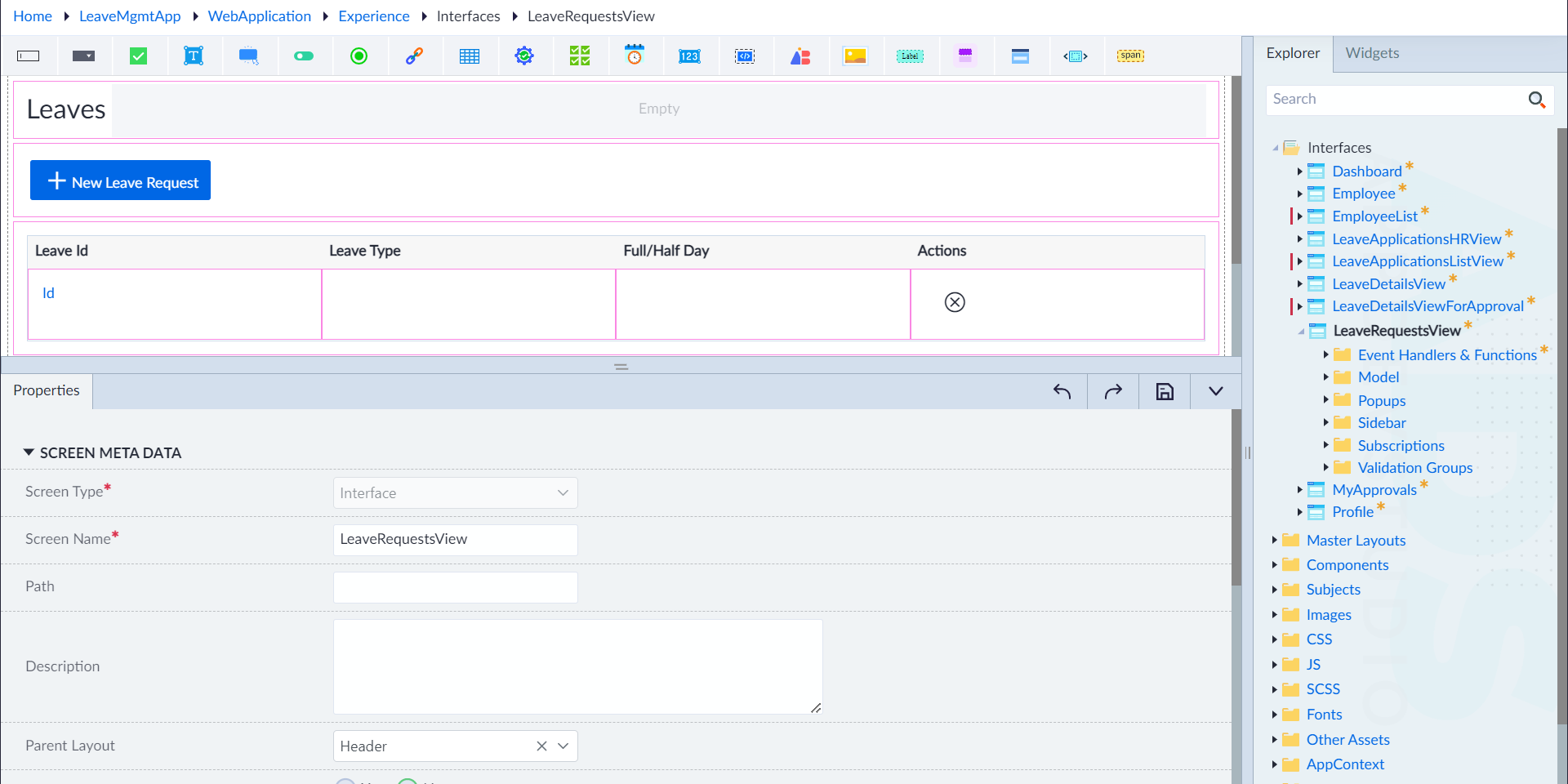
- Navigate to the Interface folder as appearing in the explorer panel.
- Right-click on the folder and select Add and configure the following properties, as applicable:
- Screen Type: Interface
- Screen Name: LeaveRequestsView
- Parent Layout: Header
- Landing Page: No
- Dirty Check Guard: Yes
- Allow Anonymous Access: No
- Is Active: Yes
- Click Save to finish.