Configuring Events
Configure and implement logic for two critical events within the application: AddLeaveRequest and GetLeaveRequestDetails. These events are pivotal for managing leave requests effectively within the application.
AddLeaveRequest
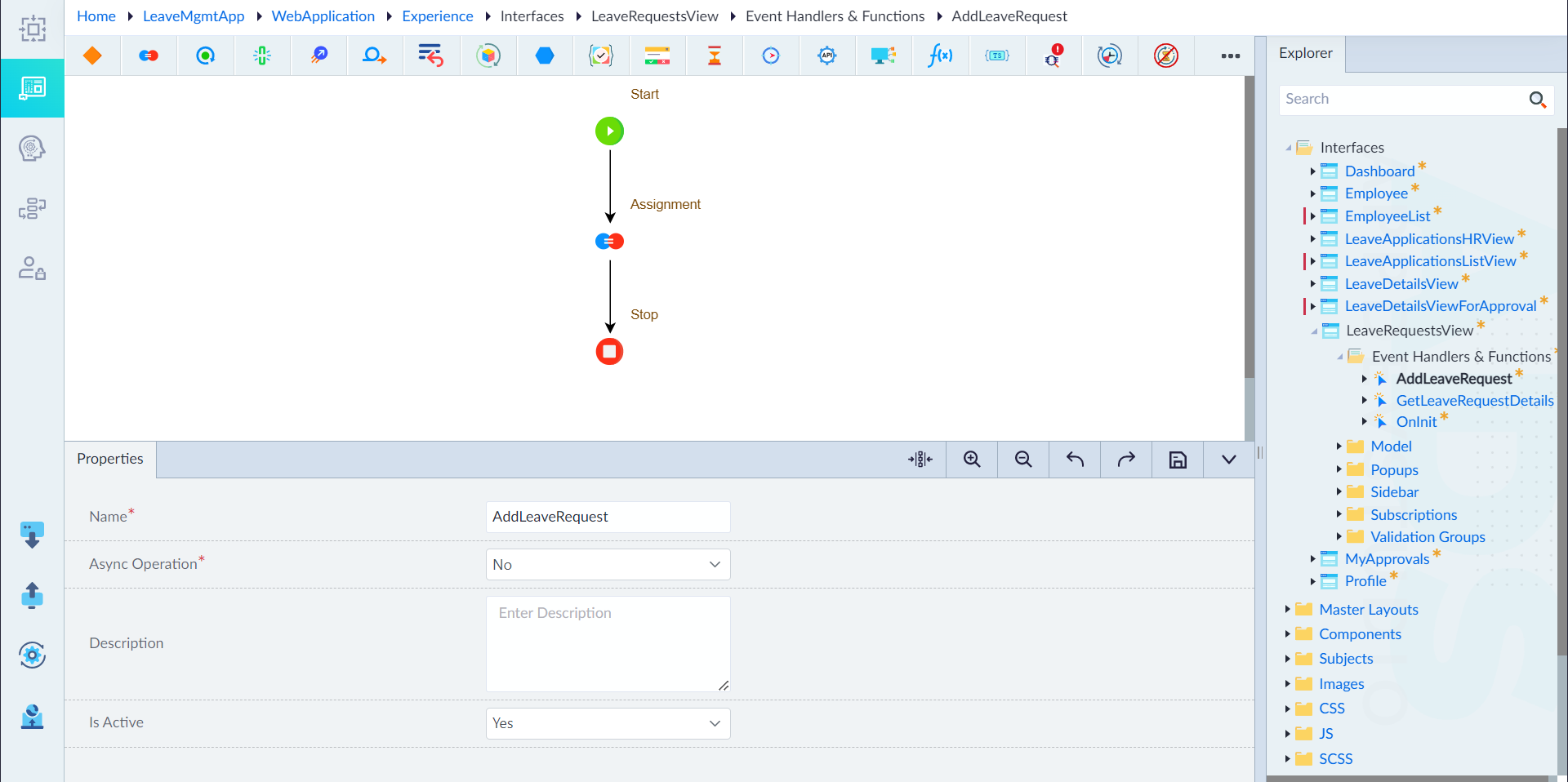
To configure the AddLeaveRequest event, navigate to the Event Handlers and Functions folder, right-click and select Add Events. In the property pane, provide values for the following, and click Save:
- Name: AddLeaveRequest
- Async Operation: No
- Description: None
- Is Active: Yes
Implementing logic for AddLeaveRequest event
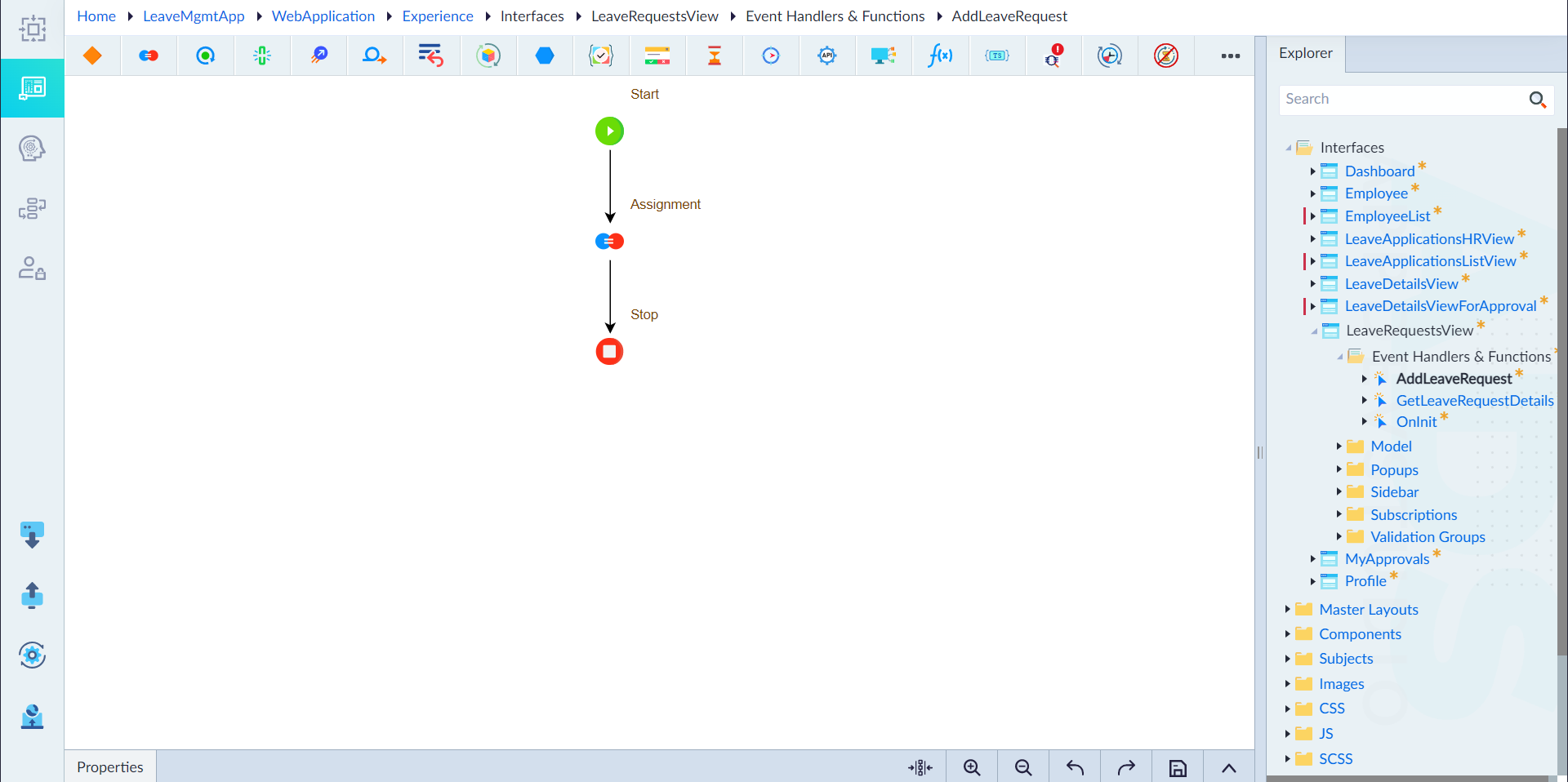
The following constructs have been configured in the logic flow.
- Start Construct: Marks the beginning of the logic flow.
- Assignment Construct:
- Label: Assignment
- Expression:
this.VisibleLeaveDetails=true - Comment: No
- Description: None
- Stop Construct: Marks the end of the logic flow.
GetLeaveRequestDetails
To configure the GetLeaveRequestDetails event, navigate to the Event Handlers and Functions folder, right-click and select Add Events. In the property pane, provide values for the following, and click Save:
- Name: GetLeaveRequestDetails
- Async Operation: No
- Description: None
- Is Active: Yes
Implementing logic for GetLeaveRequestDetails event
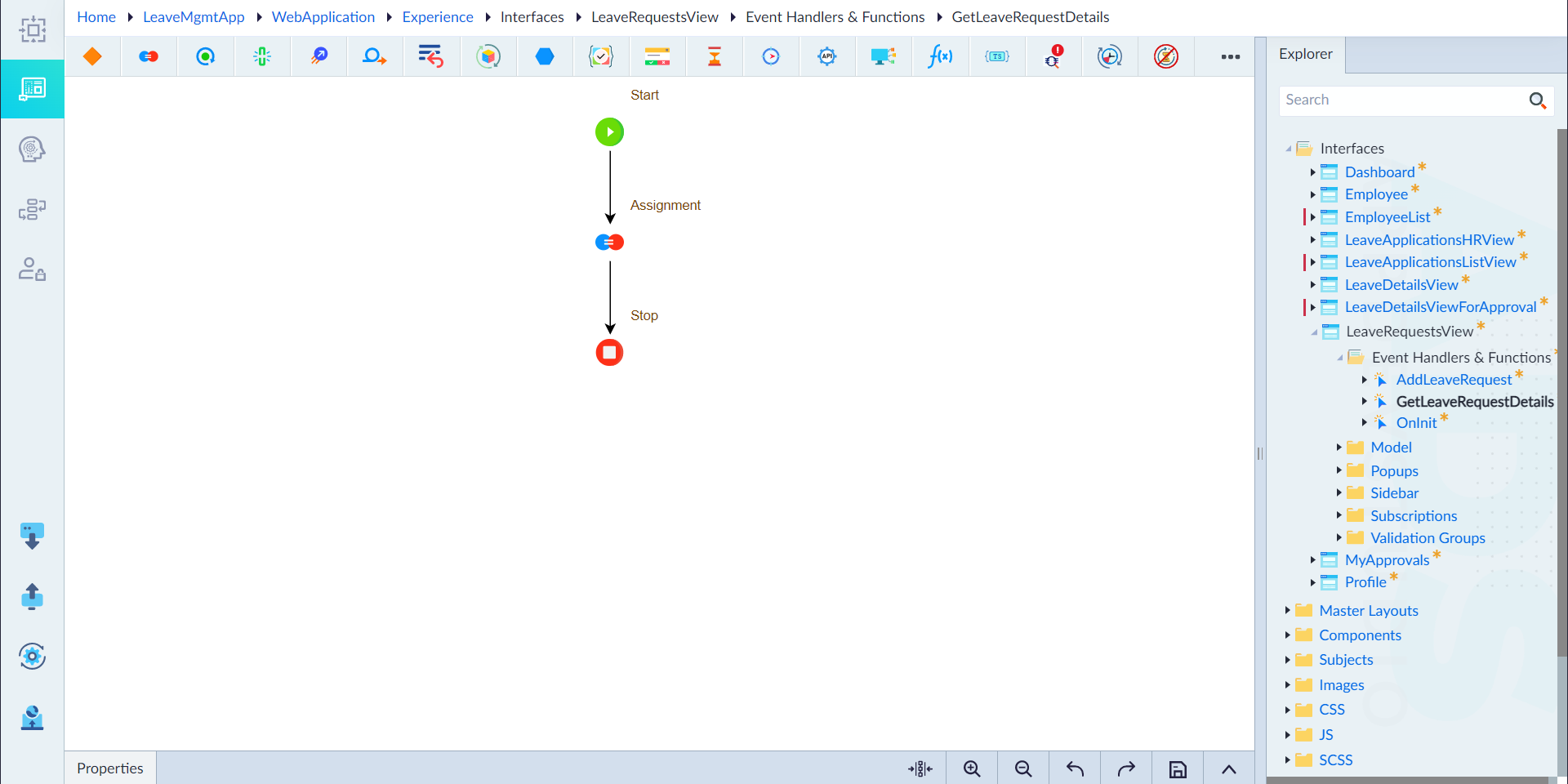
The following constructs have been configured in the logic flow.
- Start Construct: Marks the beginning of the logic flow.
- Assignment Construct:
- Label: Assignment
- Expression:
Sys.AddItemToArray<LeaveApplicationVM>(LeaveRequest, this.LeaveRequests);this.VisibleLeaveDetails=false; - Comment: No
- Description: None
- Stop Construct: Marks the end of the logic flow.
Note: Input parameter in interface event and the input parameter in event emitter as seen in custom component must be the same.
By configuring the AddLeaveRequest event and implementing its logic, users can smoothly submit leave requests, while administrators efficiently handle and process them.
Configuring the GetLeaveRequestDetails event and implementing its logic allows for the retrieval of leave request details, empowering users and administrators with comprehensive information for efficient decision-making.