Use Liquid Templates
In the context of quoting health application, an example of using liquid template is to pass the input parameters using a liquid syntax for generating an access token. The below sections provide information to users on implementing a transformation using liquid templates in an application.
Following are the prerequisites:
- Liquid Template.
- Server Flow.
Create a Liquid Template
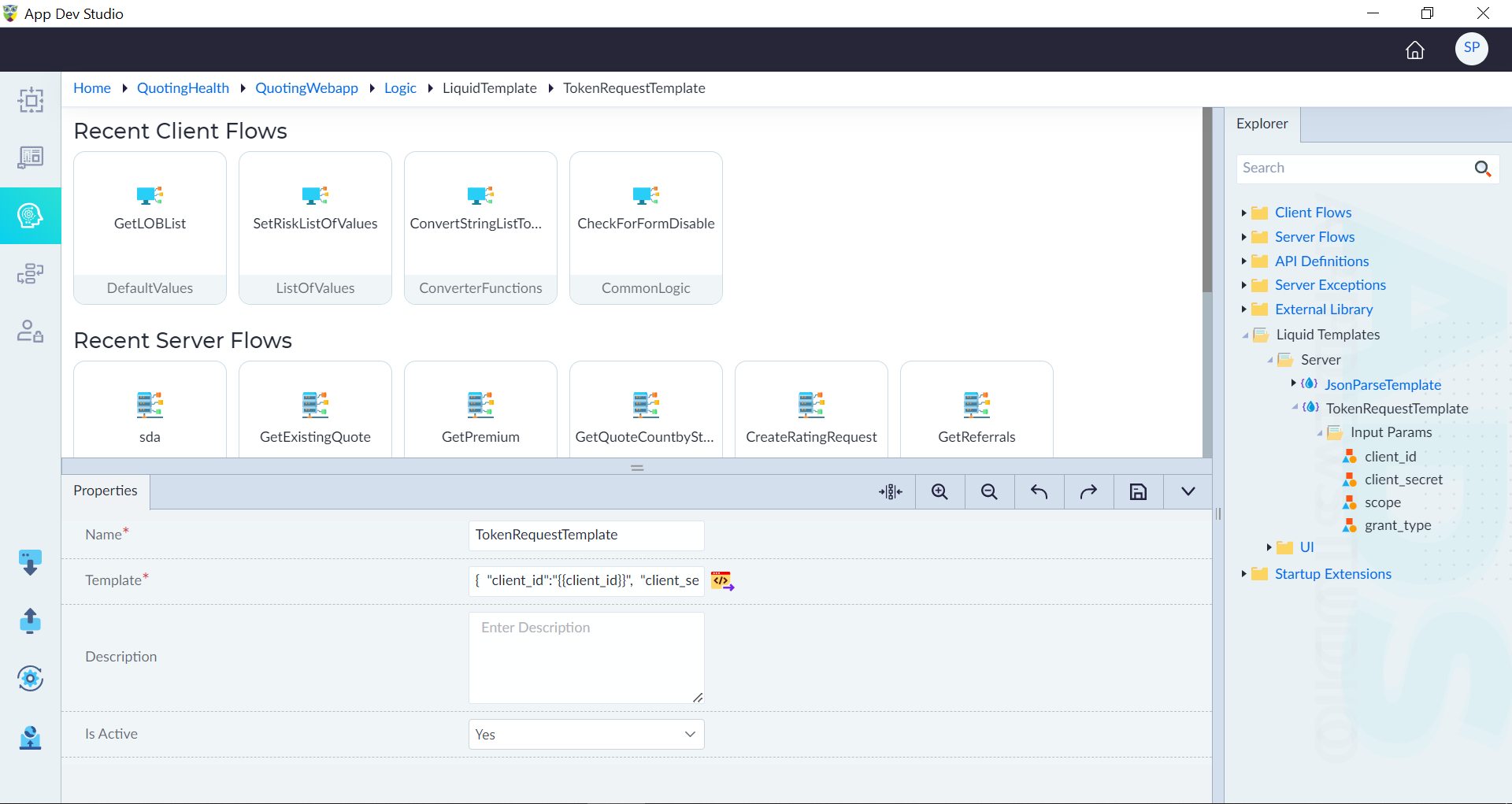
Follow the steps given in Create Liquid Templates and create a liquid template. In this example, a liquid template with name as "TokenRequestTemplate" along with the template as shown in the image is created. Input parameters such as client_id, client_secret, scope, and grant_type are added with data type as string are added accordingly.
Use the Template in Server Flow
Using the variables in the liquid template, users can generate the content dynamically. Follow the below steps to use the liquid template in a server flow.
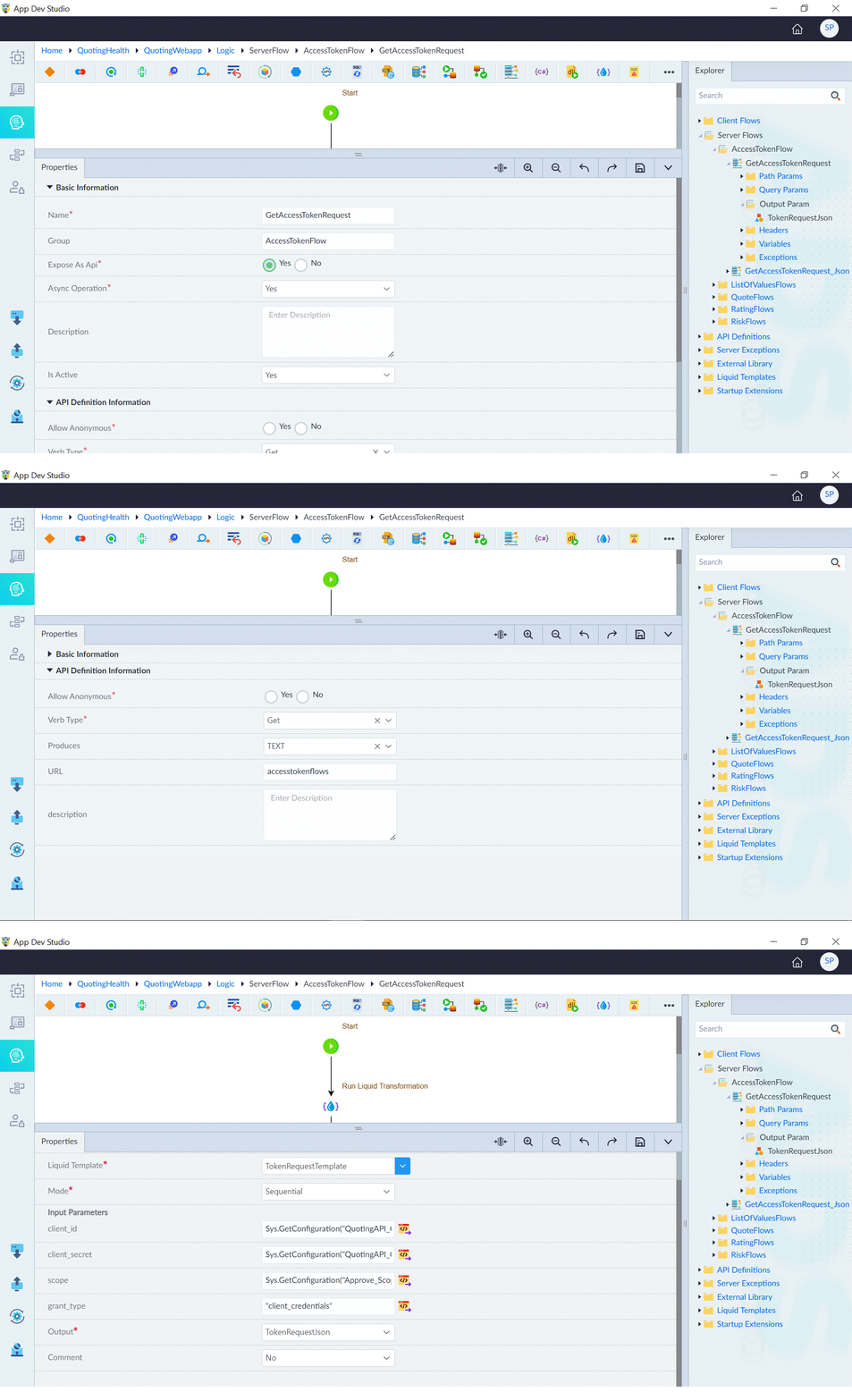
- Create a server flow and configure it as follows (main parameters are shown below):
- Name: GetAccessTokenRequest
- Expose As Api: Yes
- Async Operation: Yes
- Is Active: Yes
- Verb Type: Get
- Produces: TEXT
- URL: accesstokenflows (configured in API settings of Run)
- Create an output parameter to give a naming to the response. Here an output parameter with name "TokenRequestJson" with data type as "string" is created.
- Add Run Liquid Transformation construct in the server flow and configure as below:
- Label: Run Liquid Transformation
- Liquid Template: TokenRequestTemplate (select it from the drop-down)
- Mode: Sequential
- Configure the input parameters as required and add the expression if required
- Output: TokenRequestJson (select it from drop-down)
The variables set in liquid template is used and are used to retrieve the access token.