Revert to a Previous Revision
Users can revert to previous revisions of items in a module or a complete module as required. Follow the below steps to revert to a previous revision of a module.
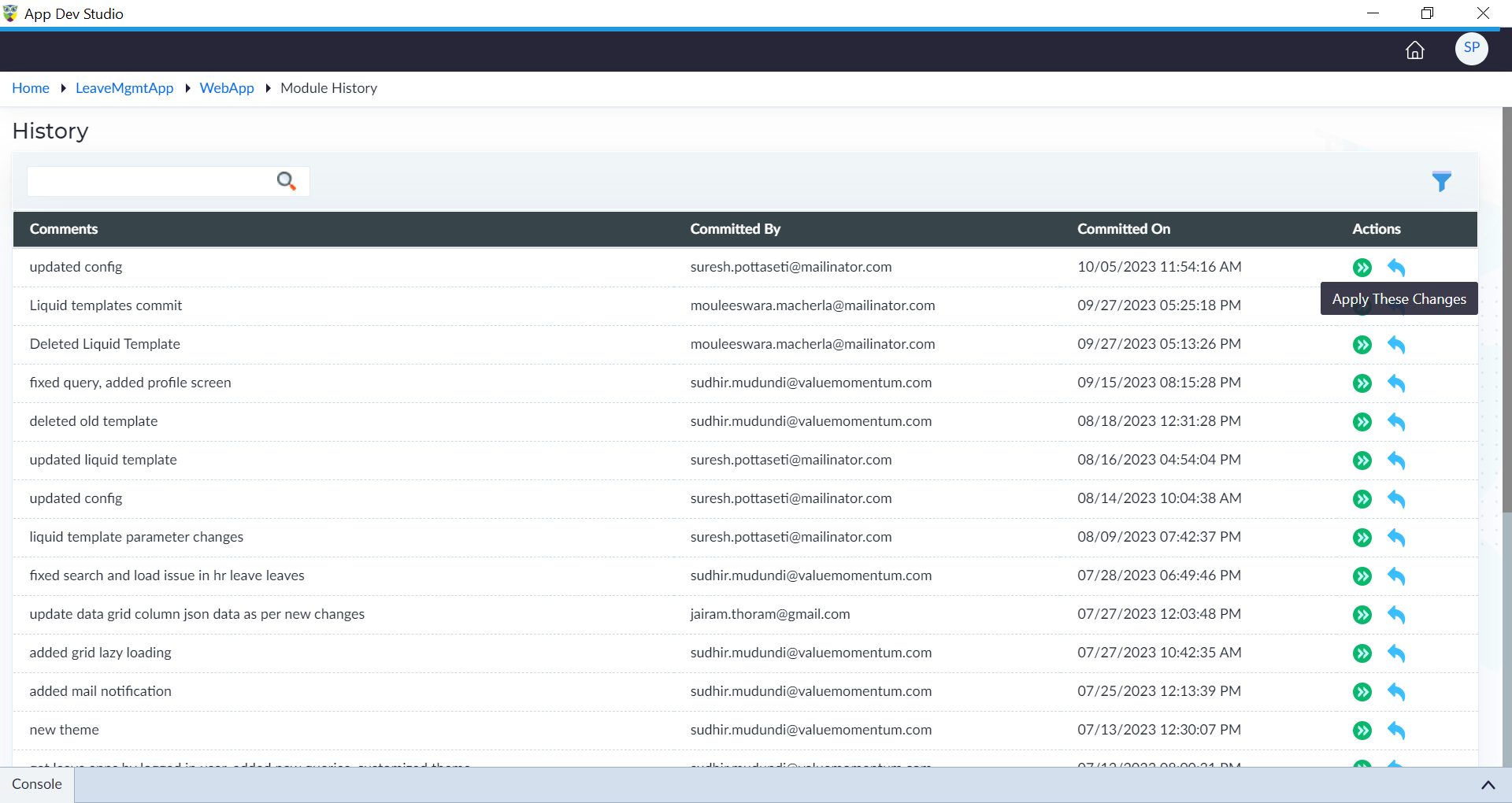
- Click View History icon of a module.
- In the "History" window, under actions, click Apply These Changes of a particular revision to revert back to a specific revision.
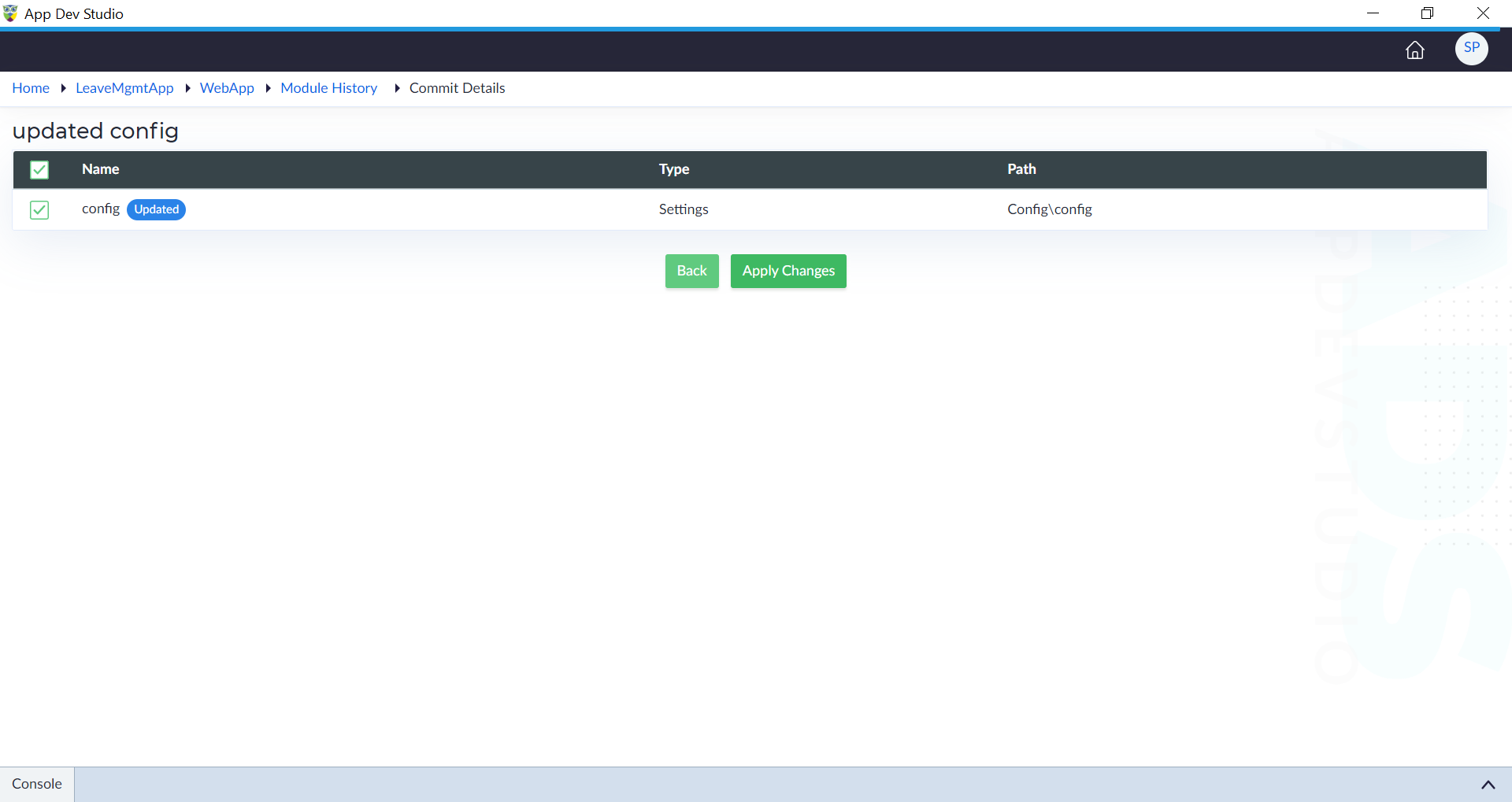
- Select the required items and click Apply Changes.
- Click Confirm.
The "Changes applied successfully" message appears.