Implement Grid with Lazy Loading
The below sections provide the information to implement a grid with lazy loading in an application.
Following are the pre-requisites for a grid with lazy loading:
- Service Entities
- Interface
- Models
- API definition
- Event
Create Service Entities
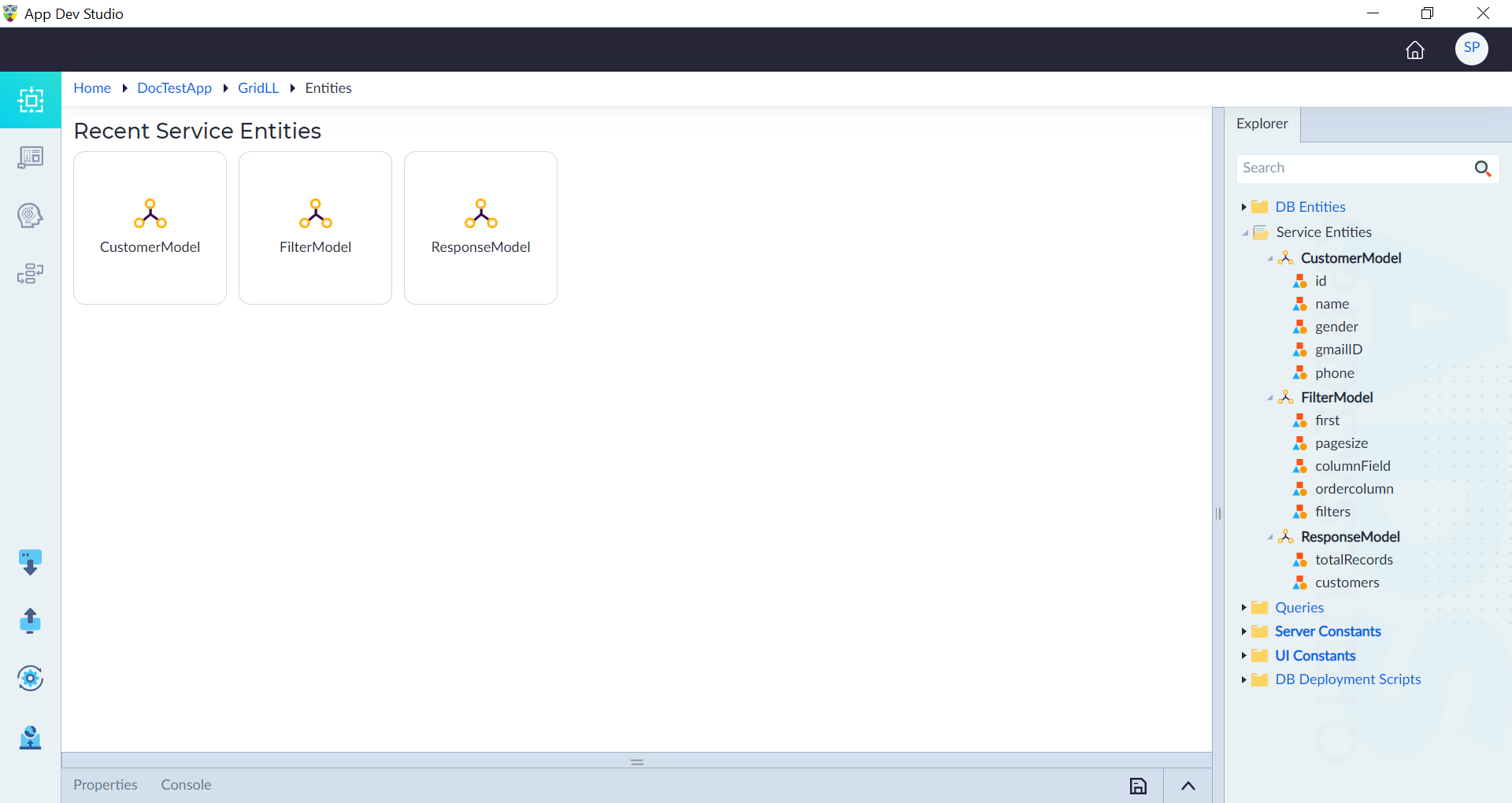
Follow the steps given in Create Service Entity and create the following service entities as given below:
- CustomerModel with id (Integer), name (String), gender (String), gmailID (String), phone (string) as attributes.
- FilterModel with first (Integer) , pagesize (Integer), columnField (String), ordercolumn (Integer), filters (Any) as attributes.
- ResponseModel with totalRecords (Integer), customers (complex) as attributes. Here, the customers attribute reference entity is CustomerModel.
Create Interface
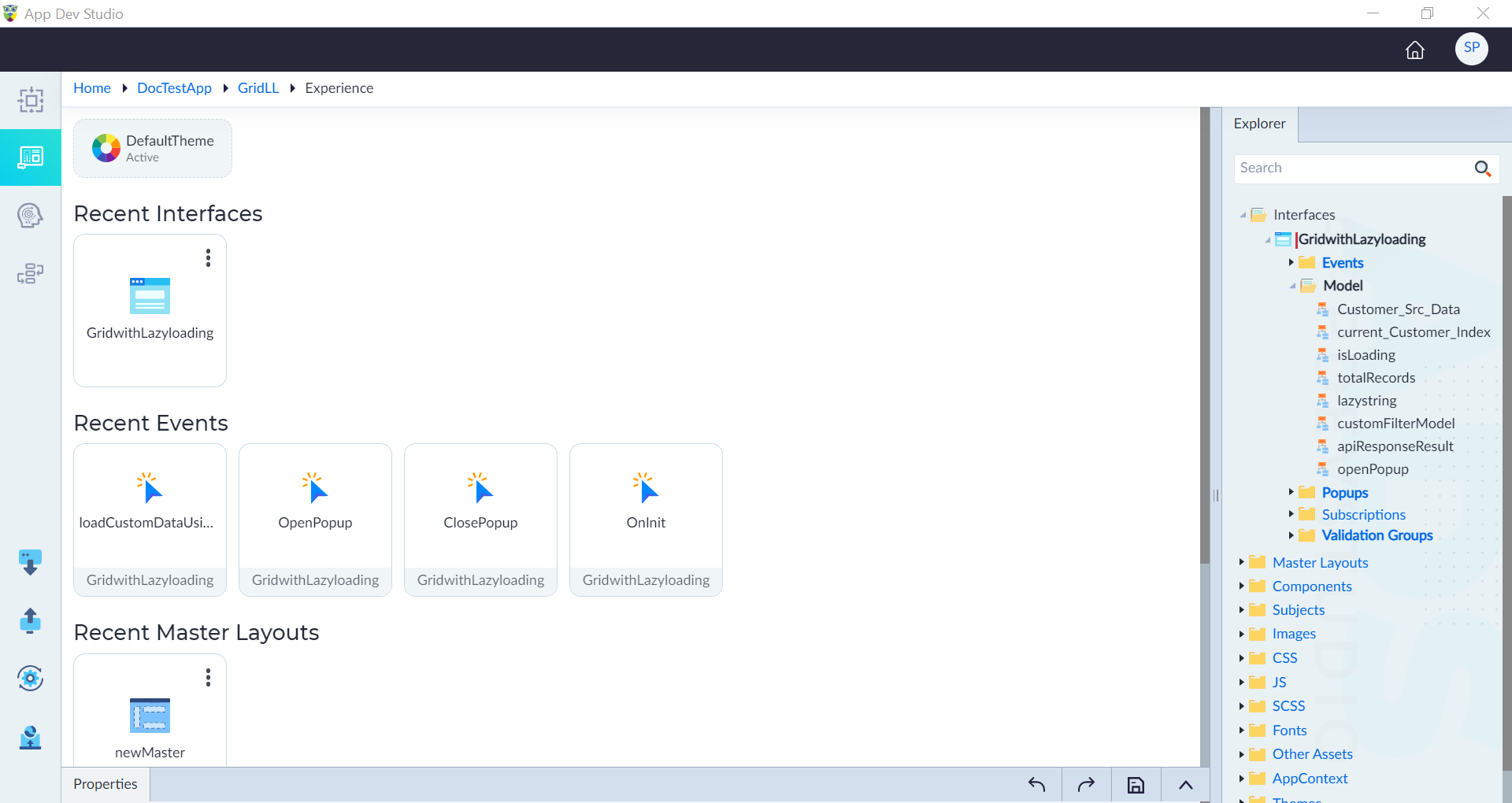
Follow the steps given in Create Interface to create the GridwithLazyloading interface to hold a data grid.
Create Model
Follow the steps given in Create Model and create the models as given below:
- Customer_Src_Data is an array with type as CustomerModel.
- current_Customer with type as CustomerModel.
- current_Customer_Index with type as Integer.
- isLoading with type as Boolean.
- totalRecords with type as Integer.
- lazystring with type as String.
- customFilterModel with type as FilterModel.
- apiResponseResult with type as ResponseModel.
- openPopup with type as Boolean.
Import API Definition
Follow the steps given in Import API Definition to add GetCustomersFilterModel API into the application. This API is used to sort and filter the customers data as per the requirement.
Create Event
Follow the below steps to create the lazy load event.
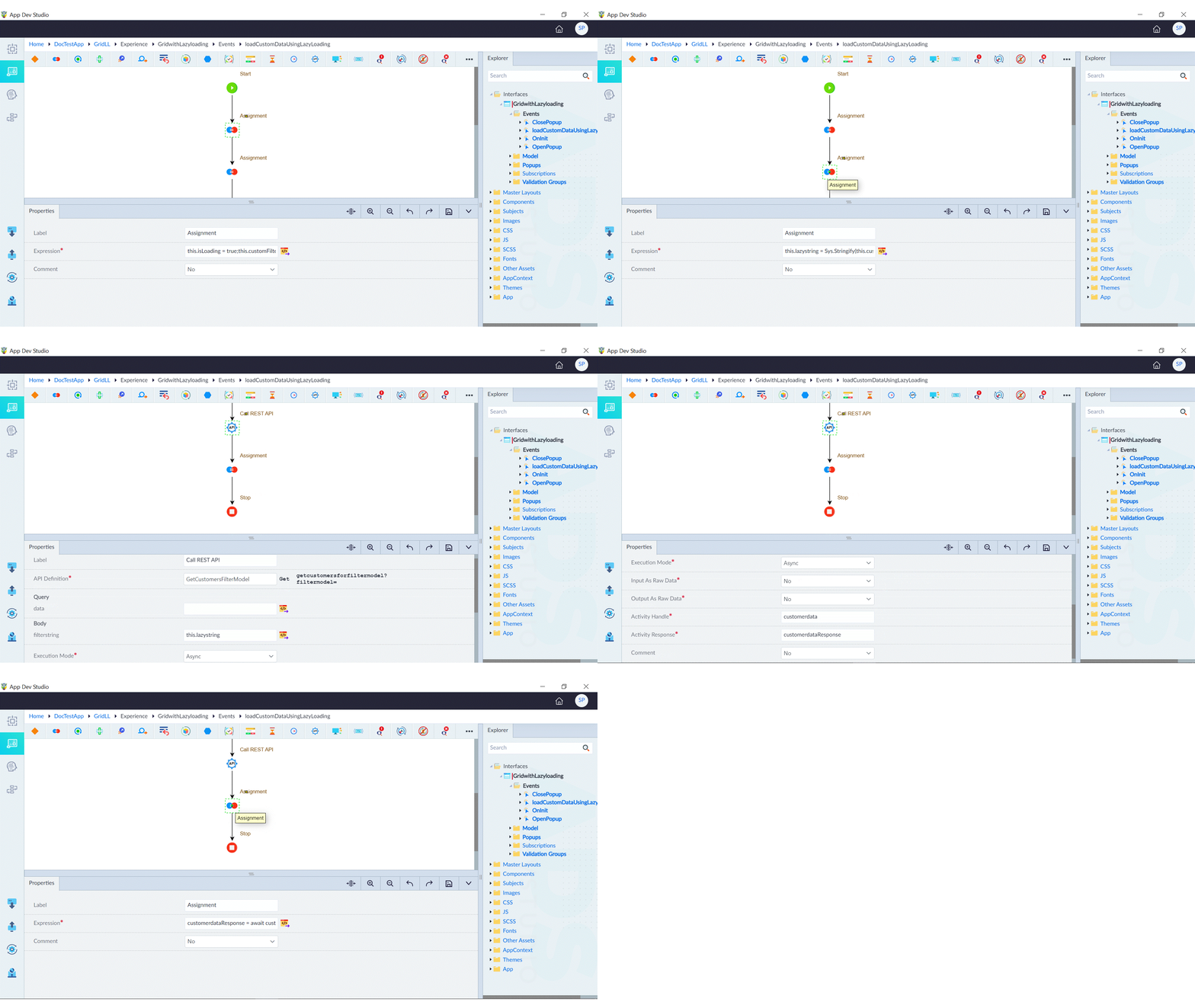
- In the created GridwithLazyloading interface, right-click events and create loadCustomDataUsingLazyLoading event.
- Use the assignment construct to update the values of the customFilterModel object based on values provided in the event object with the following expression: this.isLoading = true; this.customFilterModel.first = event.first; this.customFilterModel.pagesize = event.rows; this.customFilterModel.columnField = event.sortField; this.customFilterModel.ordercolumn = event.sortOrder; this.customFilterModel.filters = event.filters;
- Use the assignment construct to stringify the customFilterModel and assign the value to lazystring.
- Use the Call Rest API construct to call the GetCustomersFilterModel and get the results. Configure the construct as follows:
- API Defintion: GetCustomersFilterModel
- filterstring: this.lazystring (expression for filter string)
- Execution Mode: Async
- Input As Raw Data: No
- Output As Raw Data: No
- Activity Handle: customerdata
- Activity Response: customerdataResponse
- Comment: No
- Use the assignment construct to make an asynchronous process that fetches customer data from an external source, extracts specific data from the API response, and updates properties on the current object to work with this data using the given expression below: customerdataResponse = await customerdata; this.apiResponseResult = customerdataResponse.Content; this.Customer_Src_Data = this.apiResponseResult.customers; this.totalRecords = this.apiResponseResult.totalRecords; this.isLoading = false;
Implement Data Grid
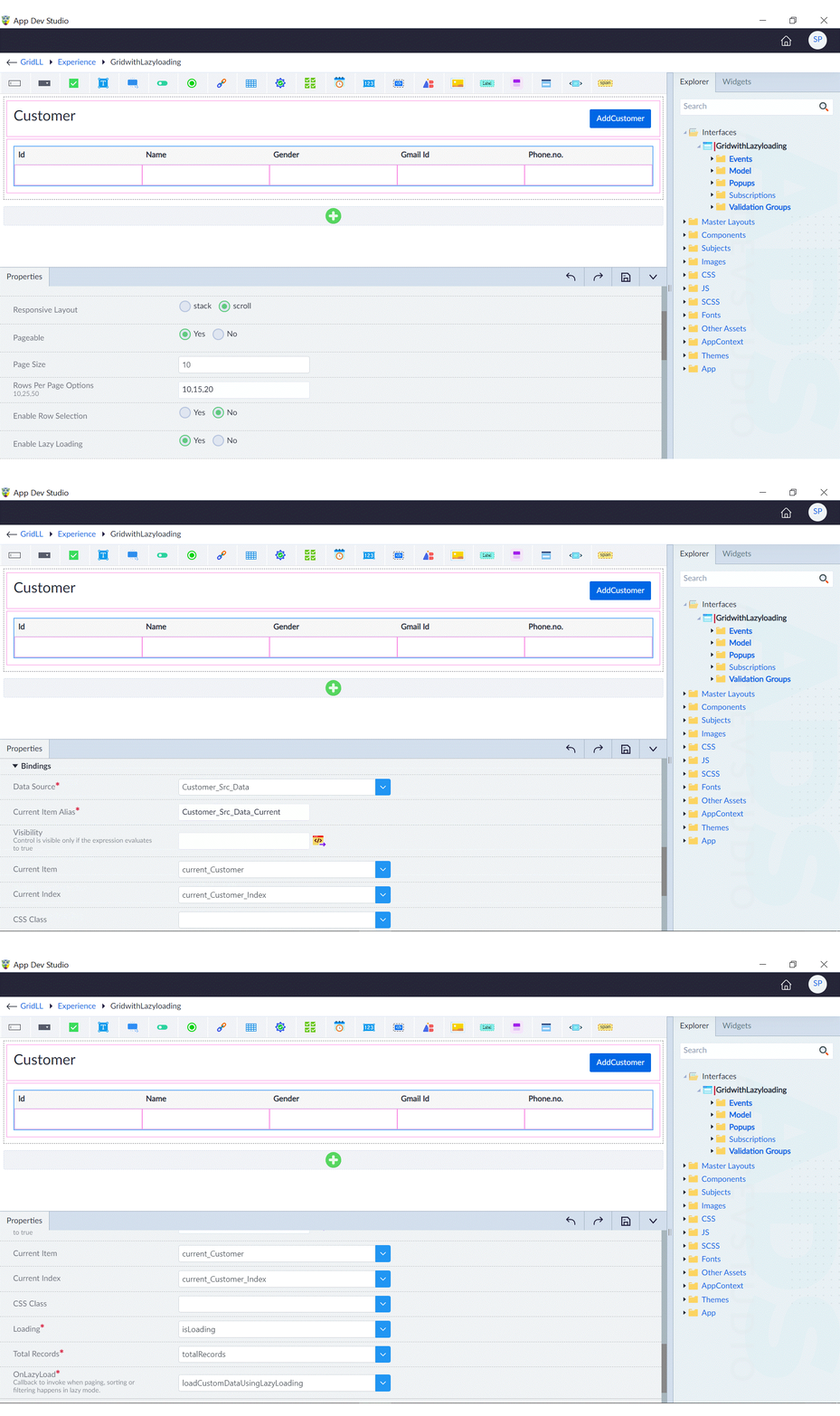
Follow the steps given in Data Grid and configure the data grid accordingly with the created event. The following are the properties configured in this data grid.
In basic configuration, following are the properties:
- Header Required: Yes
- Serial Number: No
- Responsive Layout: scroll
- Pageable: Yes
- Page Size: 10
- Rows Per Page Options: 10,15,20
- Enable Row Selection: No
- Enable Lazy Loading: Yes
- Row Expand: No
- Enable Row Span: No
In bindings, following are the properties:
- Data Source: Customer_Src_Data
- Current Item Alias: Customer_Src_Data_Current
- Current Item: current_Customer
- Current Index: current_Customer_Index
- Loading: isLoading
- OnLazyLoad: loadCustomDataUsingLazyLoading