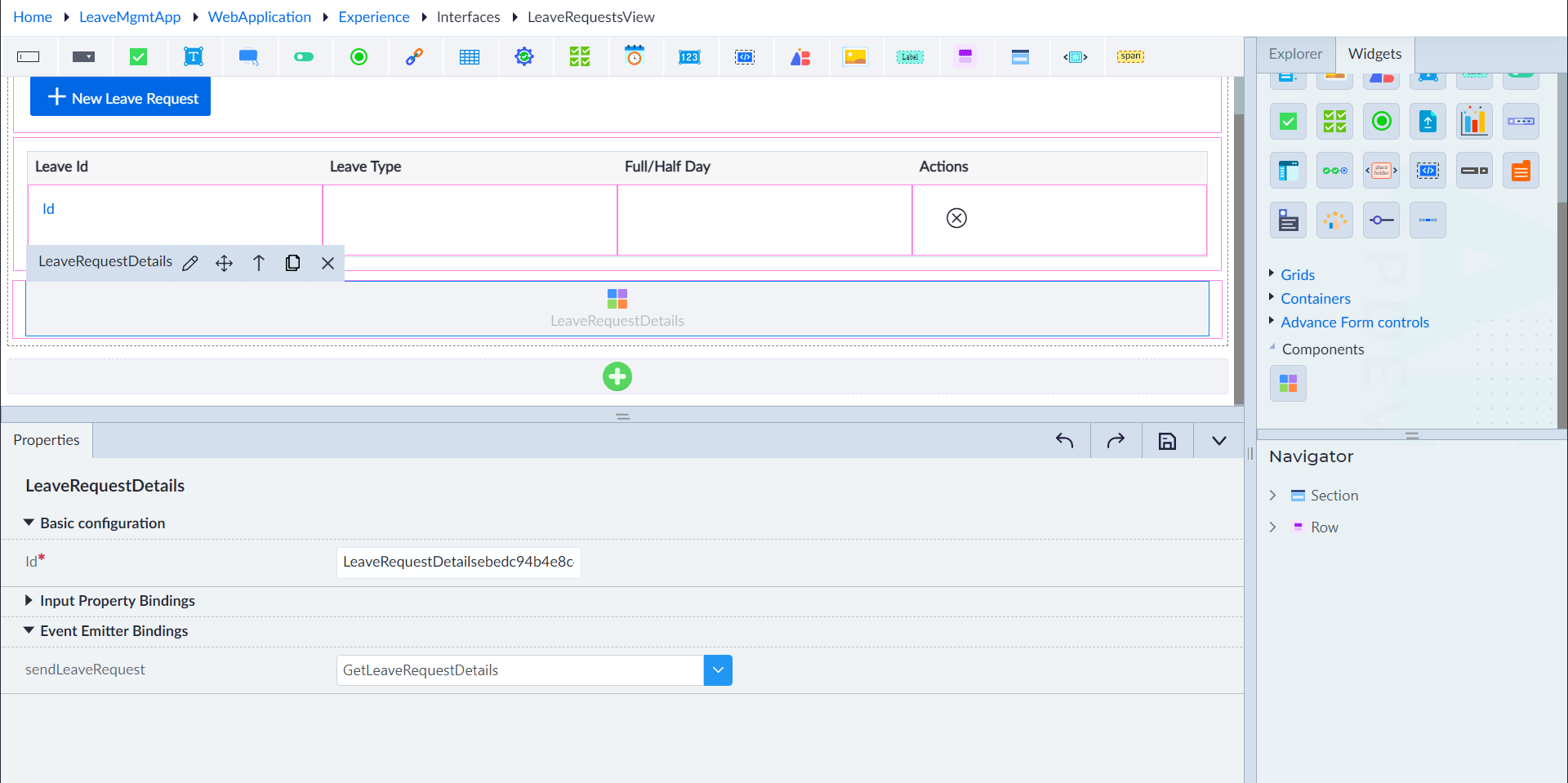
Configure LeaveRequestDetails Component
- Navigate to the Experience module, then to the Widgets section.
- Expand the Components drop-down in the widgets panel and use the drag-and-drop action to place the LeaveRequestDetails onto the LeaveRequestsView interface.
- Hover over the component, click on edit, and input the following information in the property pane:
- Basic Configuration
- Id: LeaveRequestDetails ebedc94b4e8c48dc966f00c0f6398ee3
- Event Emitter Bindings
- sendLeaveRequest: GetLeaveRequestDetails
- Basic Configuration