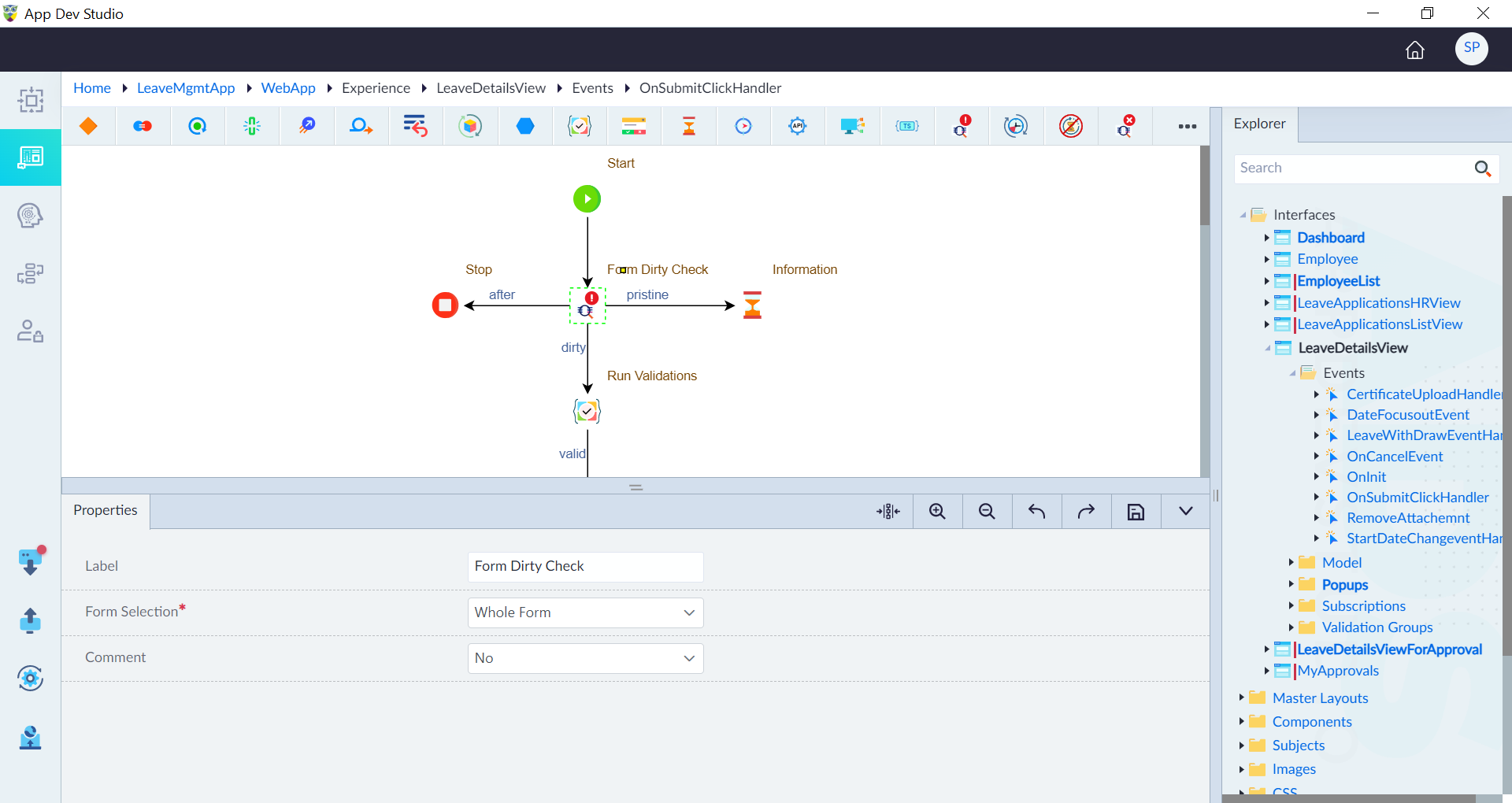
Implement Form Dirty Check
Follow the below sections to implement form dirty check in an application.
Create a Form
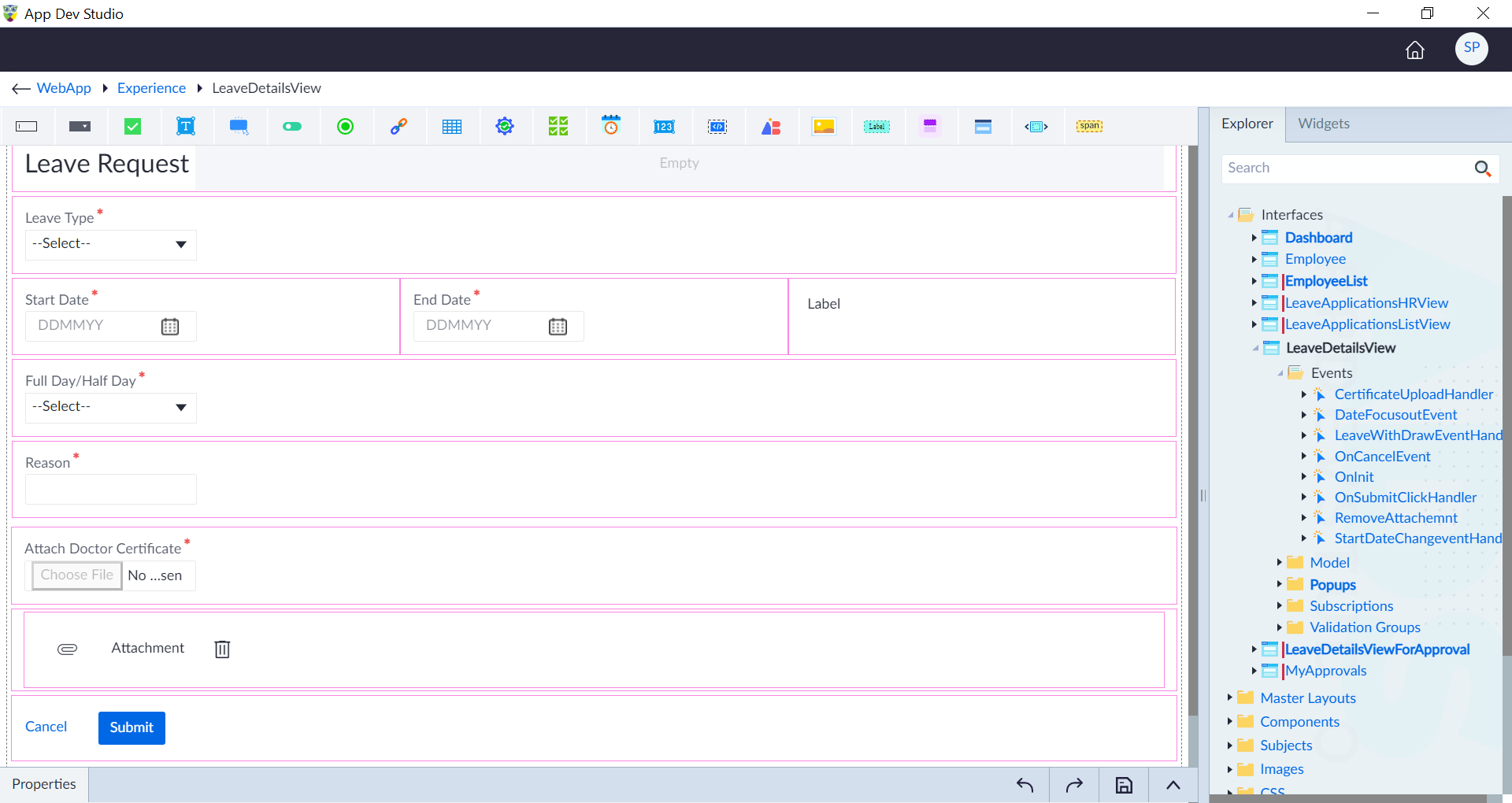
In the context of leave management application, follow the steps given in Create Interface to create a leave form. Use the required widgets to configure the form as required. In this example the following widgets are used to create the leave form.
- Dropdown
- Date-Time
- Textbox
- FileUpload
- Link
- Button
The image shows the example form created.
Create an Event
To implement form dirty check, follow the below steps.
- Follow the steps given in Event Handlers & Functions to create
OnSubmitClickHandlerevent. This event fires when the submit button is clicked to apply the leave request based on the validations. - In the event, use the Form Dirty Check construct to check whether the form is dirty and configure the properties as below:
- Form Selection: Whole Form
- Create the logic as required to submit the form after filling.
- If the form is not dirty, the logic is implemented to provide a message saying "Form is not Modified" with toast construct.