Multi Table Output in Stored Procedure
To utilize the Multi Table output capability in a stored procedure within OwlGen for comprehensive data retrieval, including associated topics and options, follow the steps mentioned below.
Configure the Stored Procedure
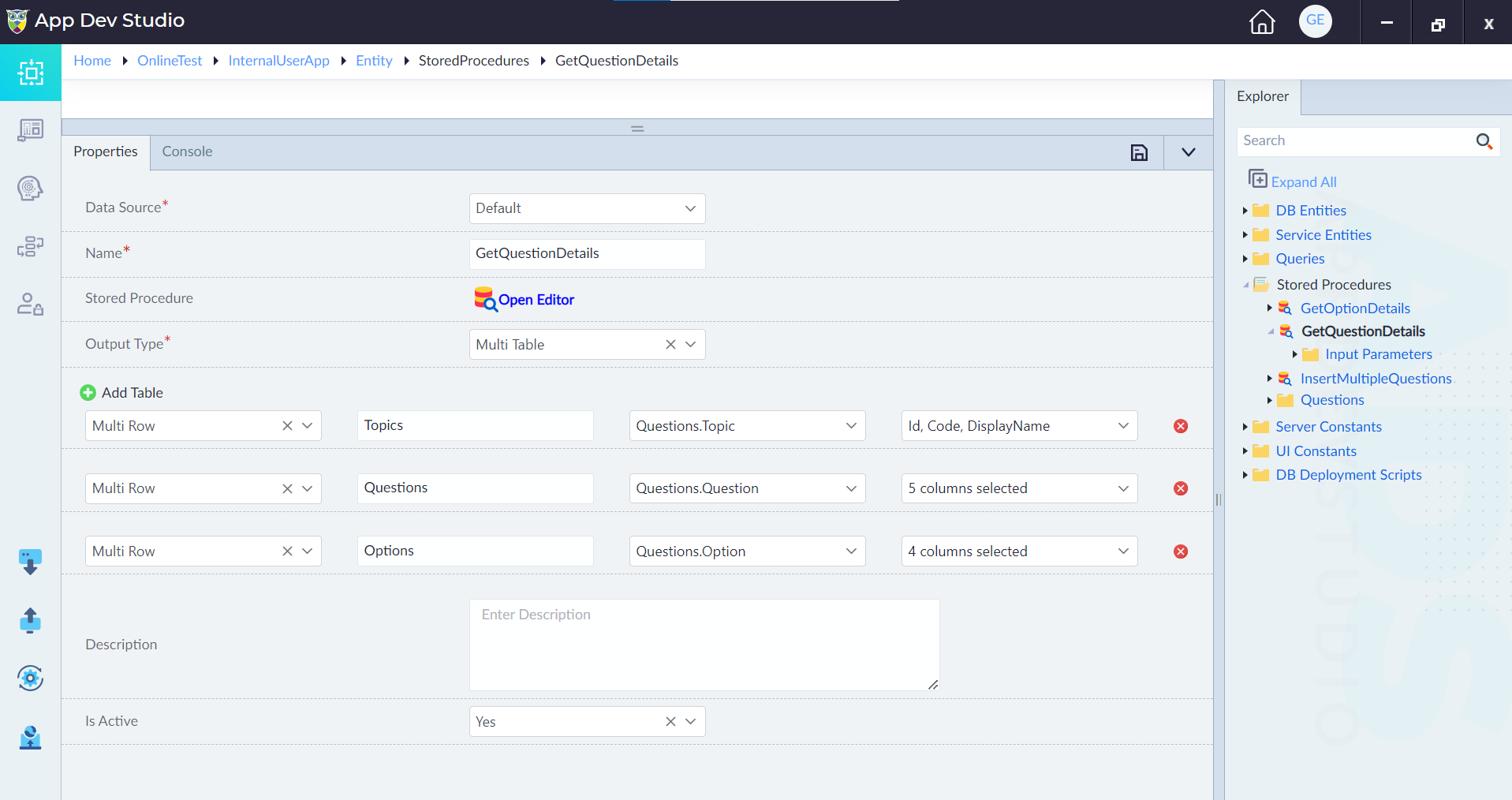
- Create a Stored Procedure: Navigate to the stored procedures section in OwlGen and create a Stored Procedure by providing inputs for the properties, as applicable.
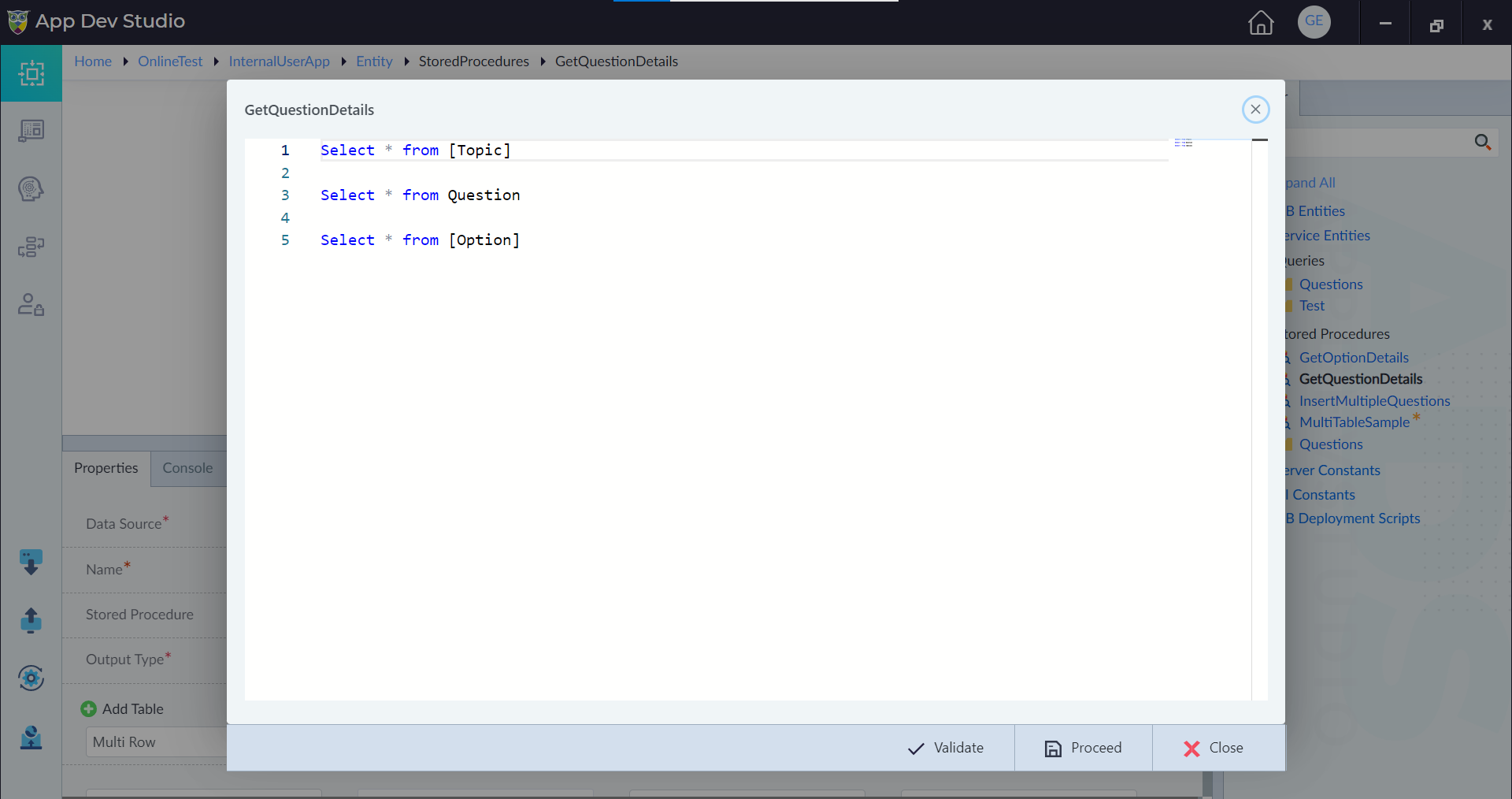
- Write SQL Query: Within the property panel, write SQL queries to retrieve data from the relevant database tables by clicking on Open Editor. This includes selecting data from the Topics, Questions, and Options tables using appropriate SQL commands.
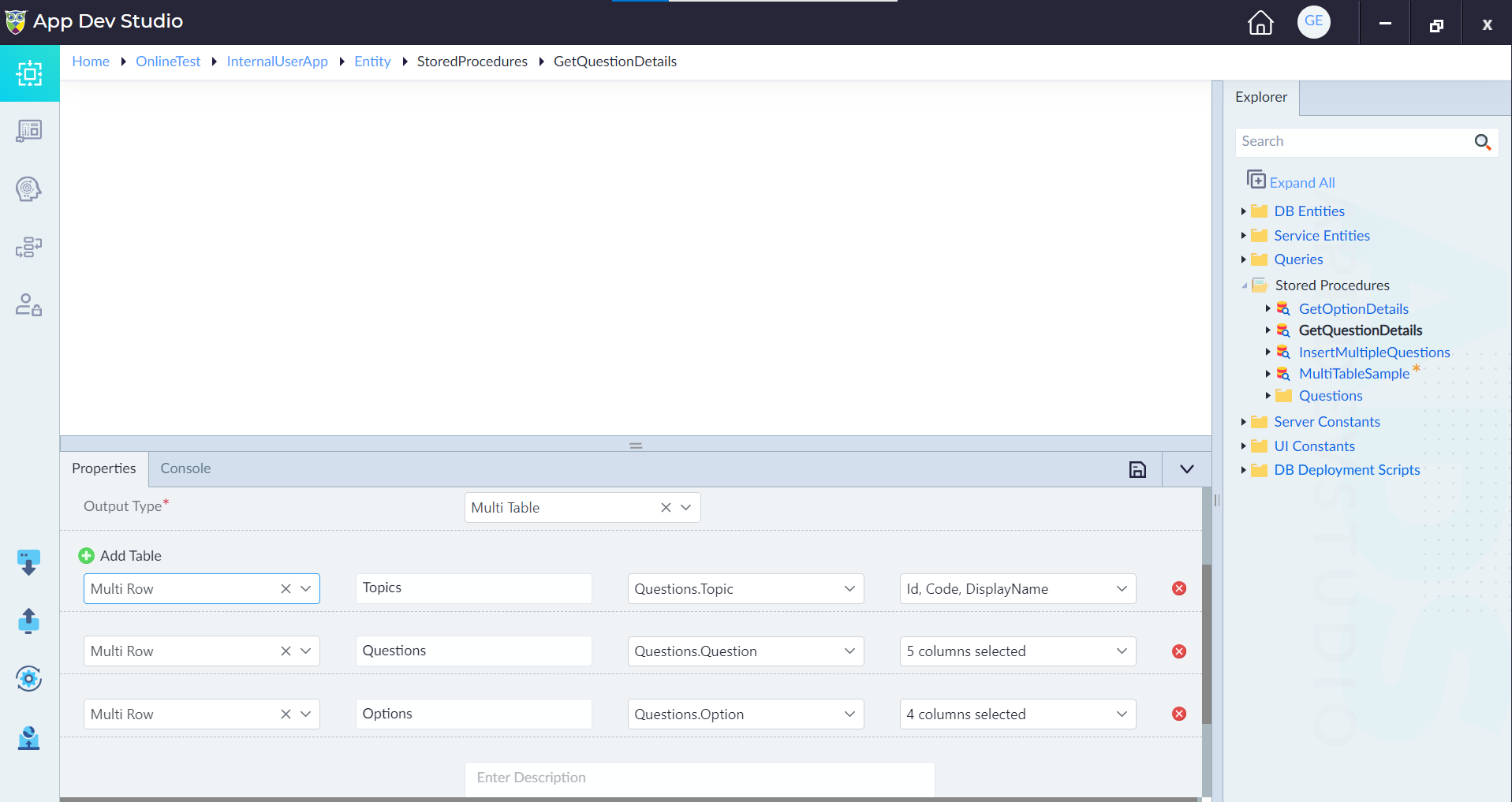
- Configure Output Type: Set the output type of the stored procedure to "Multi Table" and click on +Add Table to configure the table.
Implement Server Flow Logic
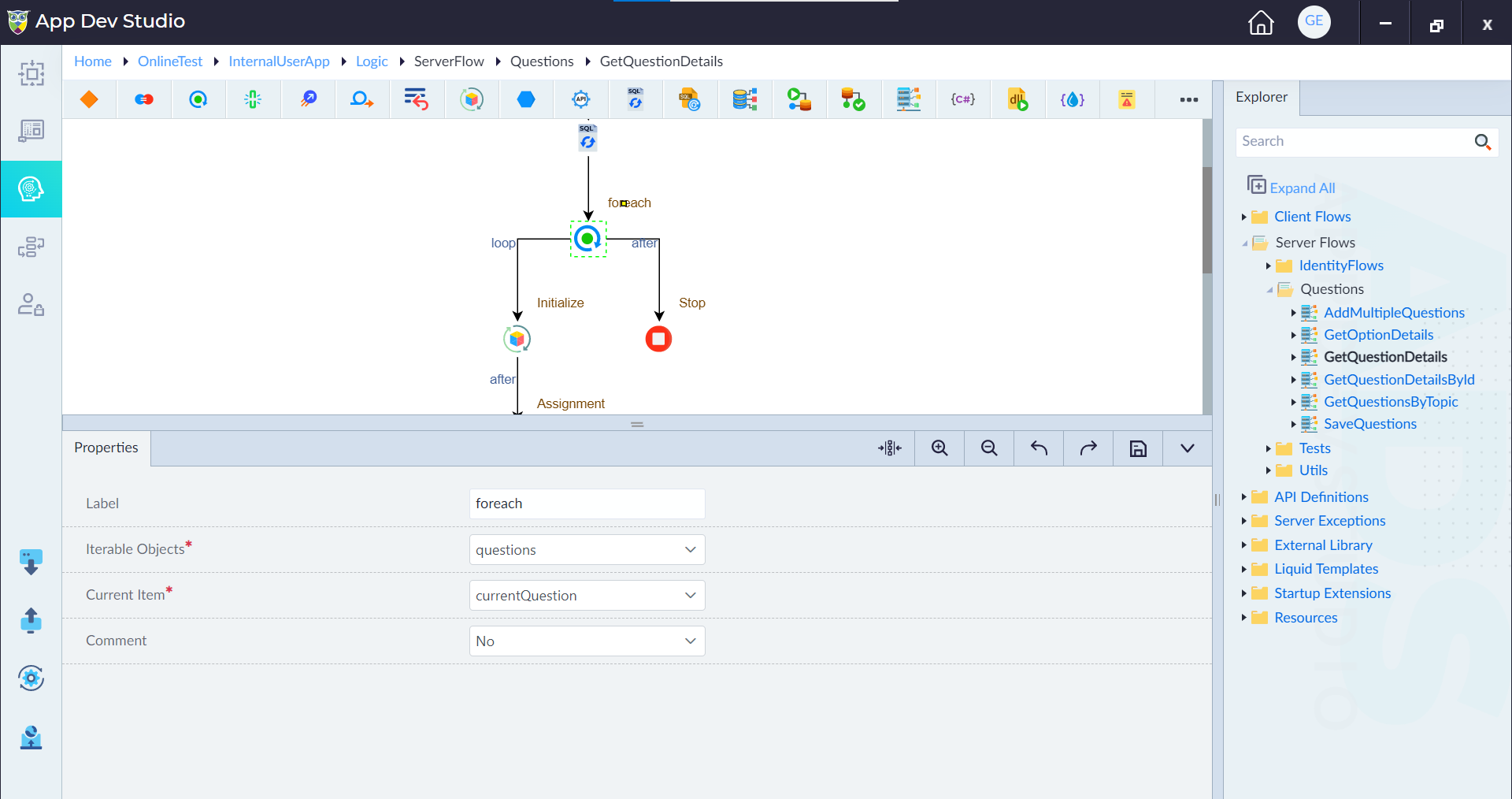
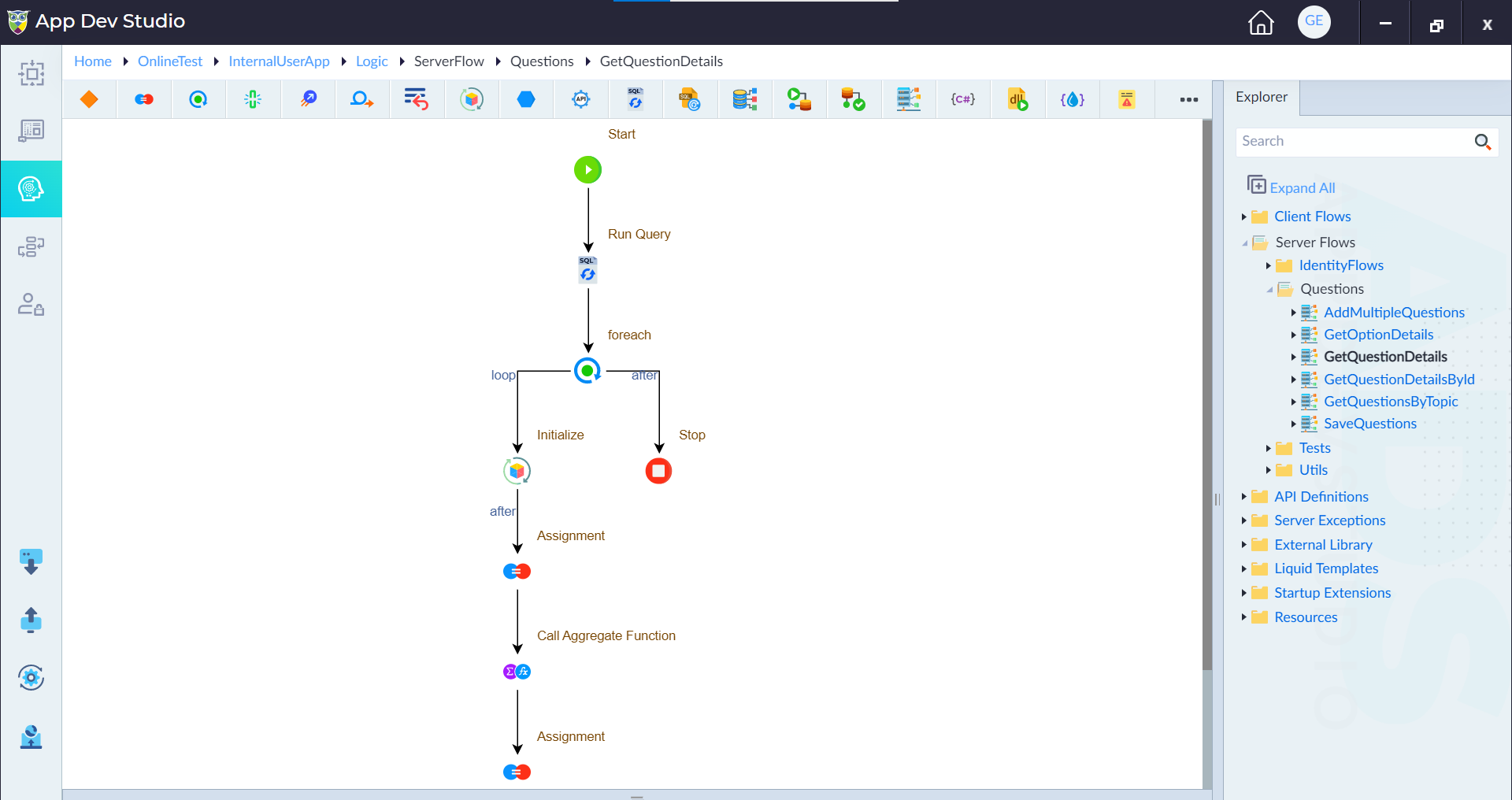
The queries configured in the Stored Procedure are executed within a server flow named "GetQuestionDetails," which is designed to handle asynchronous operations and expose the procedure as an API endpoint. Within the server flow, a series of logic constructs are employed to process the query results and structure the final response:
-
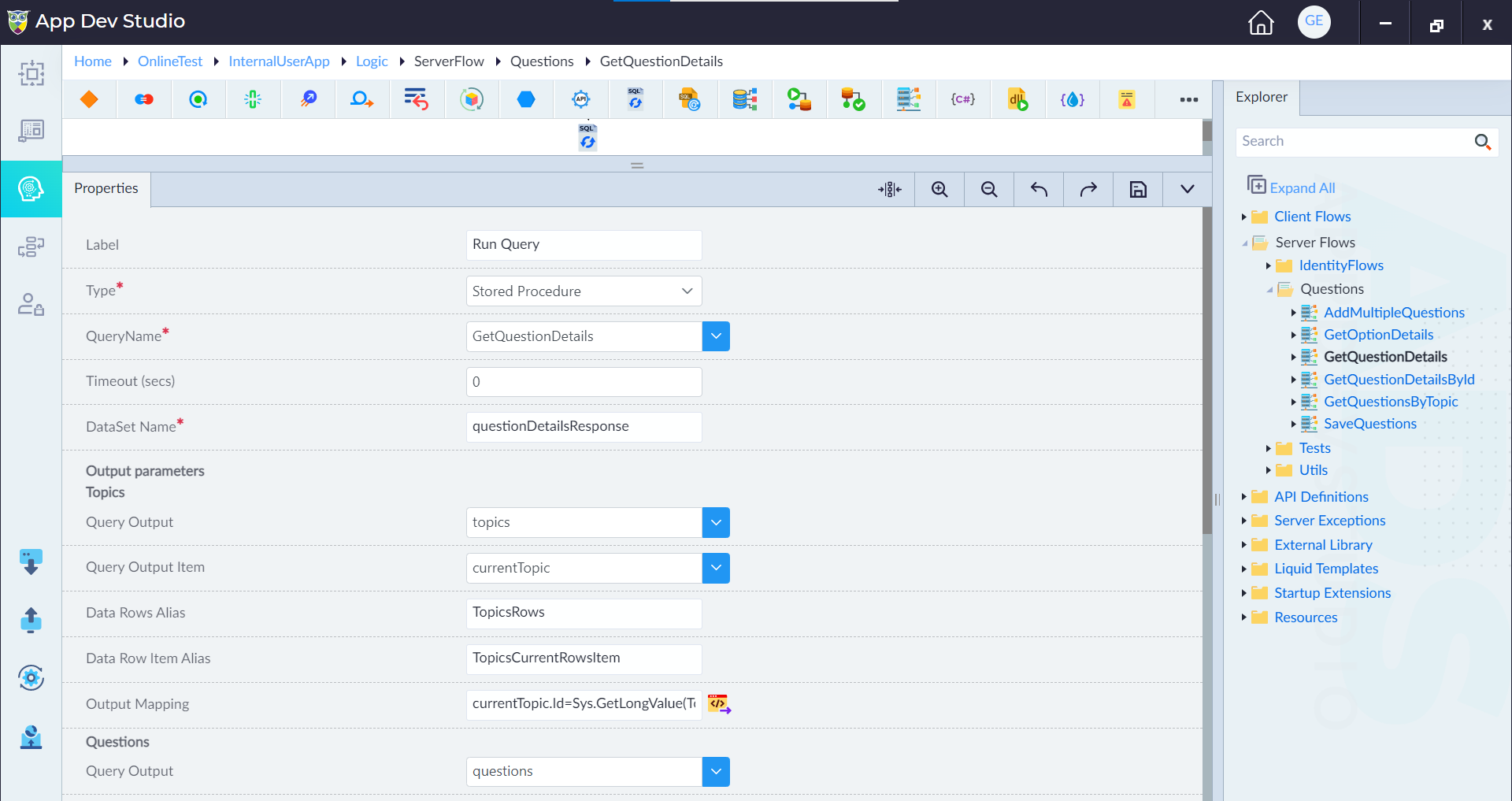
Run Query: The "Run Query (Stored Procedure)" construct initiates the execution of the "GetQuestionDetails" stored procedure, facilitating the retrieval of data from multiple tables in the database.
Within the stored procedure, multiple output parameters are defined to capture data from distinct tables, such as Topics, Questions, and Options.
Property Description Example Label Identifies the construct Run Query Type Specifies the construct type Stored Procedure QueryName Name of the stored procedure to be executed GetQuestionDetails Timeout (secs) Duration before query times out 0 DataSet Name Name of the dataset holding query results questionDetailsResponse Output Parameters Topics Output parameter for topics topics Query Output Data output for topics topics Query Output Item Placeholder for each topic currentTopic Data Rows Alias Alias for topic data rows TopicsRows Data Row Item Alias Alias for current topic row TopicsCurrentRowsItem Output Mapping Mapping of topic attributes currentTopic.Id, currentTopic.Code, currentTopic.DisplayName Questions Output parameter for questions questions Query Output Data output for questions questions Query Output Item Placeholder for each question currentQuestion Data Rows Alias Alias for question data rows QuestionsRows Data Row Item Alias Alias for current question row QuestionsCurrentRowsItem Output Mapping Mapping of question attributes currentQuestion.Id, currentQuestion.Code, currentQuestion.QuestionText, currentQuestion.Answer, currentQuestion.TopicId Options Output parameter for options options Query Output Item Placeholder for each option currentOption Data Rows Alias Alias for option data rows OptionsRows Data Row Item Alias Alias for current option row OptionsCurrentRowsItem Output Mapping Mapping of option attributes currentOption.Id, currentOption.Code, currentOption.Text, currentOption.QuestionId -
Iterate Over Questions: The "ForEach" construct systematically iterates over each retrieved question, enabling individual processing of their details.
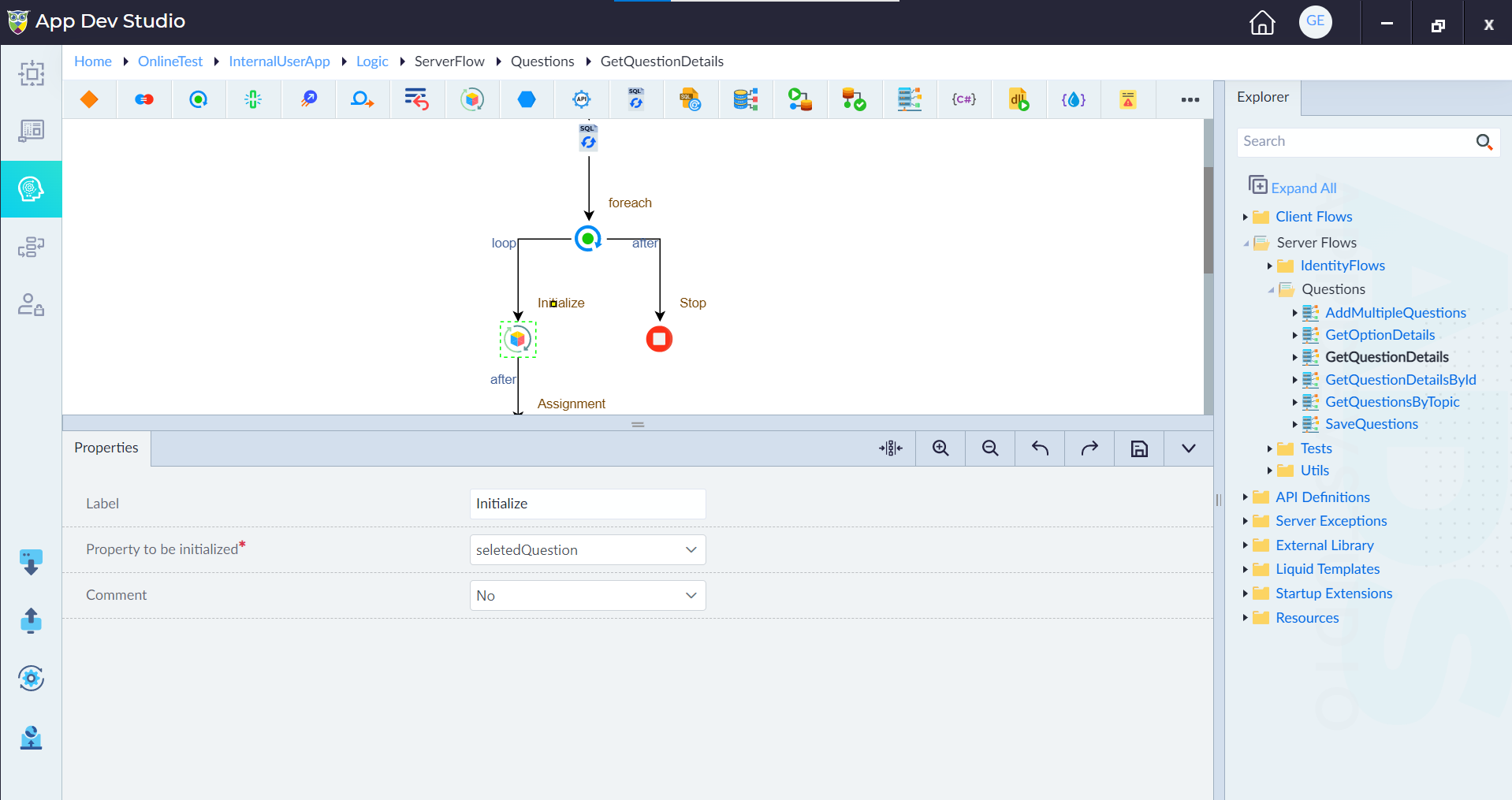
The "Assignment" construct initializes and assigns values to the "selectedQuestion" placeholder, housing vital attributes of each question such as ID, code, question text, and topic ID.
-
Filter Options: The "Call Aggregate Function" construct filters the options associated with each question based on the question's ID, ensuring that only relevant options are included in the final response.
Execute and Validate
- Execute Server Flow: Execute the server flow to trigger the retrieval and processing of question details.
- Validate API Response: Test the API endpoint associated with the server flow to ensure that it returns the expected question details in a structured and organized format.
By following these steps, you can efficiently utilize the Multi-Table output feature in a stored procedure to retrieve, process, and structure comprehensive question details from multiple database tables in OwlGen.