Create 'LeaveDetails' Model
The creation of the "LeaveDetails" model is intended for capturing and organizing data related to leave requests. It provides a structured format to store various details such as leave type, start and end dates, duration, and reason for the leave, ensuring all relevant information is systematically collected from the user.
- Navigate to the Experience module in OwlGen.
- In the explorer panel, right-click on Model, as seen under the Component created, and click Add.
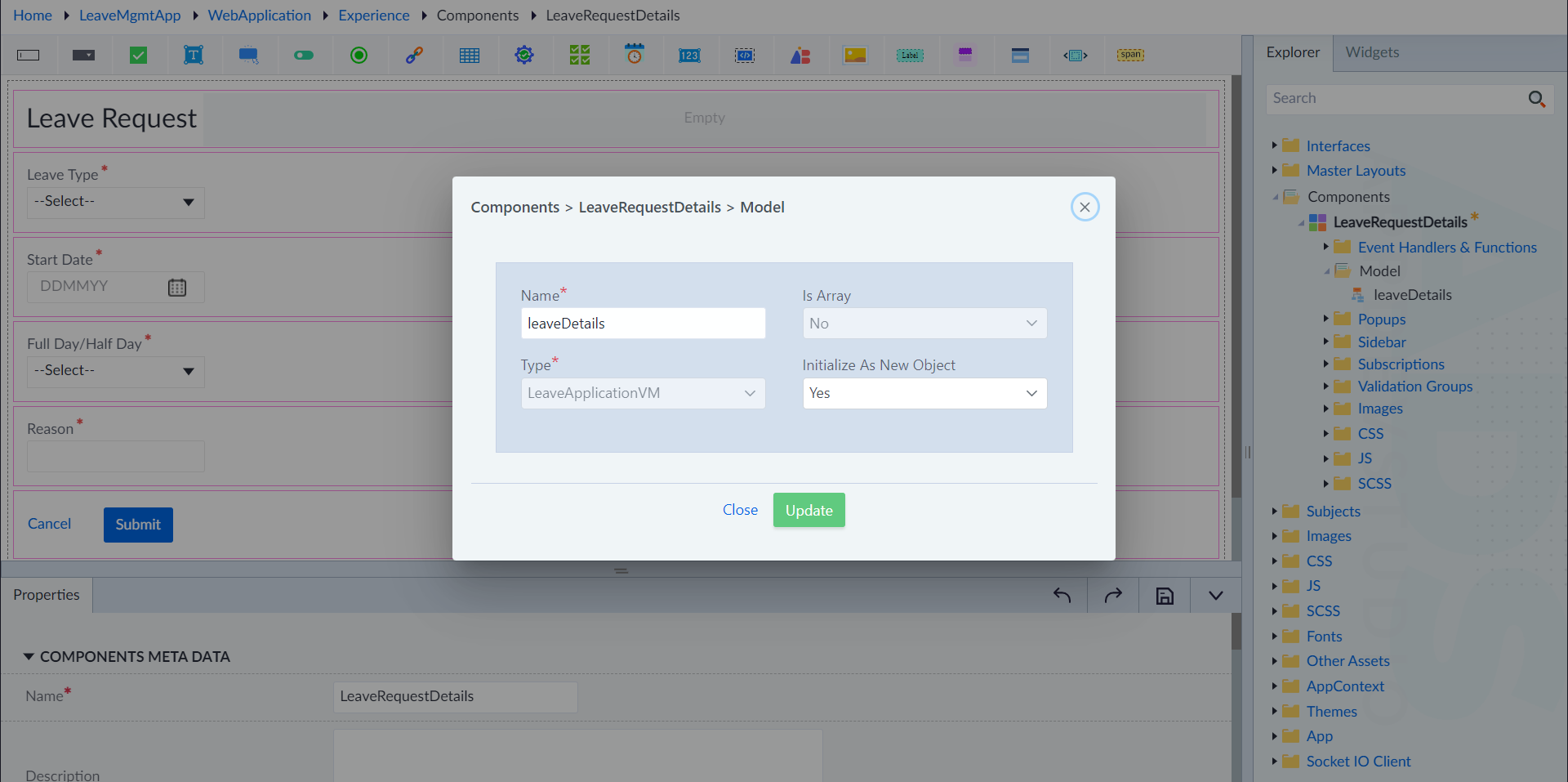
- Enter the following values for the properties and click Save.
- Name: LeaveDetails
- Is Array: No
- Type: LeaveApplicationVM
- Initialize As New Object: Yes
Design LeaveRequestDetails Component
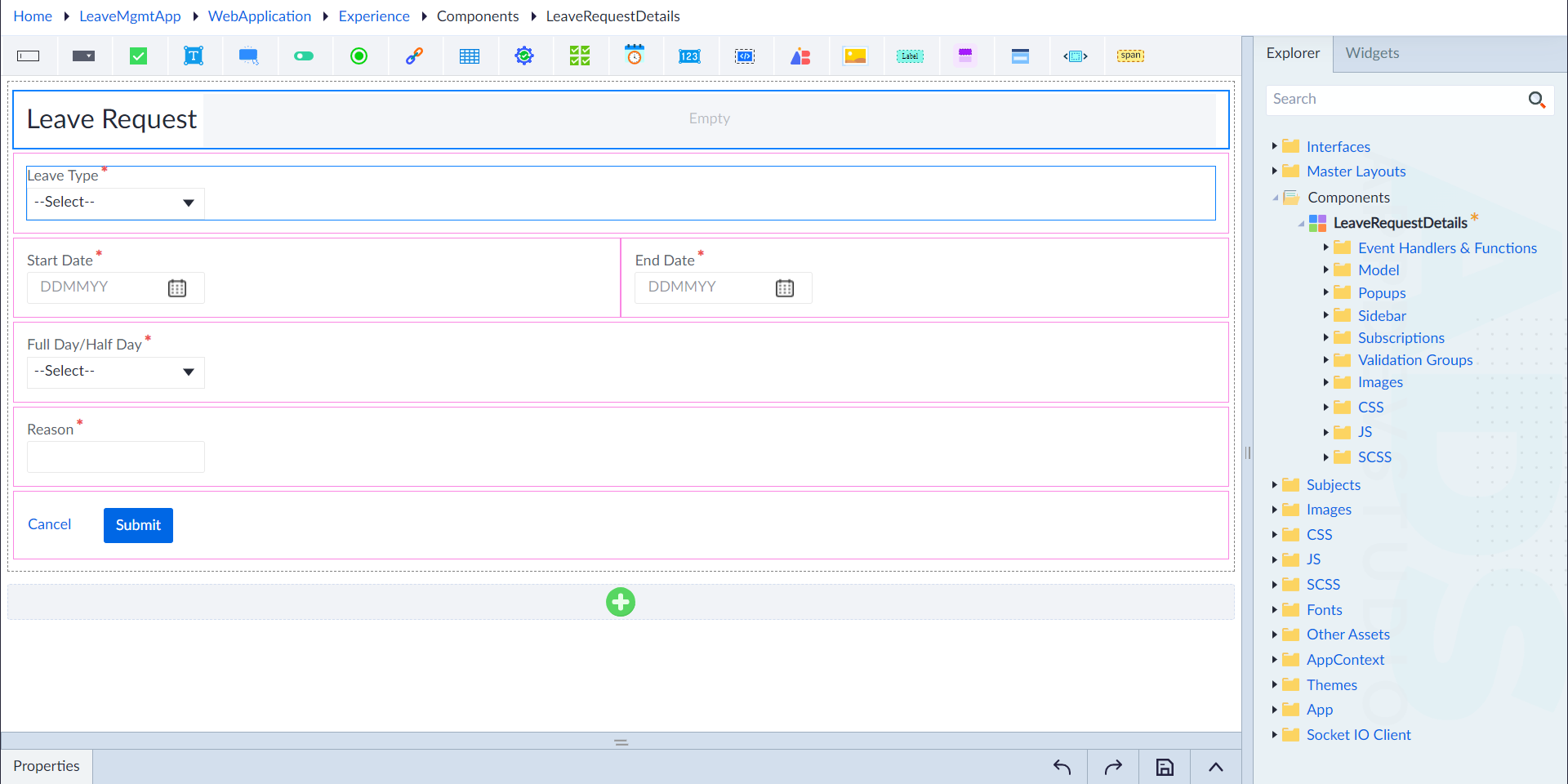
- Navigate to the designer screen and add a section 'LeaveRequest'.
- Use columns to configure the following widget and their corresponding properties.
- Leave Type: Drop-down Widget
- StartDate: Date-Time widget
- EndDate: Date-Time widget
- Full Day/Half Day: Drop-down widget
- Reason: TextBox
- Cancel: Link widget
- Submit: Button widget
To know more about how to add widgets, refer to the Widgets section.