Use Third Party Scripts in App
The following sections provides information on how to use a third party script using Load Script construct in App.
Follow the below steps to use google analytics third-party script in App.
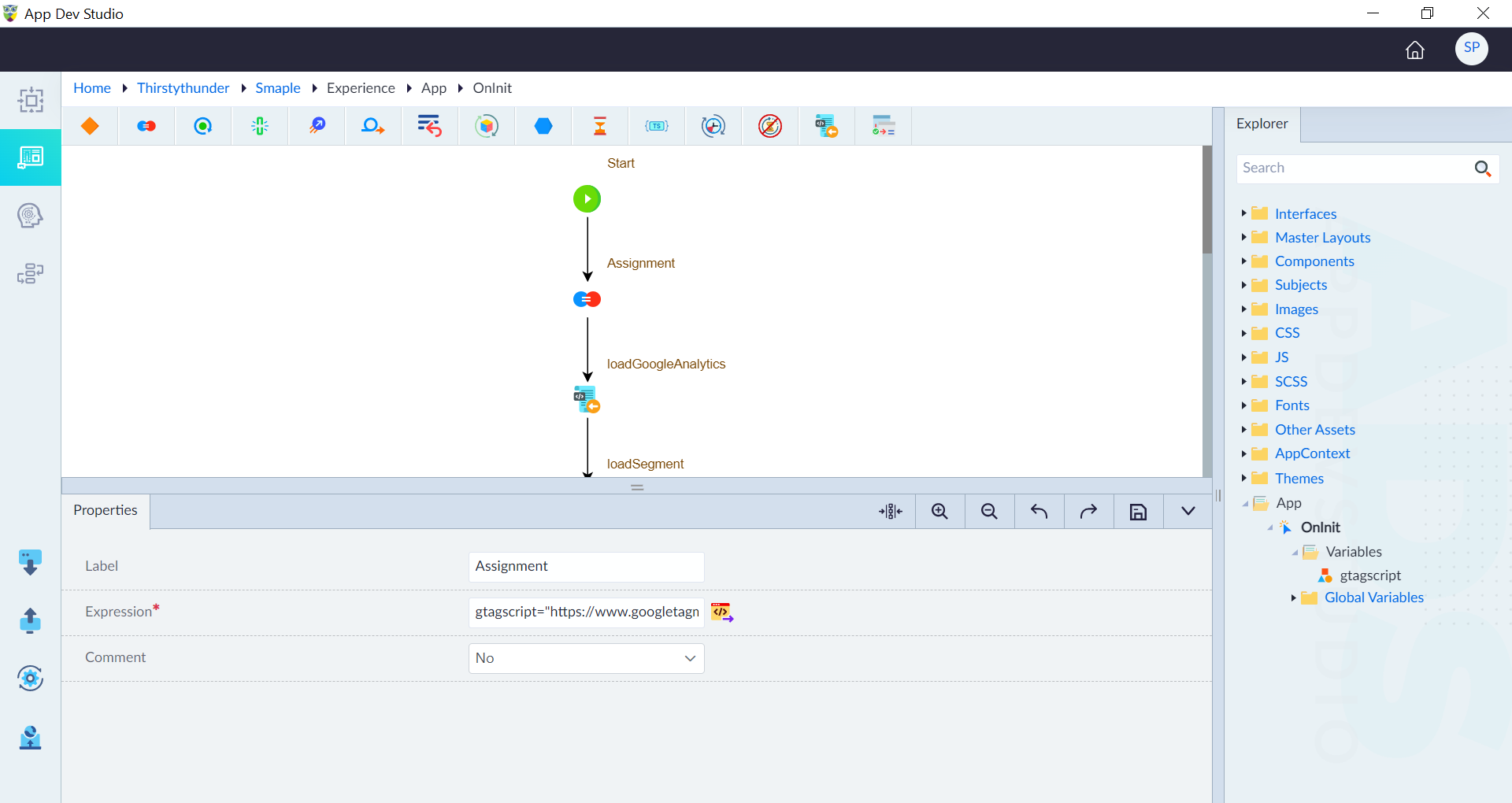
- Create a variable with name as gtagscript and type as string in OnInit.
- In the logic flow, use the assignment construct to add a value to the variable gtagscript. Here the expression for the assignment construct is gtagscript="https://www.googletagmanager.com/gtag/js?id=G-E8R3XF8X94"
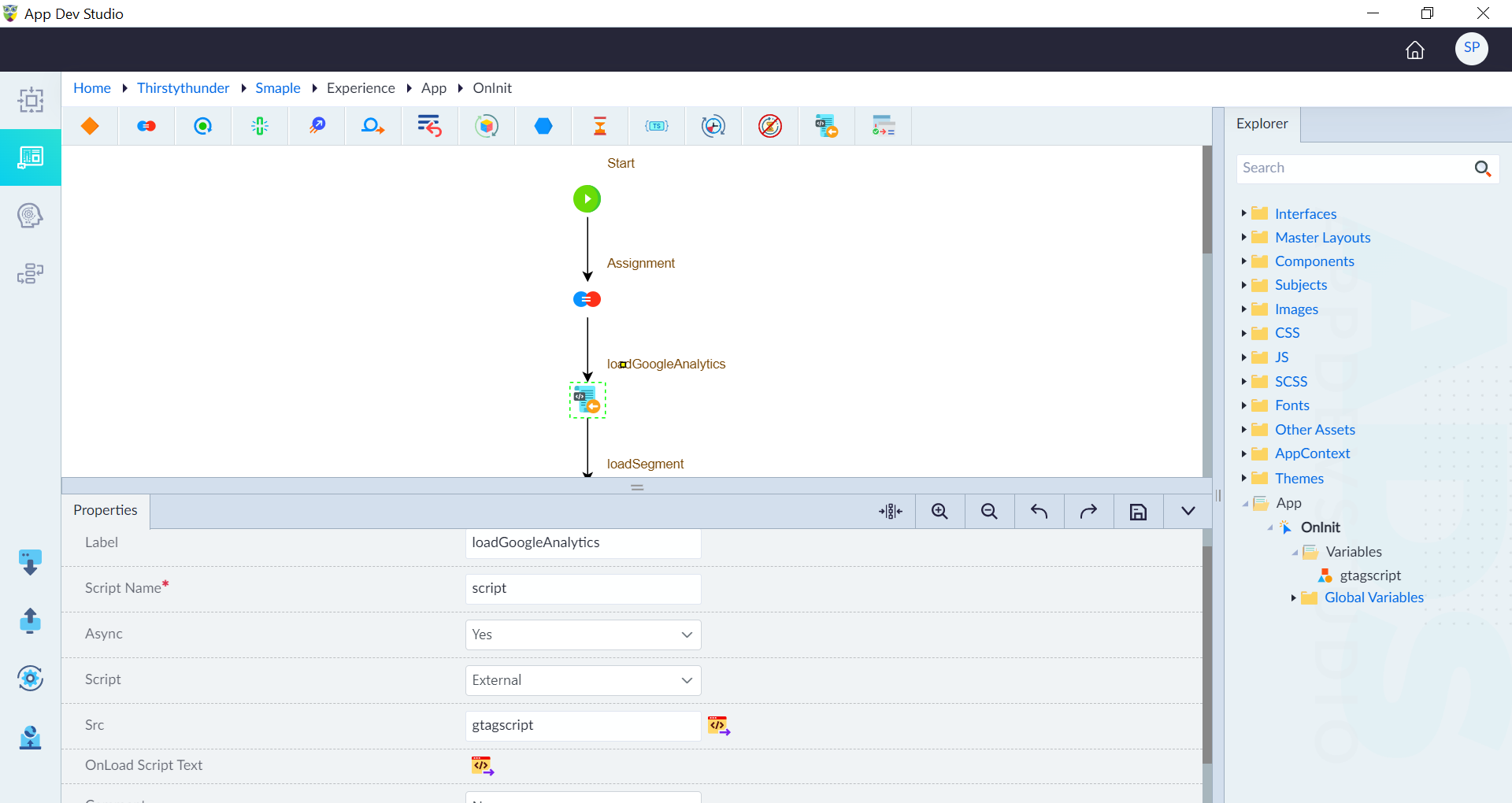
- Use the Load Script construct and configure it as follows:
- Label: loadGoogleAnalytics
- Script Name: script
- Async: Yes
- Script: External
- Src: gtagscript (the variable created to use)
- OnLoad Script: window.dataLayer = window.dataLayer || []; function gtag() { dataLayer.push(arguments); } gtag('js', new Date()); gtag('config', 'G-E8R3XF8X94');
- Comment: No
- In the global variables, create a global variable called "gtag" with type as function.
In this example, gtag function is declared in app. Here, gtag is created as a global variable (window property). This gtag function can be used in other events of an interface (or) master layout (or) components (or) client flows using TS snippet construct with the expression as "window.gtag(<arguments>)".
Use the Declared Function
Follow the below steps to use the gtag (above declared function) in an interface.
- Open an event in any interface where the gtag function needs to be included. In this example, registerpage interface is used.
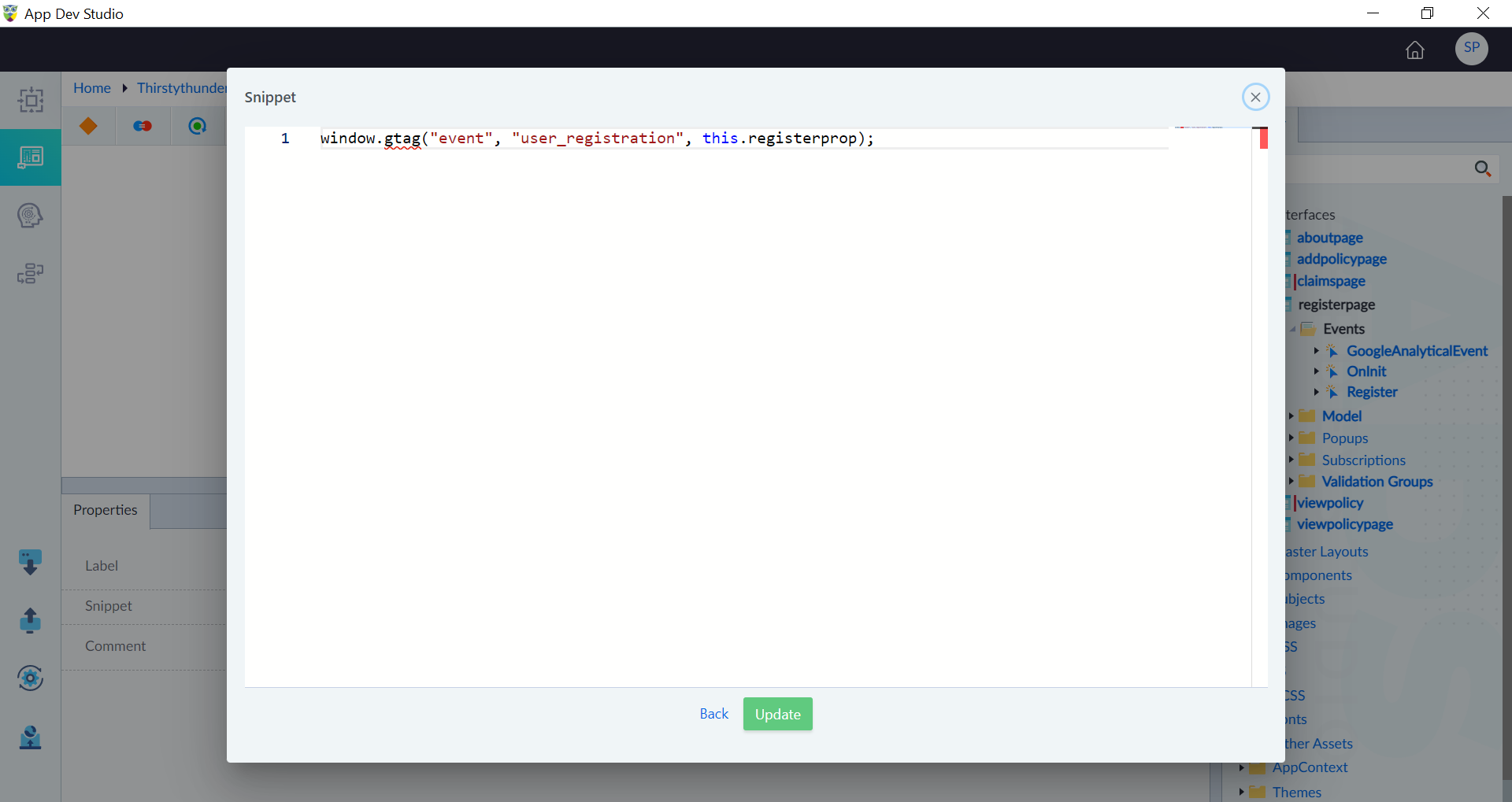
- Add the TS construct in the logic flow and use the below expression to call the gtag function. window.gtag("event", "user_registration", this.registerprop);
- Save the event.