Create Models in Interface
Create two models namely 'LeaveRequests' and 'VisibleLeaveDetails'.
To do so, right-click on the Model folder within the created interface and select Add.
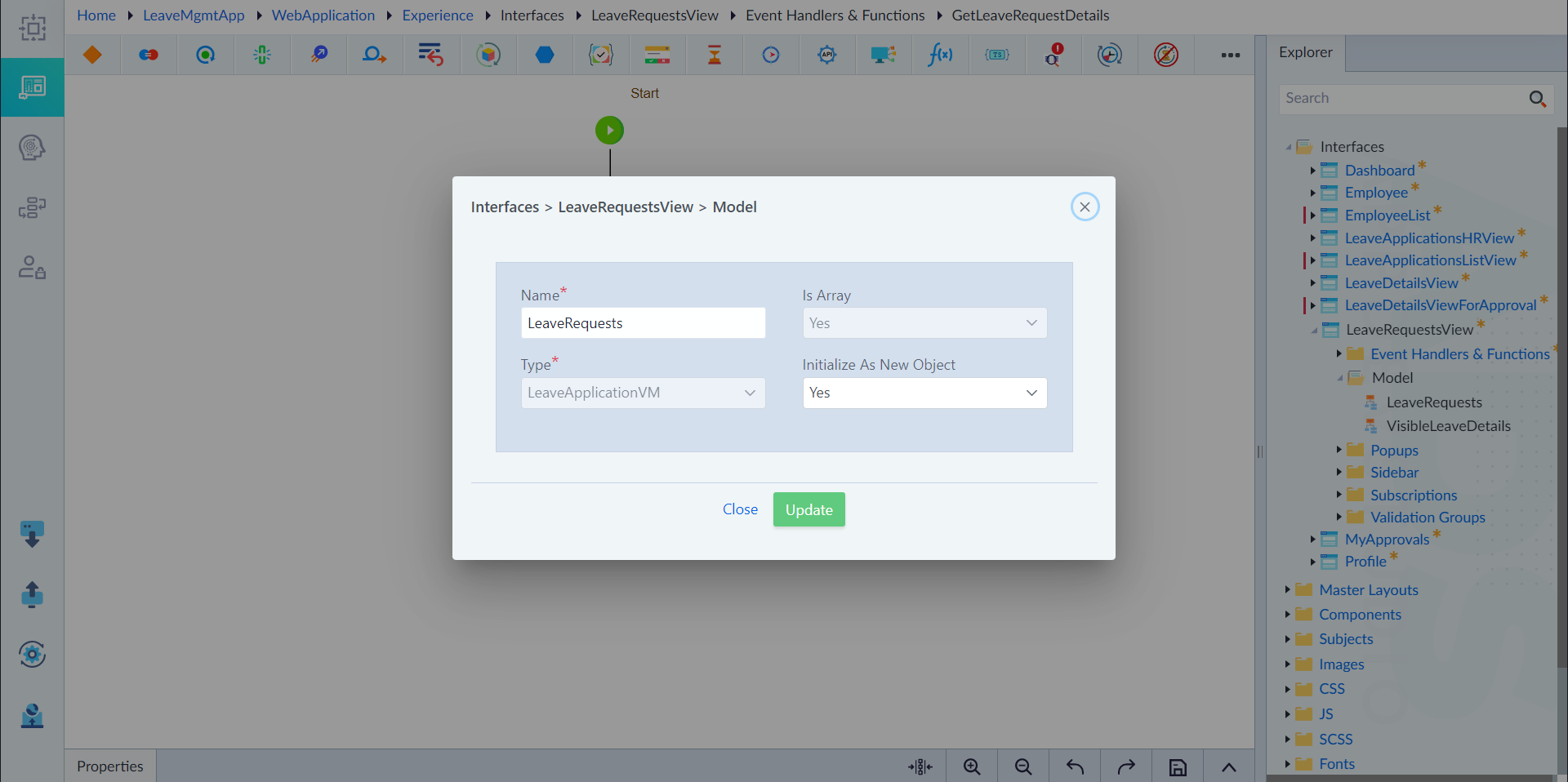
Create LeaveRequests Model
- In the property pane that appears, provide values the following:
- Name: LeaveRequests
- Is Array: Yes
- Type: LeaveApplicationVM
- Initialize as New Object: Yes
- Click Save to finish.
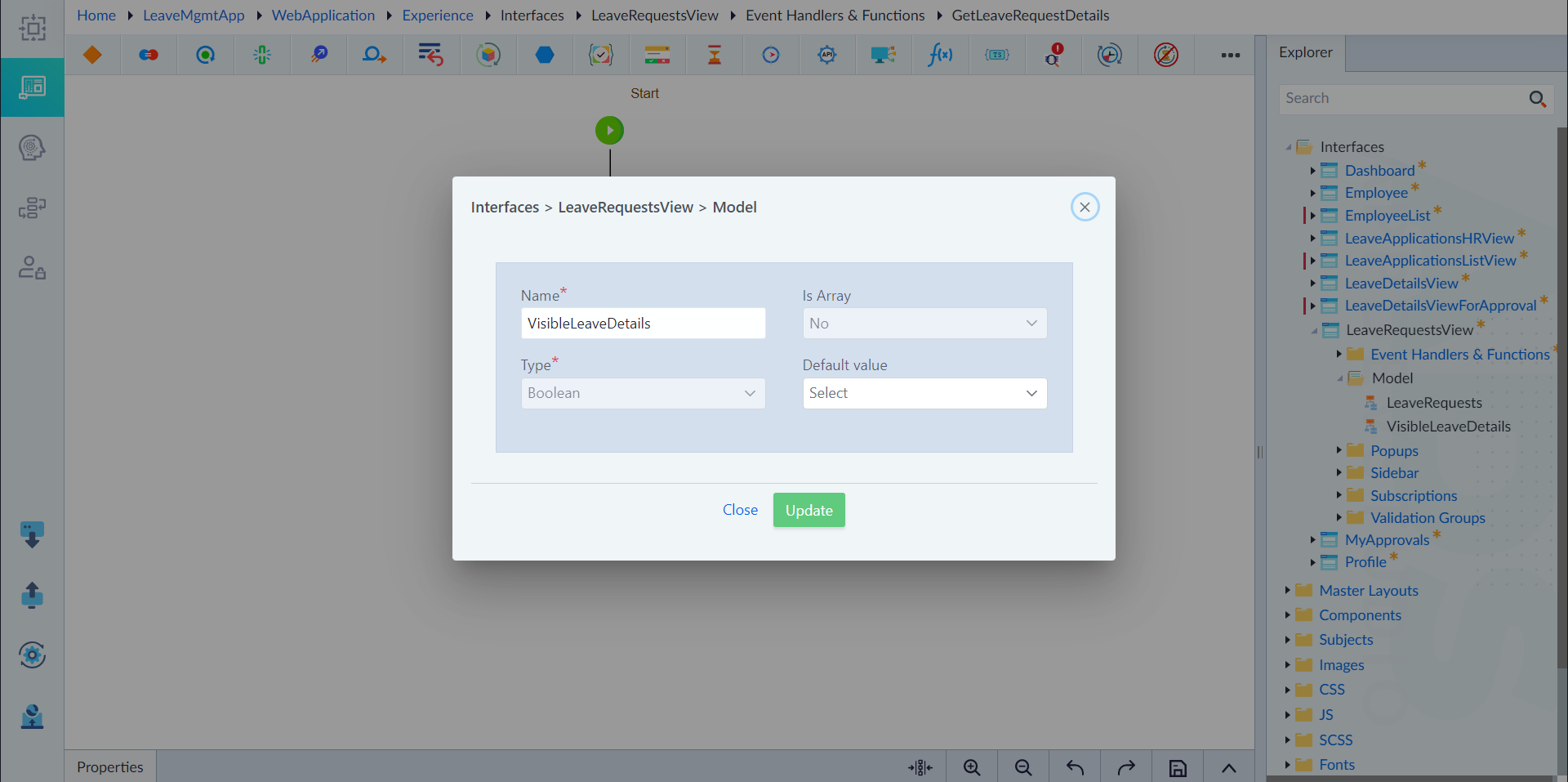
Create VisibleLeaveDetails Model
- In the property pane that appears, provide values the following:
- Name: VisibleLeaveDetails
- Is Array: No
- Type: Boolean
- Default Value: None
- Click Save to finish.