Implementing Logic
The logic constructs used below are part of a drag-and-drop interface for managing products within a software application. Each construct handles different aspects of the drag-and-drop functionality and related processes.
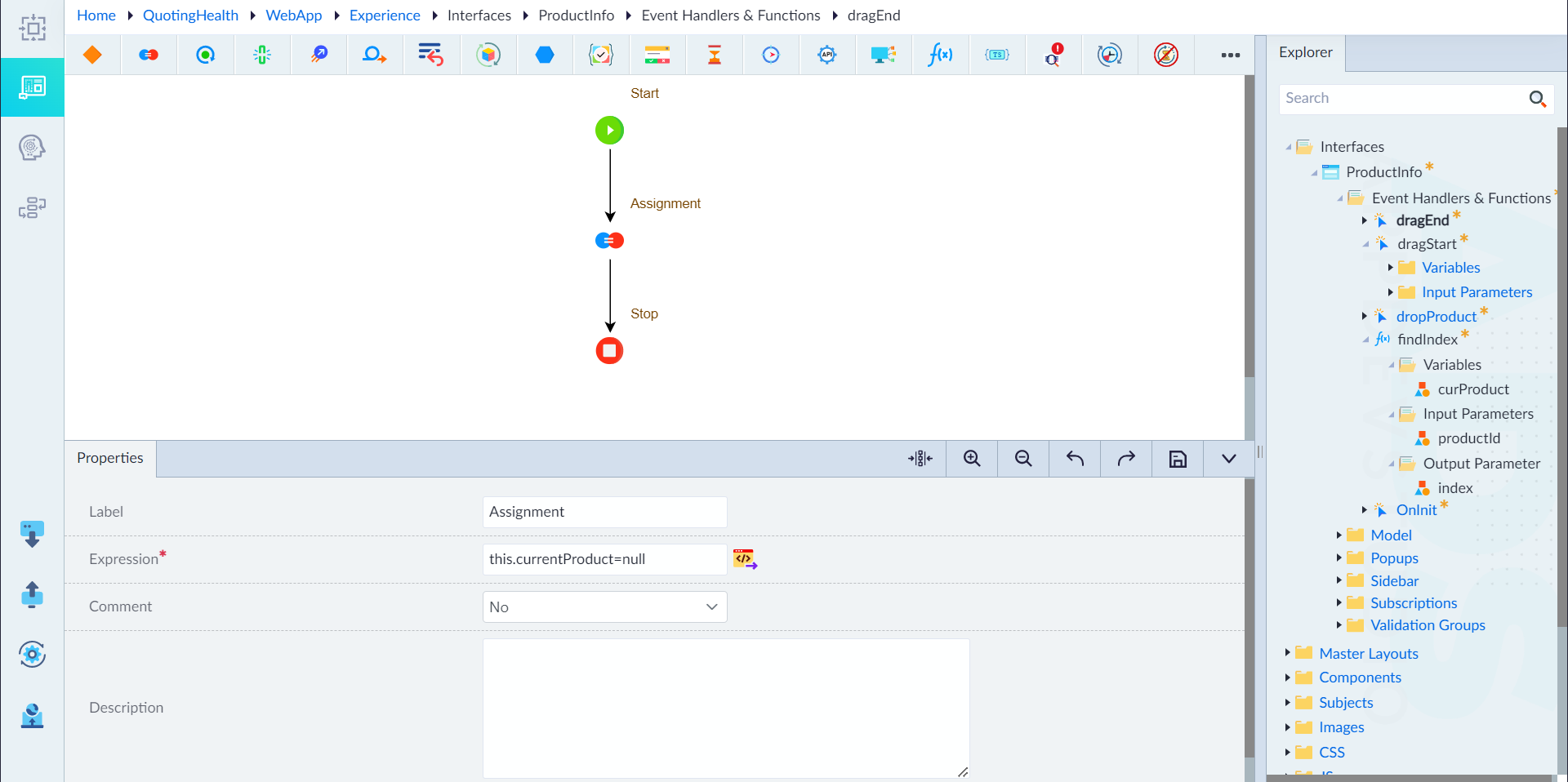
a) dragEnd
The dragEnd event is triggered when the user stops dragging a product. This event marks the conclusion of the drag action. The main purpose of the dragEnd logic is to clean up the state by resetting the currentProduct variable, which holds the product being dragged.
The following constructs must be configured in the dragEnd logic.
- Start Construct
- Assignment Construct
- Label: Assignment
- Expression:
this.currentProduct=null - Comment: No
- Description: None
- Stop Construct
By resetting the currentProduct to null, the system ensures that no product is considered as being actively dragged after the drag operation ends. This helps maintain the correct state and prevents unintended behavior in subsequent operations.
b) dragStart
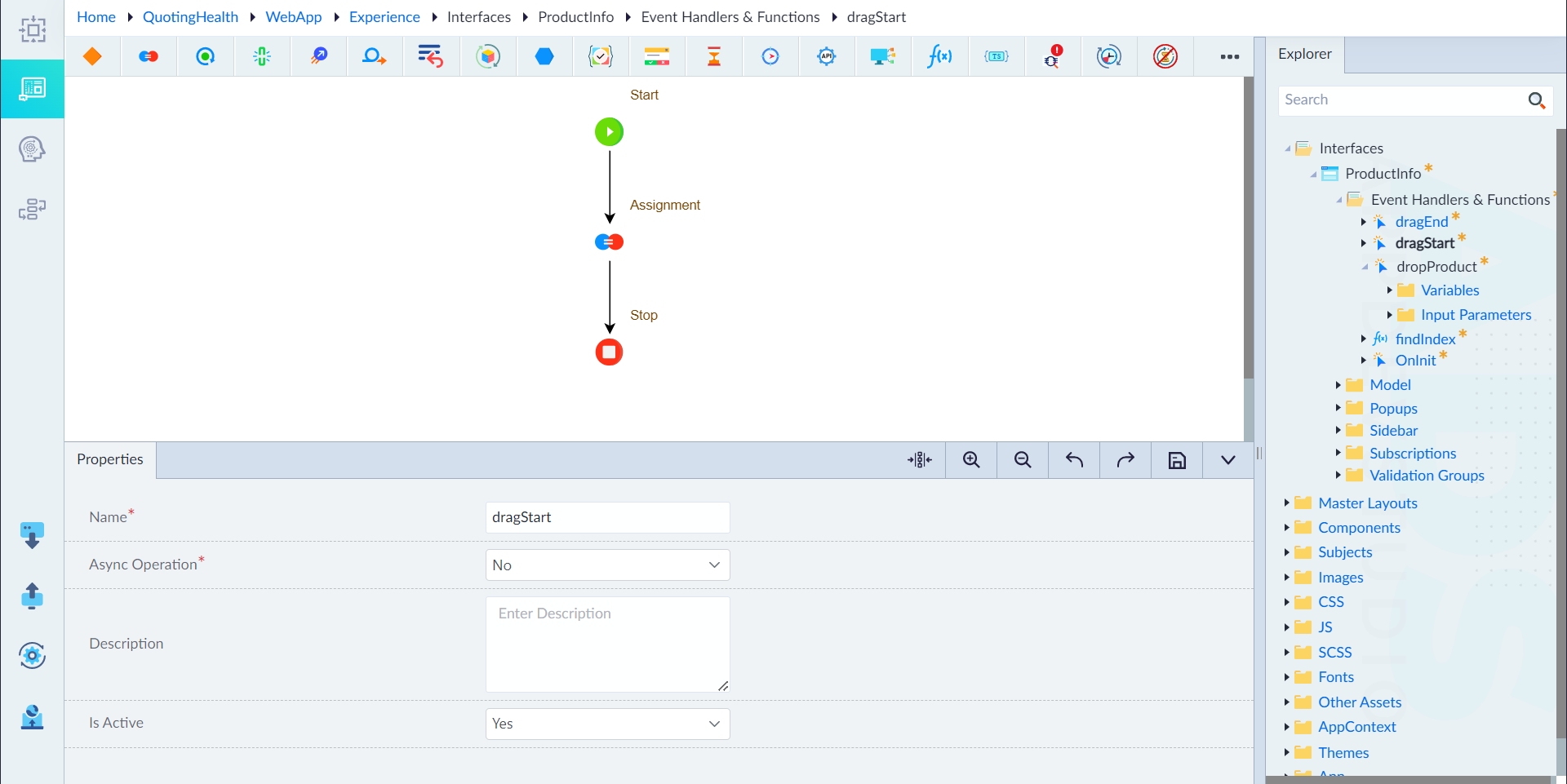
The dragStart event is triggered when the user begins dragging a product. The primary goal of the dragStart logic is to set the currentProduct variable to the product that is being dragged. This allows the system to keep track of which product is in motion.
The following are the constructs configured within the logic flow for dragStart event handler.
- Start Construct
- Assignment Construct
- Label: Assignment
- Expression:
this.currentProduct=product - Comment: No
- Description: None
- Stop Construct
By setting the currentProduct to the product being dragged, the system can identify and process the dragged product correctly during the drag operation and upon dropping it.
c) dropProduct
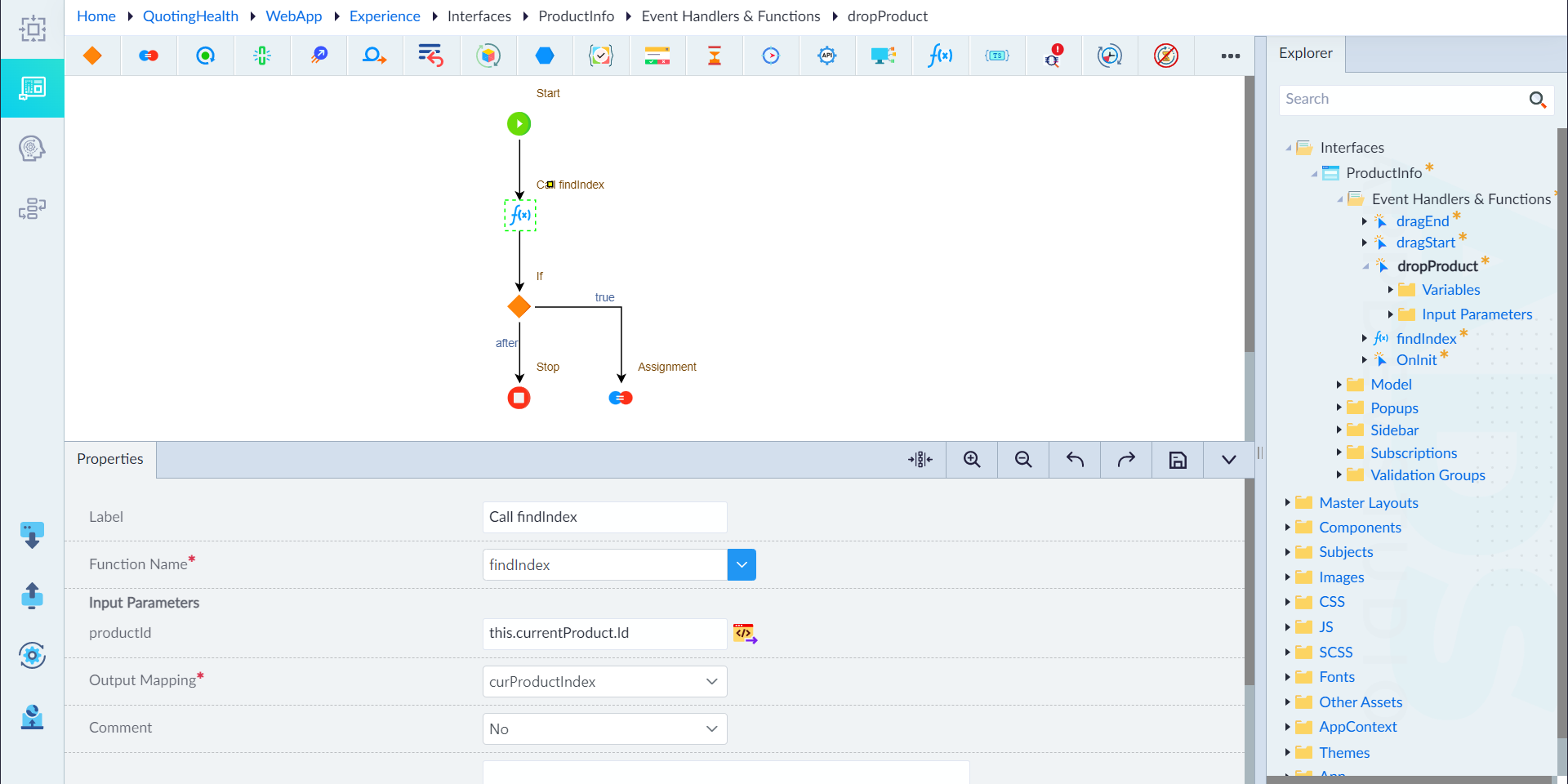
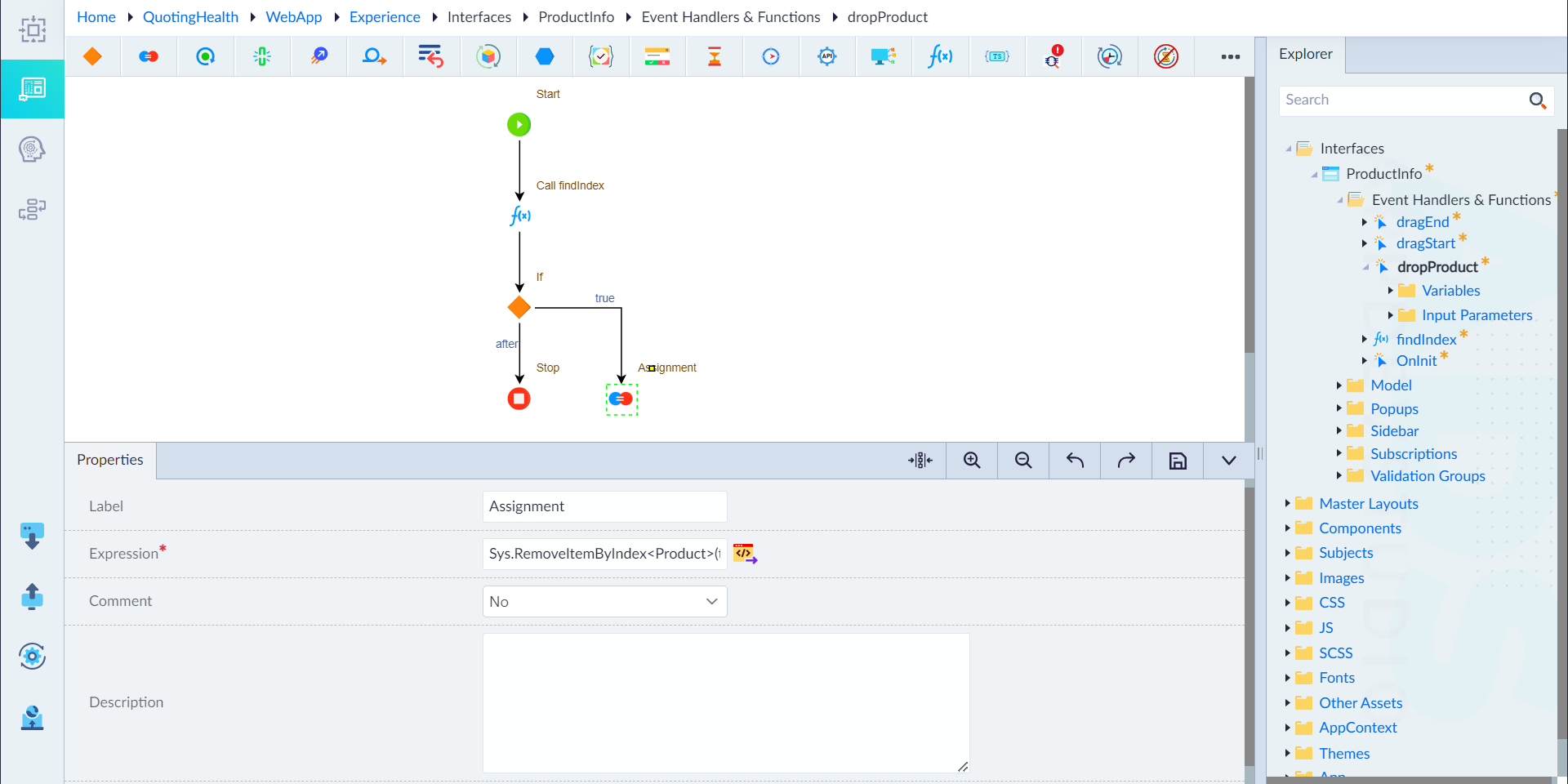
The dropProduct event is triggered when the user drops a dragged product. This event handles the transition of a product from the availableProducts list to the selectedProducts list if a product is being actively dragged.
- Start
- Call Find Index (Call Function Construct)
- Name: dropProduct
- Async Operation: No
- Is Active: Yes
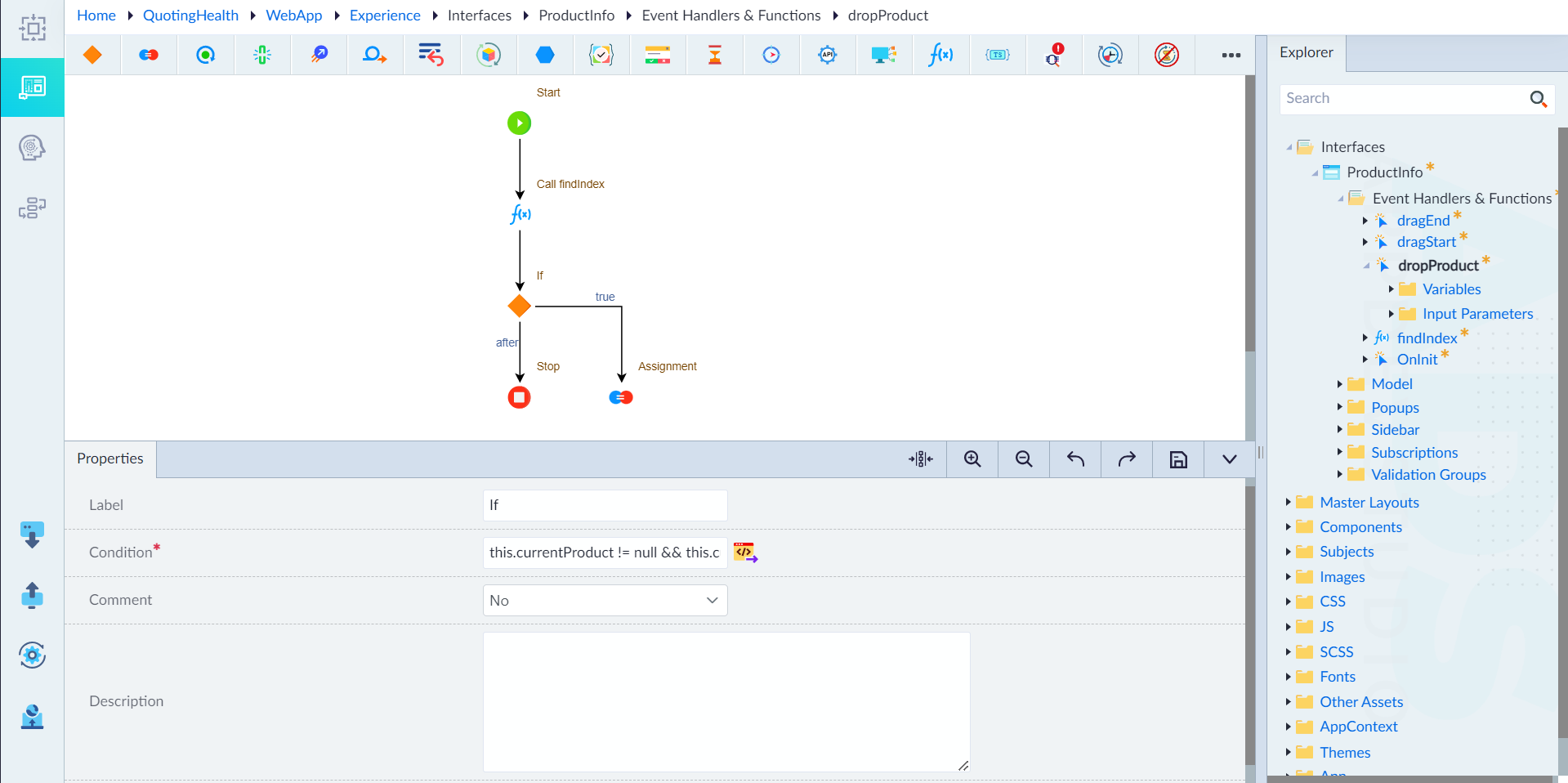
- If Construct
- Label: If
- Condition:
this.currentProduct != null && this.currentProduct!=undefined - Comment: No
- If False → Stop
- If True — Assignment Construct
- Label: Assignment
- Expression:
Sys.RemoveItemByIndex<Product>(this.availableProducts, curProductIndex); Sys.AddItemToArray<Product>(this.currentProduct, this.selectedProducts); this.currentProduct=null - Comment: No
d) OnInit
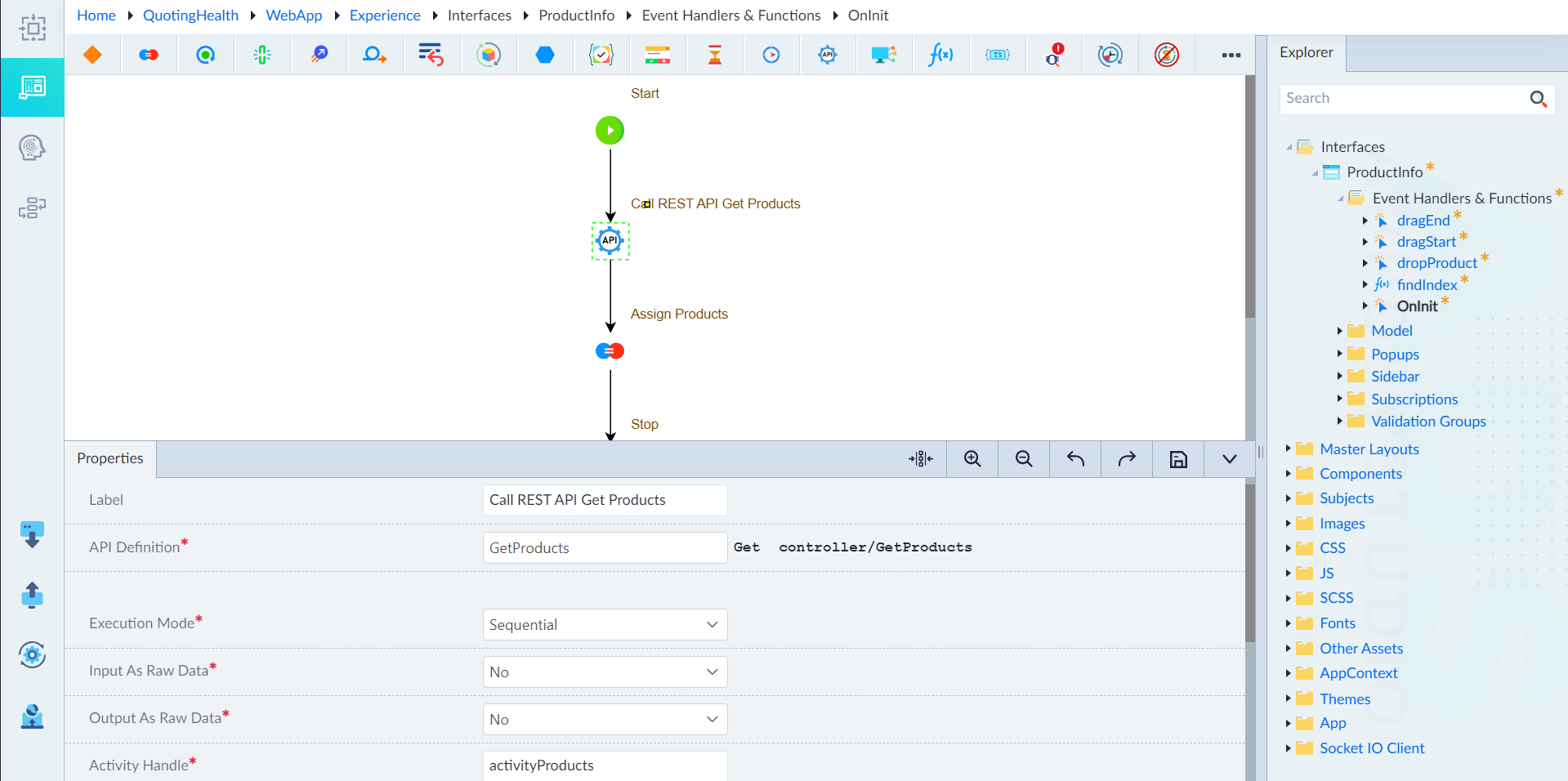
The OnInit event is triggered when the application or the relevant component is initialized. This event handles the initial loading of product data from a REST API to populate the availableProducts list.
- Start
- Call Rest API
- Label: Call REST API Get Products
- API Definition: GetProducts (Get Controller/GetProducts)
- Execution Mode: Sequential
- Input As Raw Data: No
- Output As Raw Data: No
- Activity Handle: activityProducts
- Activity Response: activityProductsResponse
- Comment: No
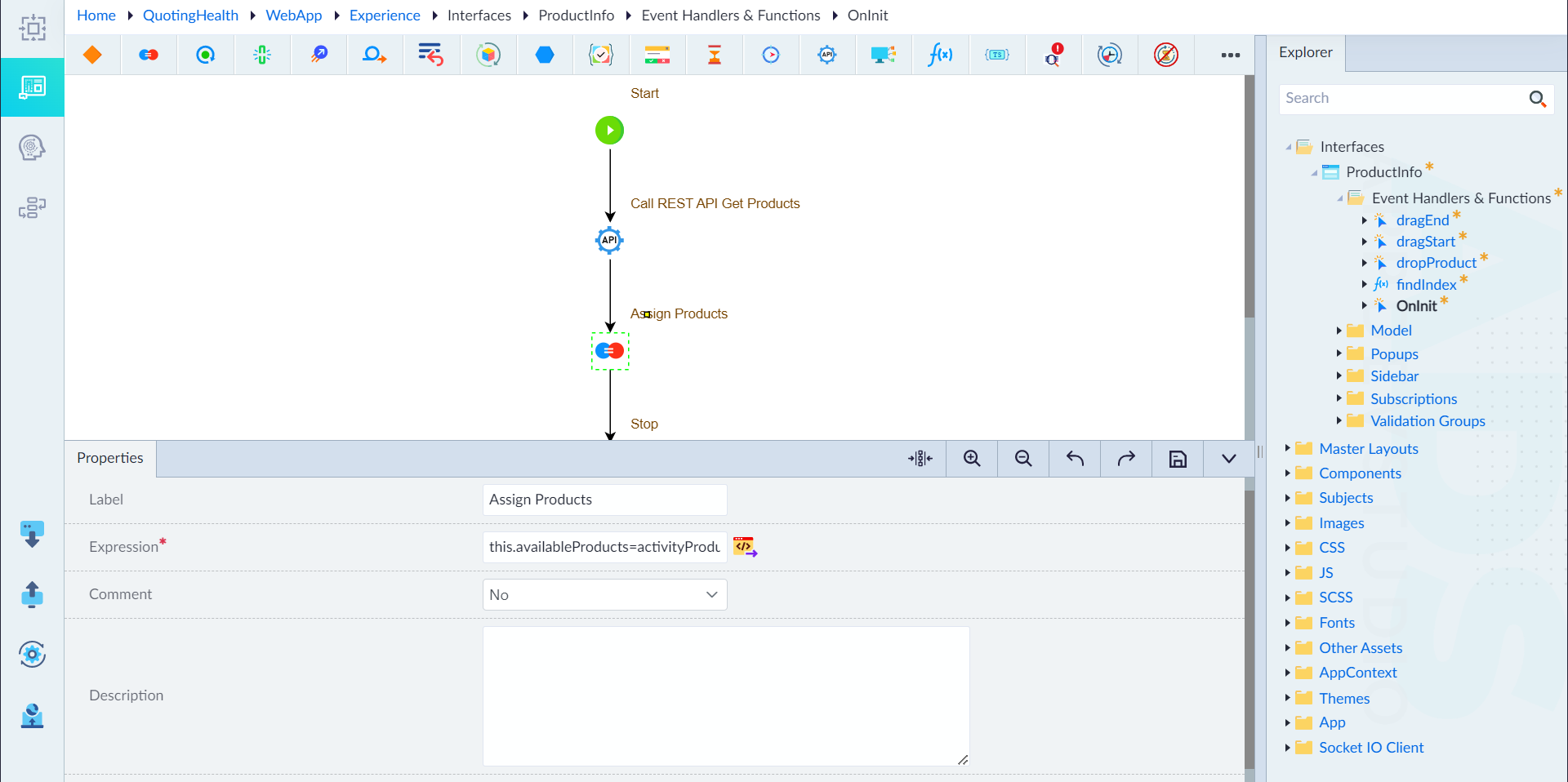
- Assignment (Assign Products)
- Label: Assignment
- Expression:
this.availableProducts=activityProductsResponse.Content - Comment: No
- Stop Construct
e) findIndex
The findIndex function is called to find the index of a specific product within the availableProducts array based on its ID.
- Start
- Assignment
- Label: Assignment
- Expression:
index=0
- For Each
- Label: foreach
- Iterable Objects: availableProducts
- Current Item: curProduct
- If
- Label: If
- Condition:
productId==curProduct.Id
- Break
- Label: break
- Assignment
- Label: Assignment
- Expression:
index=index+1