Define the API Response
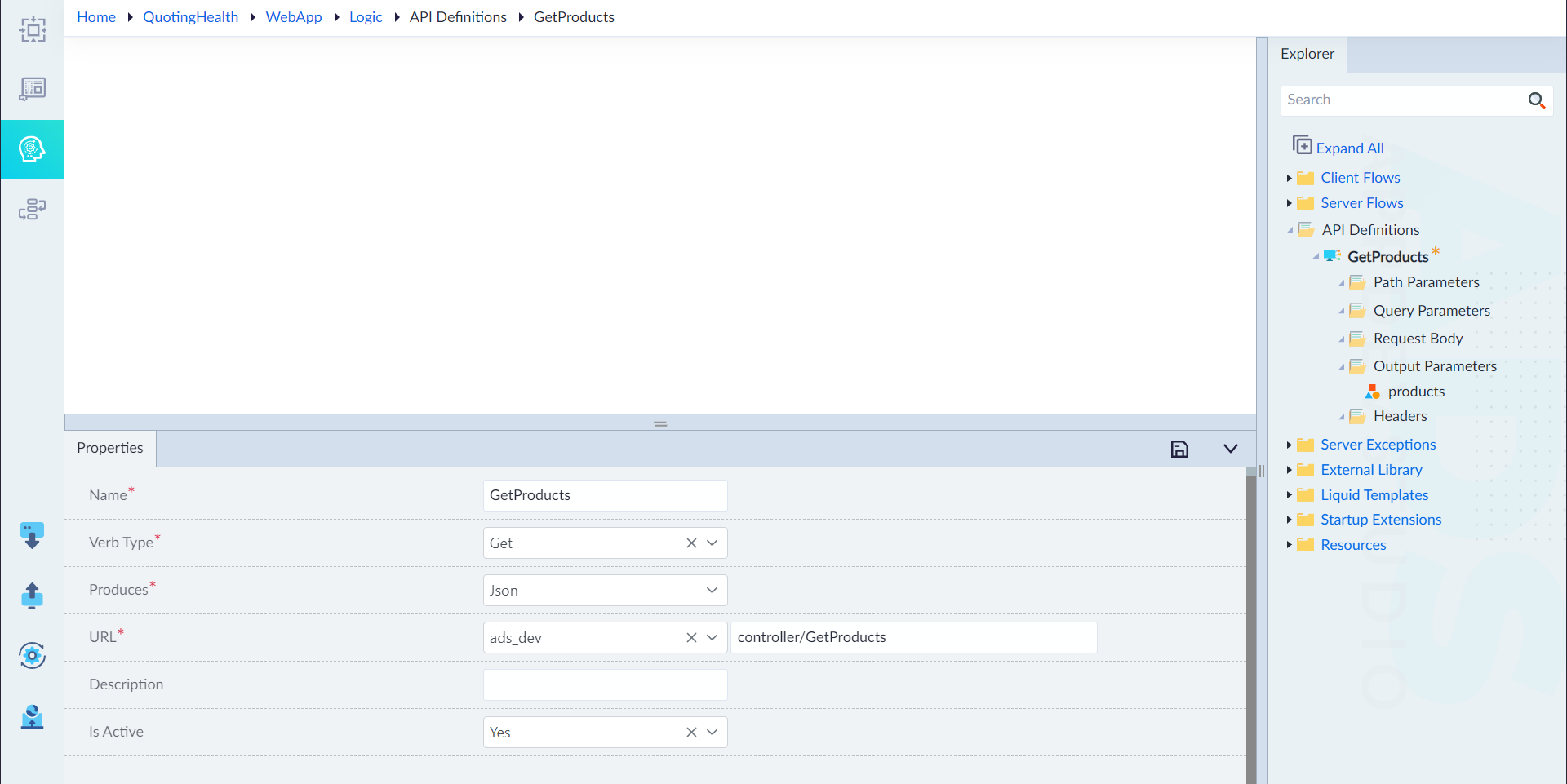
Define a GetProducts API Definition to set response to available products.
Navigate to the Logic module within your application and follow the steps as mentioned below:
- In the explorer panel, right click on API Definitions and select Create API Definition.
- In the property pane that appears, configure the following properties:
- Name: Input a name for the API definition. (GetProducts)
- Verb Type: GET
- Produces: Json
- URL: ads_dev (controller/GetProducts)
- Description: None
- Is Active: Yes
- Click Save to finish.
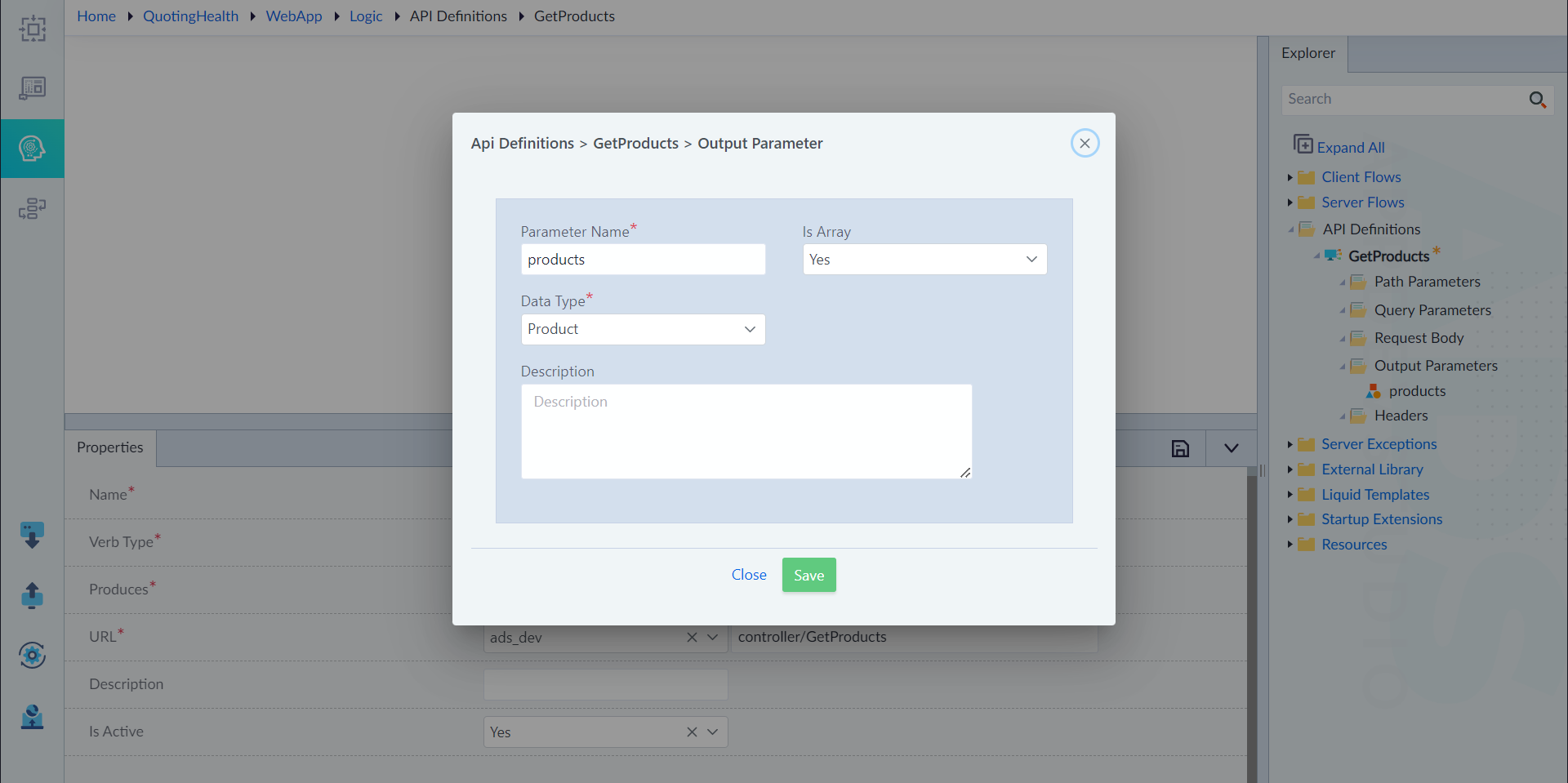
Configure Output Parameter
- Right click on Output Parameter as seen under the created API Definitions, and select Add.
- In the property pane that appears, configure the following properties:
- Parameter Name: Input a name for the API definition. (GetProducts)
- Is Array: Yes
- Data Type: Product
- Description: None
- Click Save to finish.