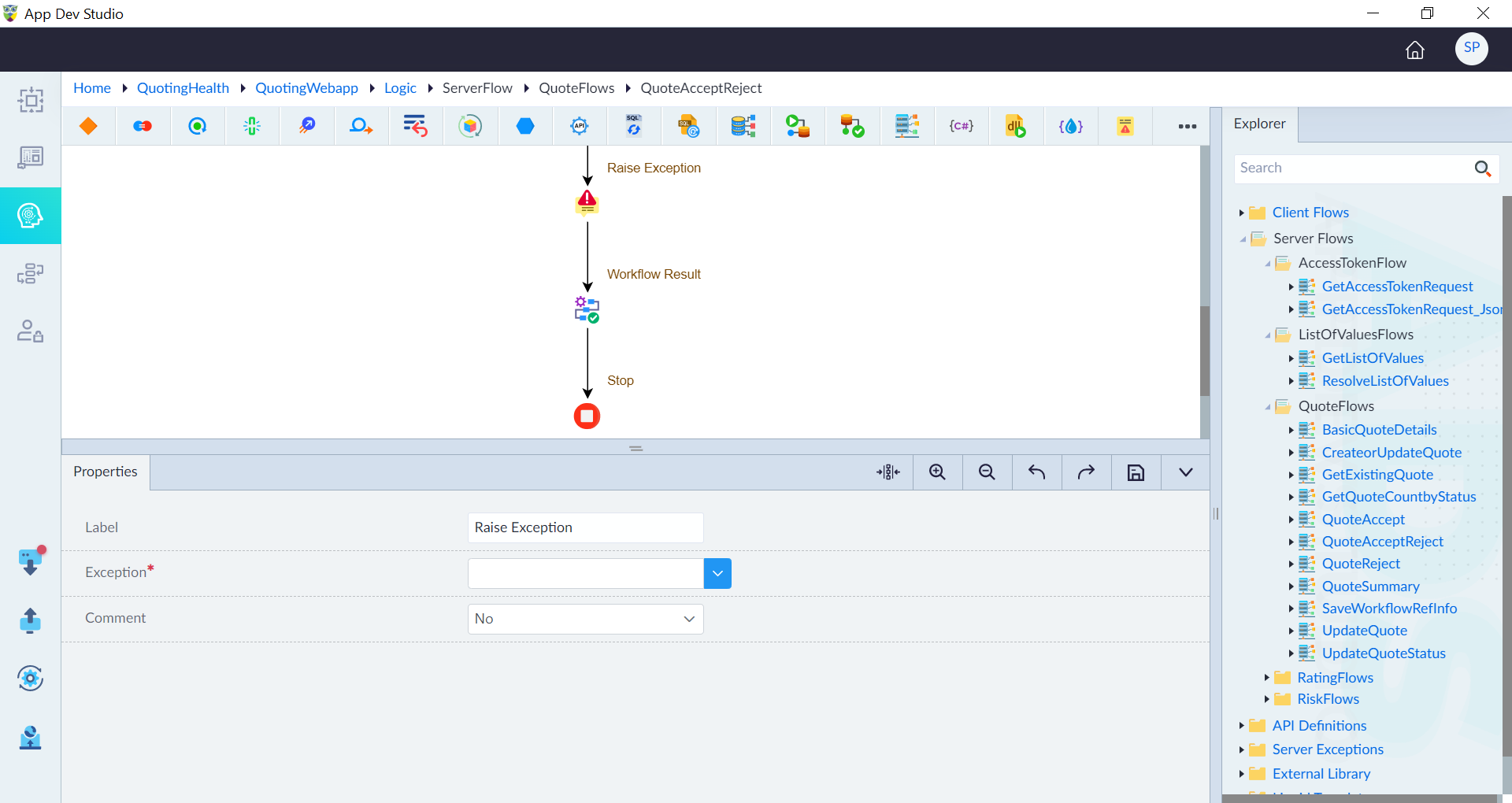
Raise Exception
The Raise Exception construct within a logic flow serves the purpose of deliberately triggering an exception or error state. Its use comes into play when a particular condition or circumstance arises that necessitates the flow to be interrupted and an exception to be raised.
This construct allows for the specification of the type of exception to be thrown, whether it be a predefined base exception or a customized exception. Additionally, it enables the inclusion of supplementary details or context associated with the exception. By incorporating the Raise Exception construct, the logic flow can effectively manage exceptional situations, facilitating proper error handling and the implementation of appropriate recovery measures.
Follow the below steps to add the Raise Exception construct in a logic flow:
- In the designer canvas of a logic flow, drag and drop the Raise Exception construct into the flow.
- Double-click the construct to configure the properties as required and then click save.
| Property | Description | Comments |
|---|---|---|
| Label | Provide a label for the construct for easy identification in a logic flow. | - |
| Exception* | Select the exception from the drop-down. | It can be a predefined base exception, or a custom exception defined in the workflow. The exception defines the nature of the error or exceptional condition that occurred. |
| Input Parameters* | Provide the parameters associated with the exception. | Typically the input parameters are a name and value pair, which provide extra information or context related to the exception. |
| Comment | Specify whether to comment this construct or not. Either Yes or No. | If marked as Yes, the construct is treated as a commented expression and ignored in code generation. |
Note: An asterisk (*) denotes that the property is mandatory for adding the Raise Exception construct.
The success message displays upon successfully adding the construct.