Assignment
Assignment construct is used to assign a value or expression to a variable or update the value of an existing variable. It allows the user to store and manipulate data within the flow.
Syntax : variableName = expression
- variableName: The name of the variable or property where the value is stored.
- expression: The value or expression that is assigned to the variable. This could be a constant, another variable, a function return value, or a calculation.
Examples of Assignment Statement:
Assigning Values to Variables
userName = "John"
userAge = 30
Assigning Values from Expressions:
sumValue = num1 + num2
average = (num1 + num2 + num3) / 3
Assigning Function Return Values:
userDetails = GetUserDetails(userId)
isUserValid = ValidateUserCredentials(userName, password)
numbers[2] = 10
Assigning Object Properties:
user = {}
user.name = "Alice"
user.age = 25
user.status = "active"
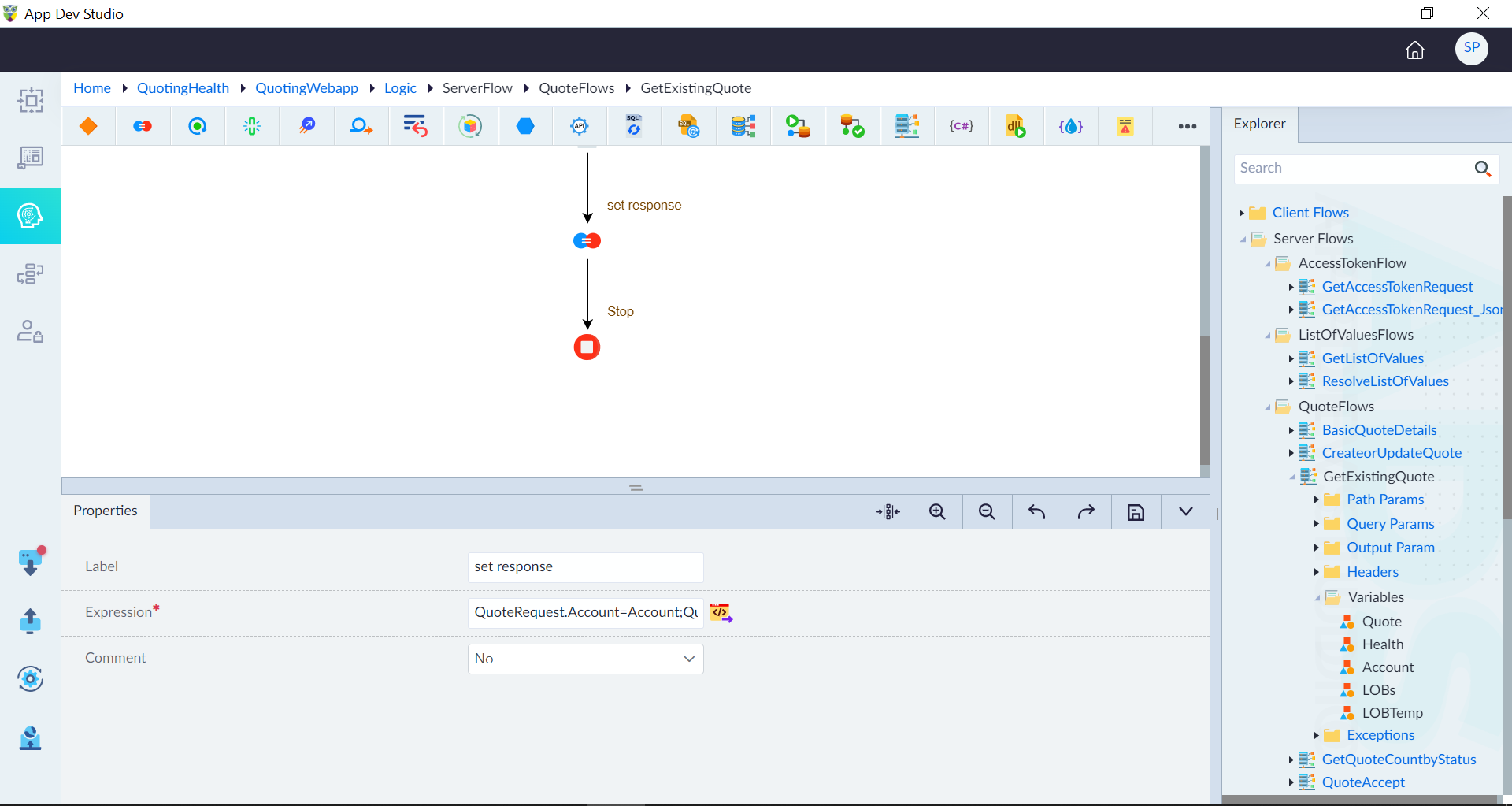
Follow the below steps to add the Assignment construct in a logic flow:
- In the designer canvas of a logic flow, drag and drop the Assignment construct into the flow.
- Double-click the construct to configure the properties as required and then click Save.
| Property | Description | Comments |
|---|---|---|
| Label | Labels help developers quickly understand each step in the logic flow without examining the details of the construct. | It is recommended to provide a simple precise label that can improve the readability. |
| Expression* | Expression using the expression builder as required. | The expression is used to assign a specific value or calculation to a variable or property. It allows the user to define dynamic and complex expressions to derive the desired value during the assignment process. |
| Comment | To comment this construct or not. Either Yes or No. | If marked as Yes, the construct is treated as a commented expression and ignored in code generation. |
Note: An asterisk (*) denotes that the property is mandatory for adding the Assignment construct.
The success message displays upon successfully adding the construct.