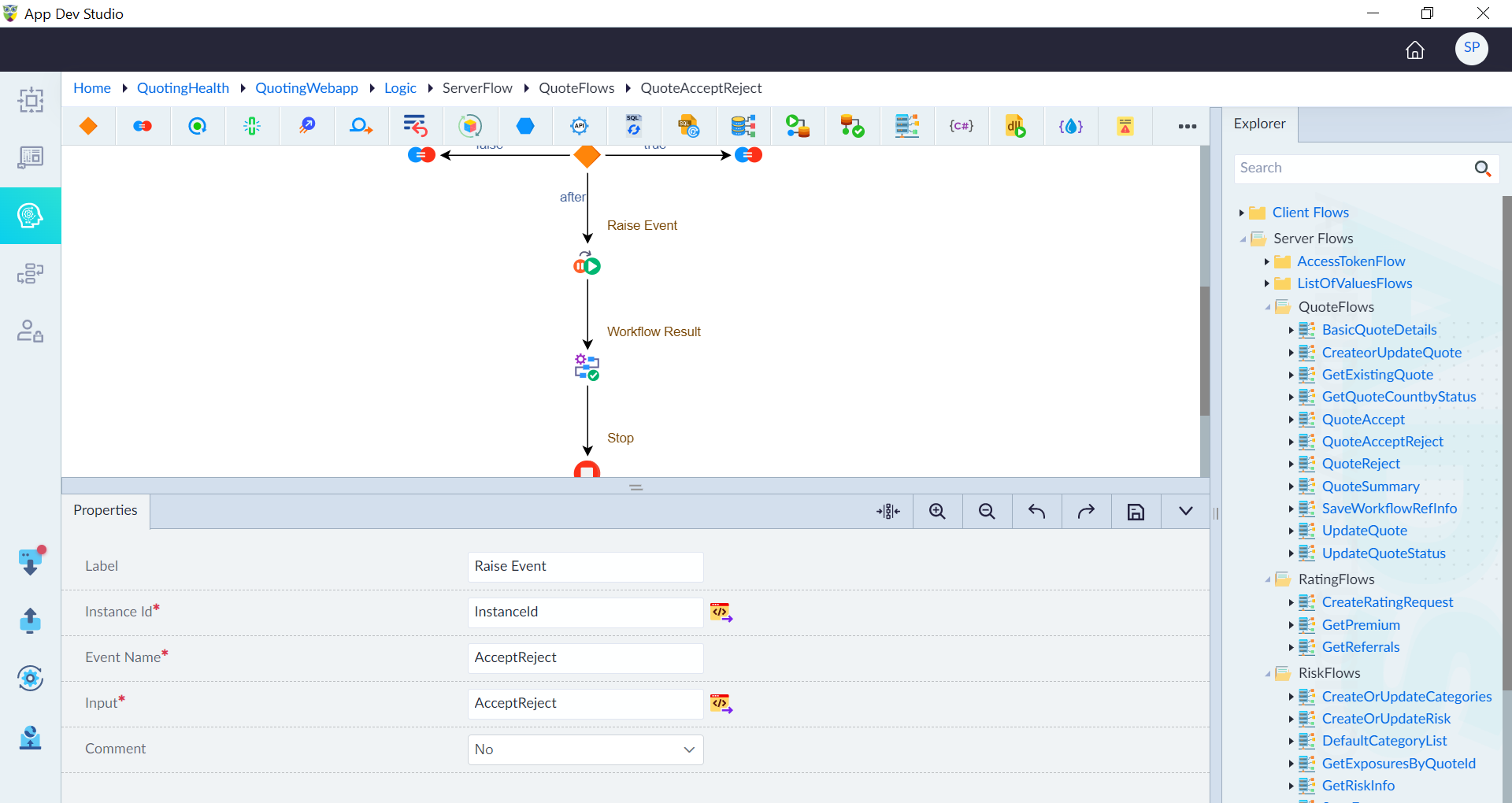
Raise Event
Raise Event in a workflow allows external systems to send signals to a workflow instance waiting for an external event. This mechanism enables workflows to react dynamically, based on real-time data, user inputs, or system updates.
Event Invocation
An event can be sent to a specific workflow instance using the event triggering mechanism. This ensures that the targeted waiting workflow receives the necessary data to proceed with execution.
Invocation Process
- A workflow instance is identified by its Instance ID.
- An event is sent to the running workflow instance.
- The workflow listens for the event and processes the received data.
- Upon receiving the event, the workflow resumes execution based on the event payload.
Use Cases
-
Waiting for User Input A workflow may pause execution until an external event (e.g., user approval) is received. Example: A loan approval process waits for a manager’s decision before proceeding.
-
Asynchronous System Communication A workflow can wait for updates from an external system before proceeding. Example: An order fulfillment system waits for a payment confirmation before shipping.
-
Real-Time Triggering Events can be used to dynamically control workflow execution based on real-time data. Example: A sensor in an IoT system sends an alert event to trigger an automated response.
Steps to Add a Raise Event Construct
Step 1: Drag & Drop the Construct
- Open the workflow Designer Canvas.
- Drag and drop the Raise Event construct into the flow.
Step 2: Configure Properties
- Double-click the construct to open its properties panel.
- Configure the required properties:
| Property | Description | Comments |
|---|---|---|
| Label | Labels help developers quickly understand each step in the logic flow without examining the details of the construct. | It is recommended to provide a simple precise label that improves the logic flow readability. |
| Instance Id * | Unique identifier of the target workflow instance. | Ensures the event is sent to the correct instance. |
| Event Name* | Name of the event being triggered. | - |
| Input* | Data payload associated with the event. | - |
| Comment | Specify whether to comment this construct or not. Either Yes or No. | If marked as Yes, the construct is treated as a commented expression and ignored in code generation. |
| Description | Provides details about the Raise Event purpose and behaviour. | Helps in understanding Raise Event significance. |
Note: · (*) Mandatory properties for adding a Raise Event construct.
A success message is displayed when a Raise Event is successfully added.