Call REST API
The Call REST API construct enables seamless integration with external systems and services by invoking RESTful APIs. This allows applications to connect with third-party services, fetch or send data, and extend their capabilities beyond the platform. They provide pre-built handlers that abstract the complexities of making HTTP requests, handling authentication, and serializing/deserializing of request and responses.
Key Use Cases
- Fetching Data – Retrieve data from external databases, CRMs, or APIs like weather, payments, or authentication services.
- Sending Data – Post or update data in third-party applications such as ERP or cloud storage.
- Interacting with Microservices – Communicate with independently deployed microservices within the application ecosystem.
How It Works
- Configure API Endpoint – Define the external REST API URL, HTTP method (GET, POST, PUT, DELETE), and required headers.
- Set Request Parameters – Pass query parameters, request body, or authentication tokens.
- Handle API Response – Parse the JSON response and bind it to application variables or UI components.
- Error Handling – Implement fallback mechanisms for API failures, timeouts, or incorrect responses.
Example Scenario
If an application needs to fetch customer details from an external CRM system, a Call REST API construct can be used as follows:
- Endpoint: https://api.crm.com/customers/\{customerId\}
- Method: GET
- Headers: Authorization token
- Response Handling: Map the customer data to the application's data model
Follow the below steps to add Call REST API construct in a logic flow:
- In the designer canvas of logic flow, drag and drop the Call REST API construct into the flow.
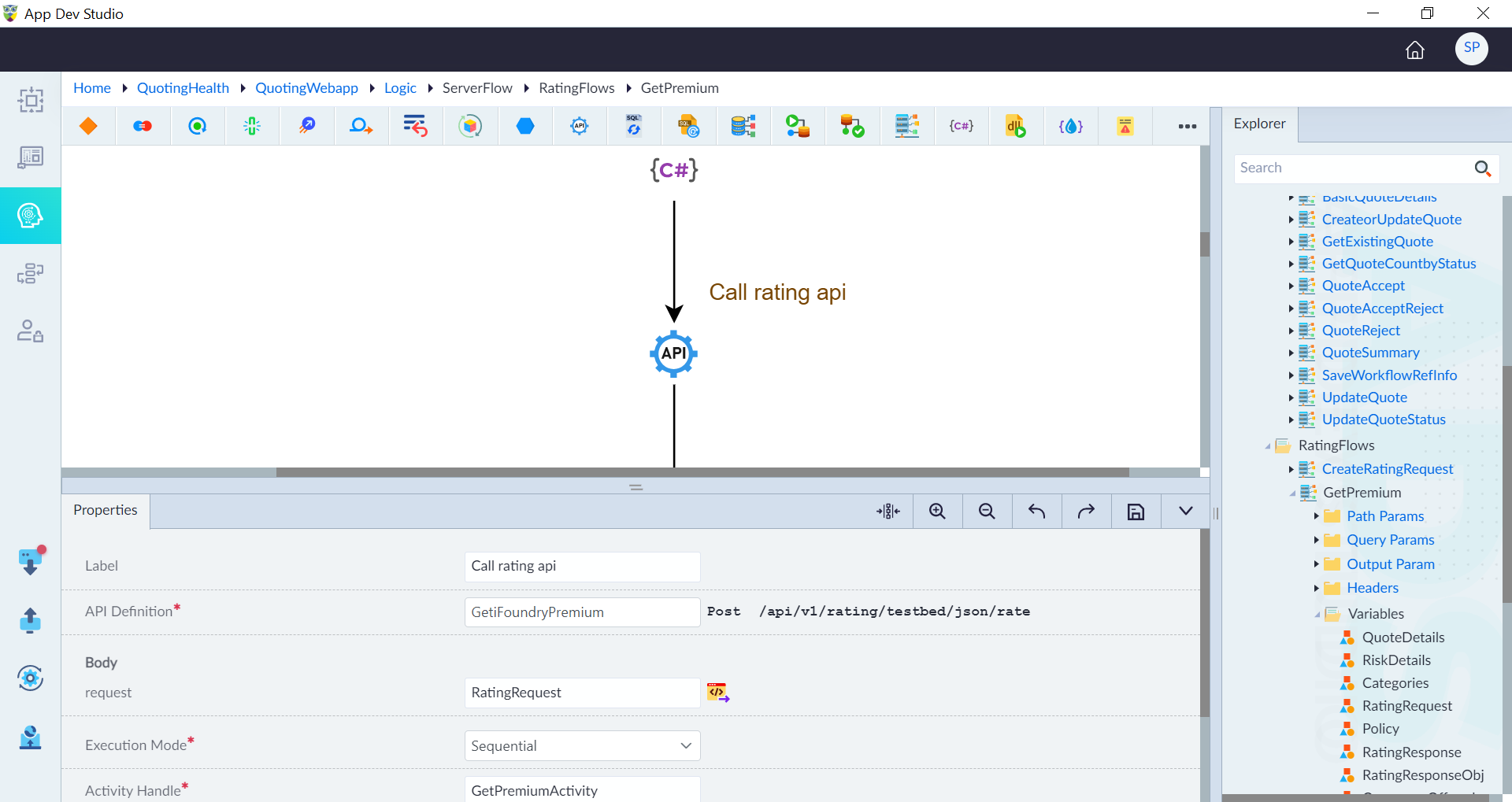
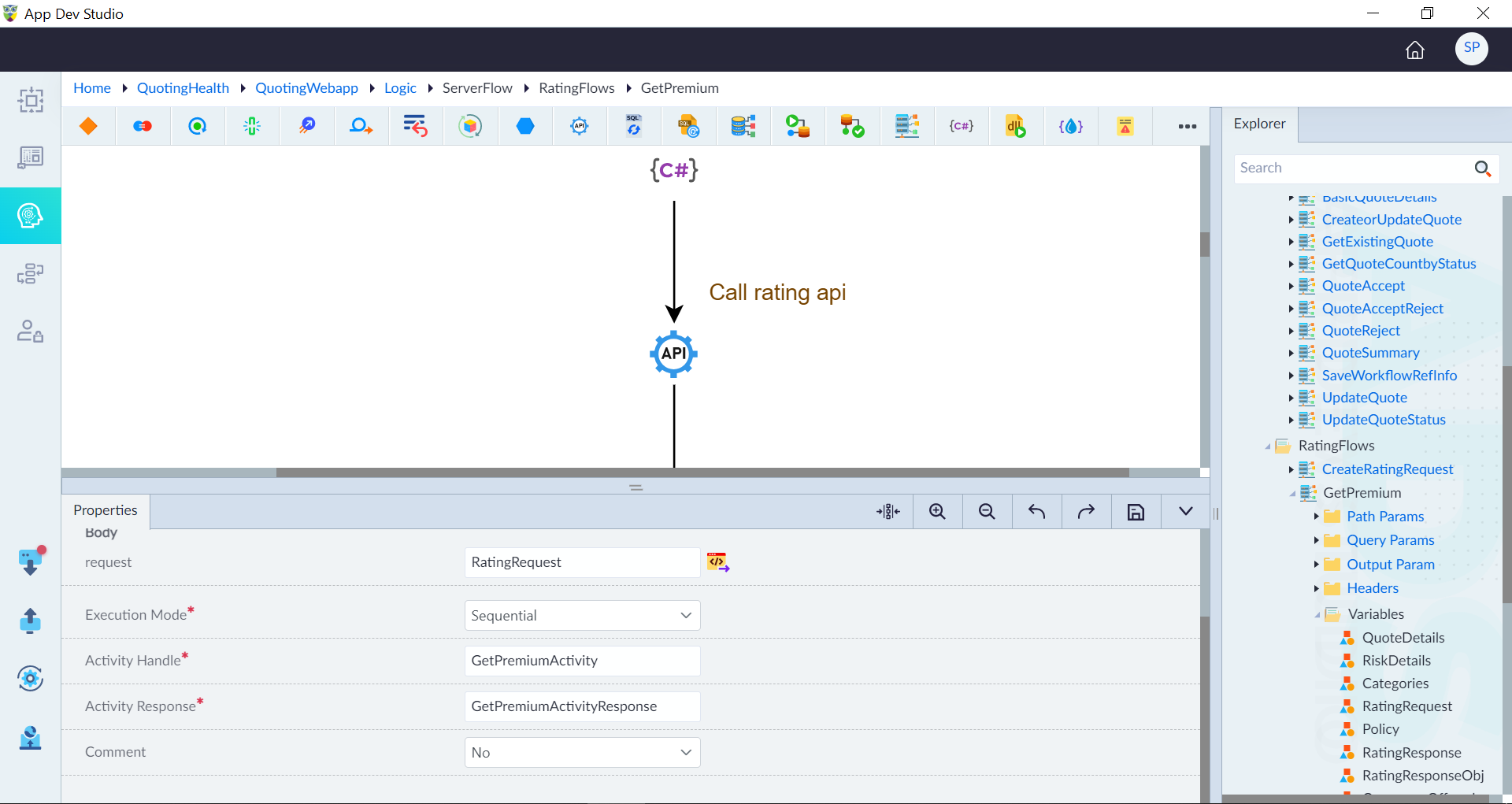
- Double-click the construct to configure the properties as required in the panel and then click save.
| Property | Description | Comments |
|---|---|---|
| Label | Labels help developers quickly understand each step in the logic flow without examining the details of the construct. | It is recommended to provide a simple precise label that improves the logic flow readability. |
| API Definition* | API definition that needs to be used. APIs created by default while creating the entities or the custom APIs created can be used in this construct. | The API to be called is selected in the autocomplete box, and upon selection, all the path parameters, query parameters, and request body data of the selected API are displayed. |
| Execution Mode* | Mode of execution. Either Sequential or Async. (Asynchronous) | In asynchronous mode, the API call is made in the background, and the logic flow continues without waiting for the response. In sequential mode, the logic flow waits for the API call to complete before proceeding to the next action. In synchronous mode, the API response is available immediately in the next step. In asynchronous mode, the response can only be accessed after explicitly awaiting the Activity Handle. The Http response can be accessed later by explicitly awaiting the Activity Handle. e.g response = await CallWeatherAPIHandle |
| Input As Raw Data* | Send the input to REST API in raw format or not. Either Yes or No. | By default, it is set to No. This option enables sending raw json, xml, instead of an entity instance |
| Output As Raw Data* | Output from REST API in raw format or not. Either Yes or No. | By default, it is set to No. This option enables reading of raw json, xml, instead of serialized entity |
| Activity Handle* | Unique Name for the activity in the flow | Activity Handle is used to track and manage asynchronous API calls. Since asynchronous operations do not return responses immediately, the Activity Handle acts as a reference to monitor the execution and retrieve results when available. |
| Activity Response* | Unique Name of the activity response in the flow. | By default a name is populated after providing activity handler. It holds the http response received from the API call. It includes data such as the API response content, status code, headers, and any error information. This property allows the user to read API response(http response) within the logic flow. |
| Comment | Specify whether to include comments for this construct (Yes or No). | If marked as Yes, the construct is treated as a commented expression and ignored in code generation. |
Note: An asterisk (*) denotes that the property is mandatory for adding the Call REST API construct.
The success message displays upon successfully adding the construct.