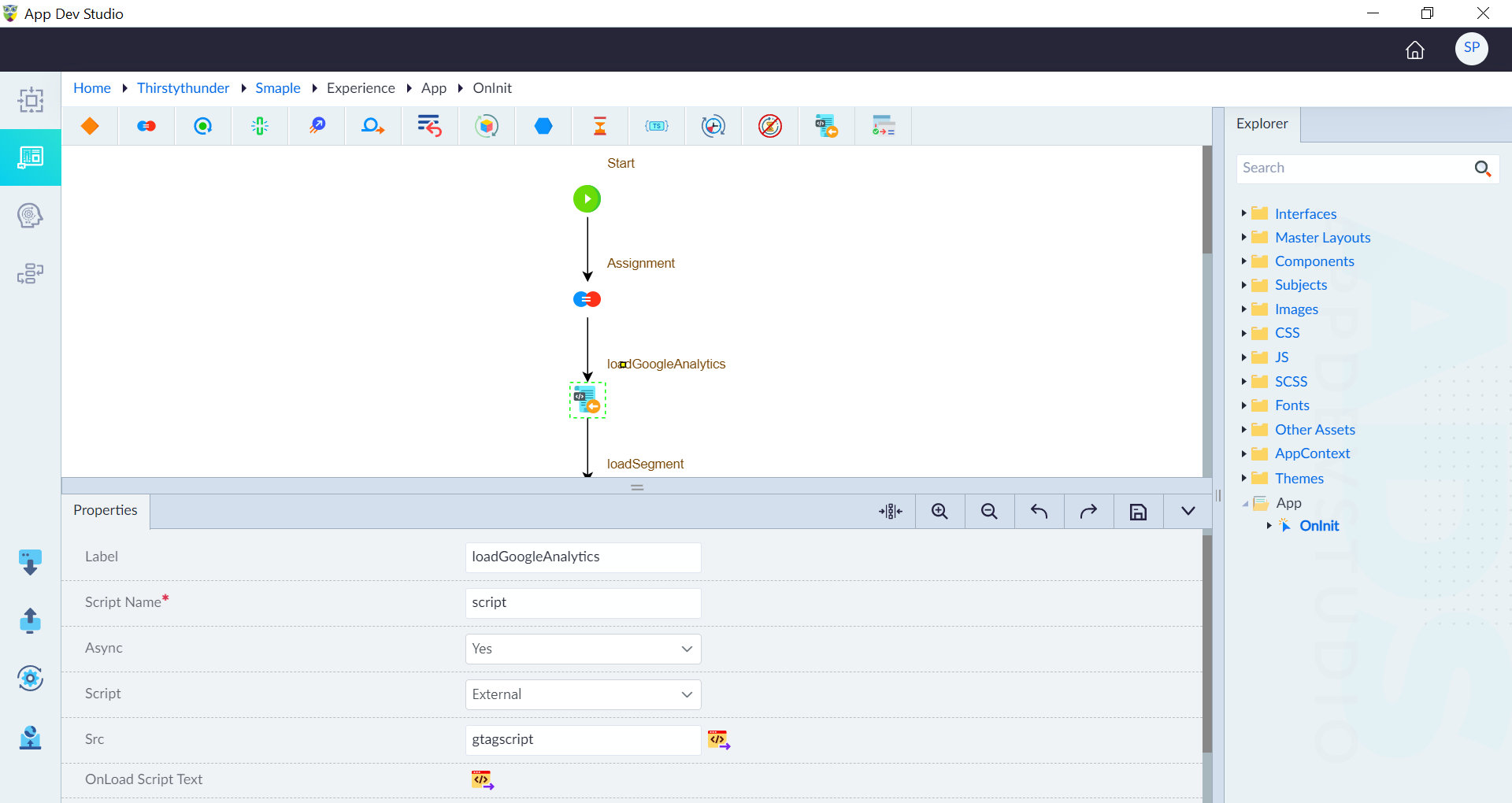
Load Script
Load script enables adding external or inline scripts at runtime without modifying the initial HTML structure. It enables loading scripts both asynchronously and synchronously. It is widely used for integrating third-party libraries and managing dependencies efficiently.
How It Works
These scripts can be set to load asynchronously to prevent rendering delays or synchronously when strict execution order is required.
Use Cases
- Third-Party Library Integration: Dynamically loading external JavaScript libraries without including them in the initial bundle.
- Dependency Management: Ensuring that scripts are loaded in a specific sequence to maintain functionality.
- Synchronous Execution: When scripts must be executed in a strict order before proceeding with application logic.
Properties
| Property | Description | Comments |
|---|---|---|
| Label | Labels help developers quickly understand each step in the logic flow without examining the details of the construct. | It is recommended to provide a simple precise label that improves the logic flow readability. |
| Script Name* | Unique identifier for the script being loaded. | Used to reference the script when needed. |
| Async | Determines whether the script should load asynchronously or synchronously. | Prevents blocking the main thread if enabled. (Yes- asynchronously, No- synchronously) |
| Script | Defines whether the script is inline or external. | Specifies the type of script execution. |
| Inline Script | Provide actual JavaScript if the script is inline. | Defines the logic that the script executes. |
| Src | Specify the external script reference URL. | Specifies the source location of the script. This field is visible when Script is ‘External’. |
| OnLoad Script | Provide the script that needs to run once the script is loaded. | |
| Comment | Specify whether to comment this construct or not. Either Yes or No. | If marked as Yes, the construct is treated as a commented expression and ignored in code generation. |
| Description | A brief explanation of the Load Script purpose. | Helps users understand the Load Script functionality. |
'Note: ' + ($args[0].Groups[1].Value -replace '\r?\n', ' ')
Note: IMPORTANT: Load Script construct is visible only in App OnInit event logic flow only.