Call Workflow
The Call Workflow construct is used to invoke and execute another workflow within a logic flow. It allows for modularization and reuse of workflow components, enabling complex processes to be broken down into smaller units.
By using this construct, users can integrate multiple workflows, promote code reusability, and achieve structured and organized workflow design. It enhances flexibility and scalability by facilitating workflow invocation and modularization.
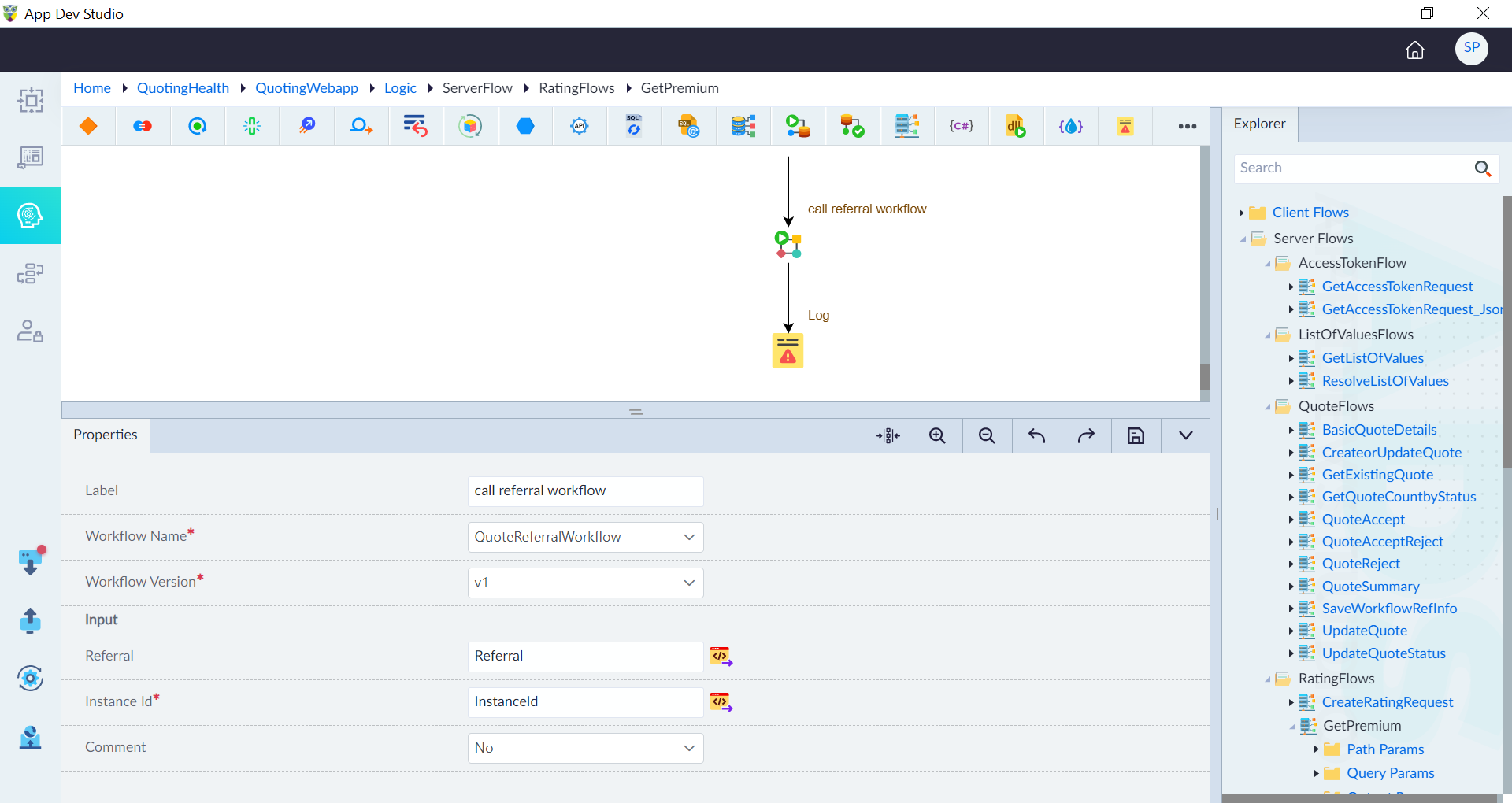
Follow the below steps to add the Call Workflow construct in a logic flow:
- In the designer canvas of a logic flow, drag and drop the Call Workflow construct into the flow.
- Double-click the construct to configure the properties as required and then click save.
| Property | Description | Comments |
|---|---|---|
| Label | Provide a label for the construct for easy identification in a logic flow. | - |
| Workflow Name* | Provide the name of the workflow. | - |
| Workflow Version* | Provide the workflow version to be called in the logic flow. | - |
| Input | Provide the input using the expression builder. | - |
| Instance ID* | Provide the instance ID of the workflow. | - |
| Comment | Specify whether to comment this construct or not. Either Yes or No. | If marked as Yes, the construct is treated as a commented expression and ignored in code generation. |
Note: An asterisk (*) denotes that the property is mandatory for adding the Call Workflow construct.
The success message displays upon successfully adding the construct.