Indexes
An index is a database structure that enhances the speed of data retrieval operations. It functions similarly to a book's index, allowing the database engine to locate data faster without scanning the entire table.
Indexes significantly improve read performance but can impact write operations (INSERT, UPDATE, DELETE) due to additional maintenance
Follow the below steps to create indexes:
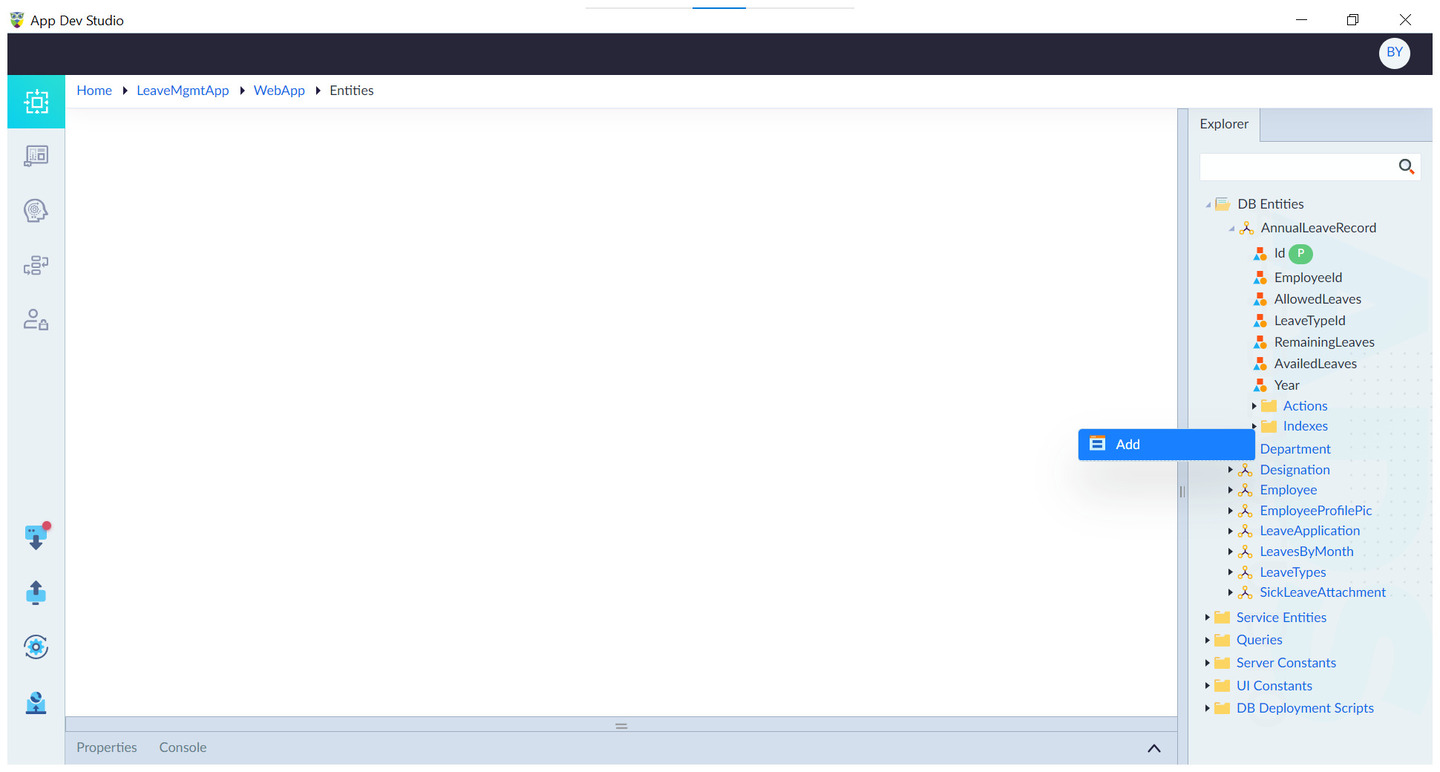
- Right-click the "Indexes" folder within the entity.
- Select "Add" to create a new index.
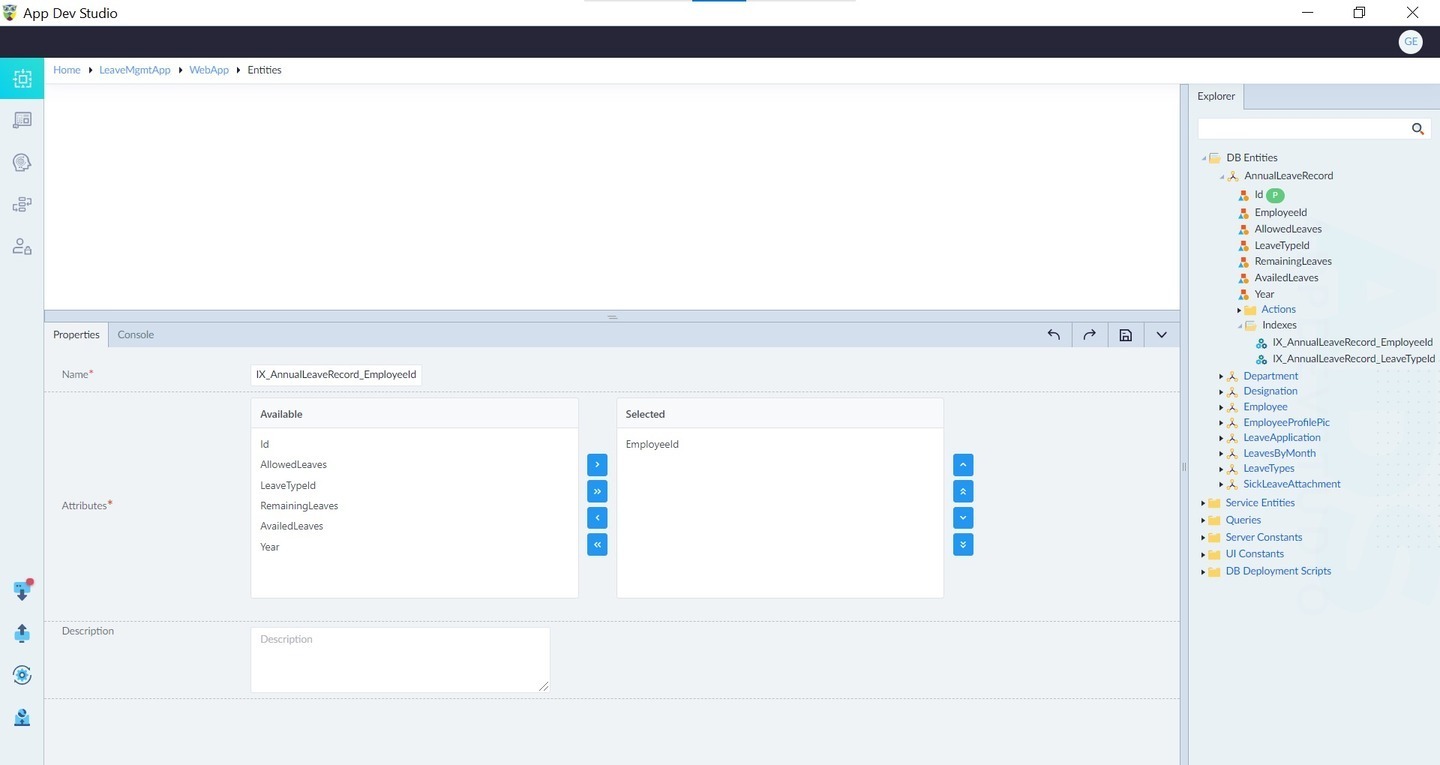
- Configure the required properties and click Save.
| Property | Description | Comments |
|---|---|---|
| Name* | Name of the index. | Must start with a letter. Only alphanumeric characters or _ allowed. No spaces or special characters except _. Cannot start with a number. |
| Attributes* | The primary attributes used for searching and sorting. | Use > and >> buttons or drag & drop to move attributes. Attributes can be reordered. |
| Includes | Additional columns stored in the index but not used for searching or sorting. | Selection works similarly to Attributes. |
| Description | Summary of the index. | - |
Note: An asterisk (*) denotes that the property is mandatory for creating an index.
Upon successful creation, the message "Index added successfully" appears.
Advantages of Indexes
- Faster Query Execution – Reduces search time from O(n) to O(log n) in B-Trees.
- Efficient Sorting & Grouping – Optimizes ORDER BY and GROUP BY operations.
- Optimized Joins – Speeds up JOIN queries by allowing indexed lookups.
- Minimized I/O Operations – Fetches only relevant data instead of scanning the table.
Disadvantages of Indexes
- Slower Inserts, Updates, deletes – Additional index structures must be updated.
- Increased Storage Usage – Indexes consume extra disk space.
- Maintenance Overhead – Regular rebuilding or reorganizing may be needed for performance.
- Too Many Indexes Can Hurt Performance – The database must evaluate all indexes before selecting the best one.