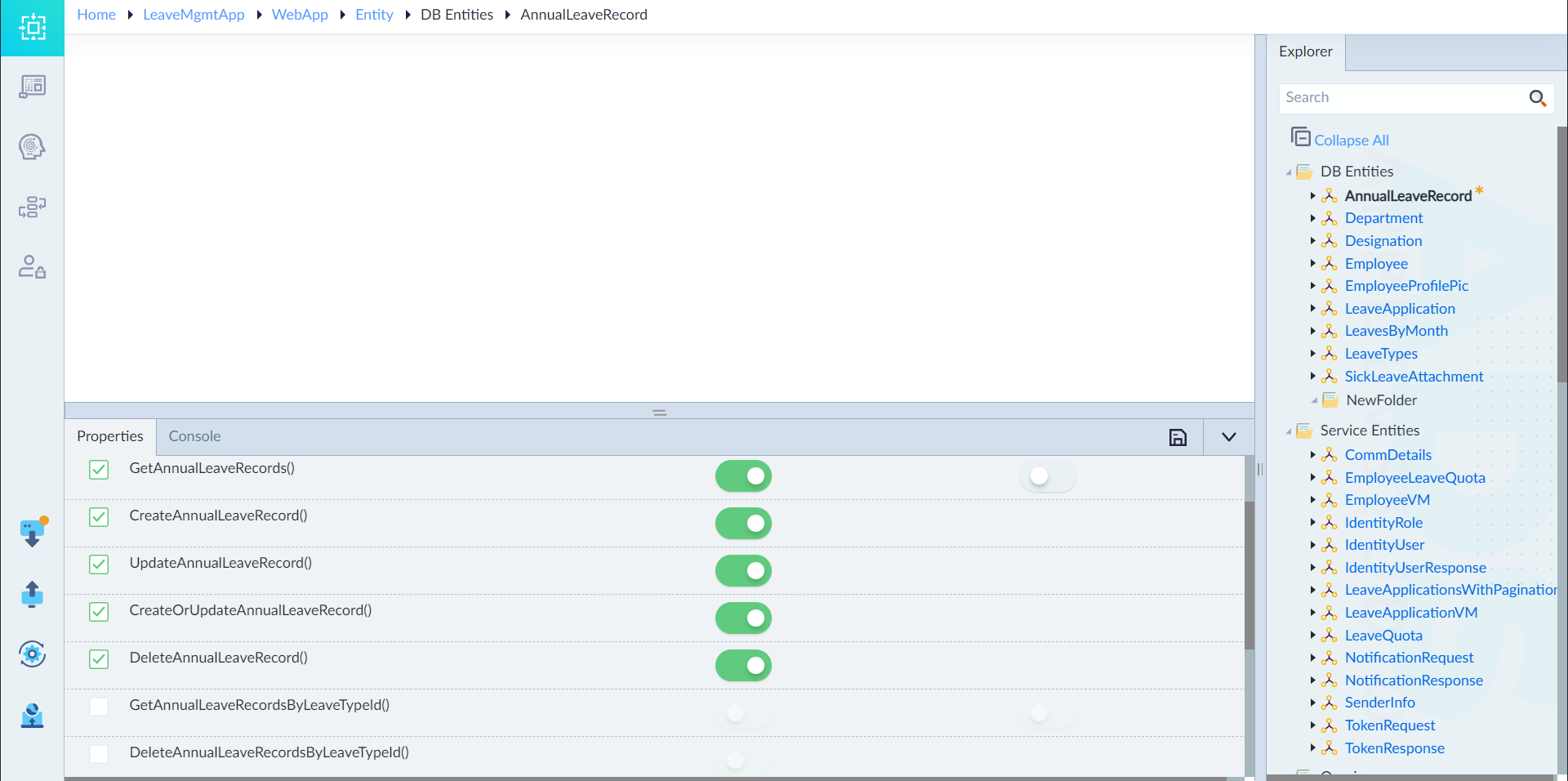
Actions (DB Entity)
By default, CRUD actions are automatically generated for all DB entities and exposed as APIs. Developers have the flexibility to enable or disable specific entity actions based on application requirements.
Additionally, entity actions can be configured as internal methods by deselecting the "Expose as API" option. Internal actions that are not exposed as APIs can still be invoked within other Server Flows, allowing controlled access to entity operations.
Example API Calls for Employee Entity
| Action Method | Description | HTTP Method | Endpoint Example |
|---|---|---|---|
| Create | Adds a new Employee record | POST | /api/v1/employees |
| Read (Get By ID) | Retrieves an Employee by ID | GET | /api/v1/employees/{Id} |
| Read (Get All) | Fetches all Employees (with pagination) | GET | /api/v1/employees?offset=0&pageSize=10 |
| Update | Updates an existing Employee | PUT | /api/v1/employees |
| Delete | Deletes an Employee by ID | DELETE | /api/v1/employees/{Id} |
| Create or Update | Creates or updates an Employee | POST | /api/v1/employees/save |
| Bulk Create | Adds multiple Employees at once | POST | /api/v1/employees/bulk |
| Bulk Update | Updates multiple Employee records at once | PUT | /api/v1/employees/bulk |
| Bulk Create or Update | Creates or updates multiple Employee records | POST | /api/v1/employees/bulk/save |
Action Properties & Configuration Steps
Action Properties
| S.No | Property | Description |
|---|---|---|
| 1 | Name | Name of the action to be generated. |
| 2 | Expose as API | Determines whether the action should be exposed as an API. If unchecked, it remains internal. |
| 3 | Pagination | Fetches records in multiple pages if enabled. Visible only for actions returning array-type data. |
Steps to Configure and Expose Actions as APIs:
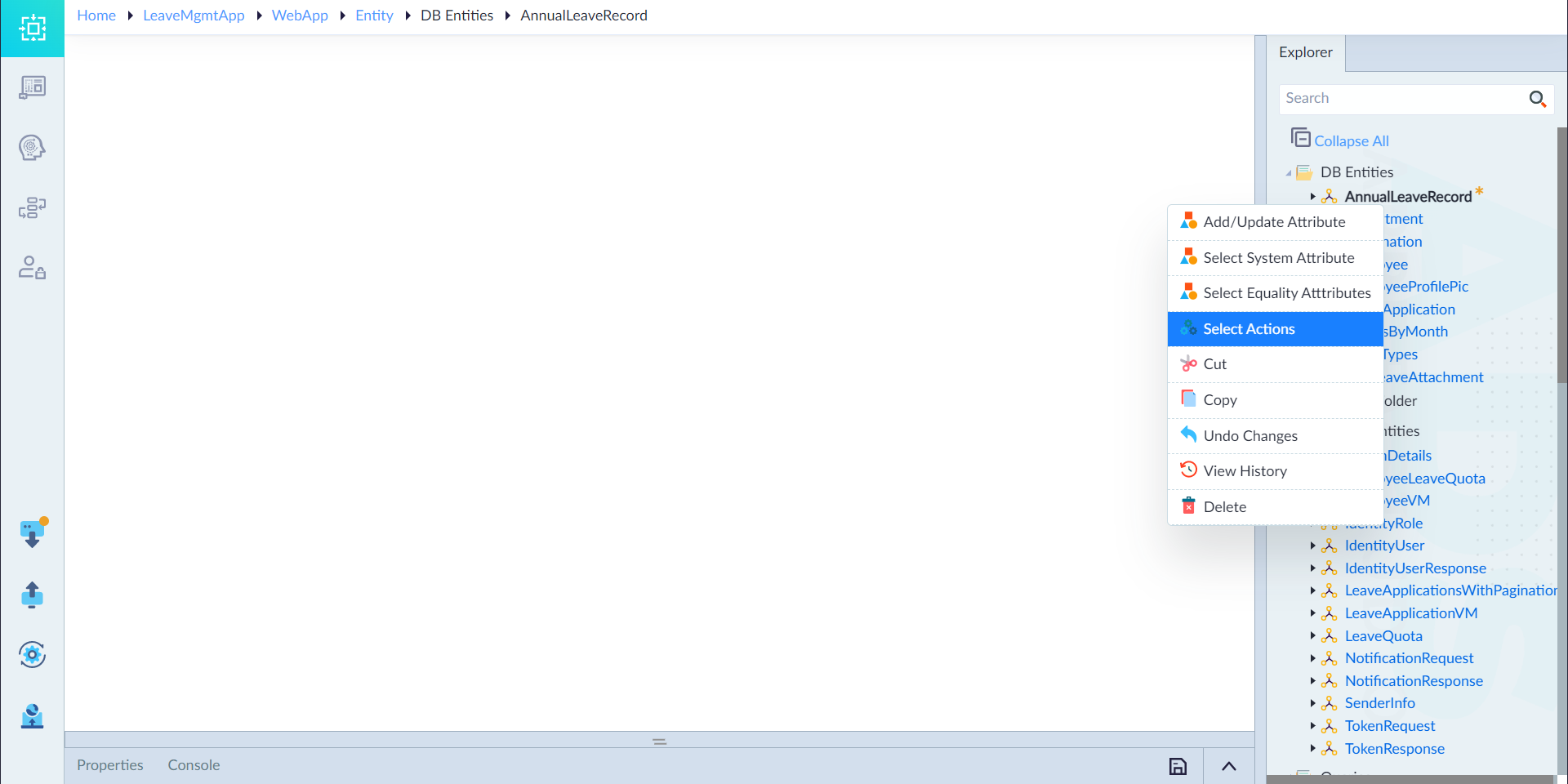
- Right-click the "Actions" folder in an entity from the Explorer menu and select "Select Actions."
- The Properties Panel will appear.
- Select the required actions to expose them as APIs. To expose all, click "Select All."
- Enable the "IsPaginated" checkbox for GET APIs to fetch results in multiple pages.
- Uncheck "Expose As API" if the action should remain internal but still callable in a server flow.
- Click Save to apply the changes.
- Upon successful configuration, the system displays: "Actions saved successfully."
Upon successful configuration, the message "Actions changes applied successfully" appears.
Note: To configure additional actions, right-click created "DB Entity" and select "Select Actions."
Implementing Custom Actions
In addition to the default action methods, users can define custom actions using Server Flows to handle complex operations.
Steps to Implement Custom Actions
- Create Queries or Stored Procedures — Define queries or stored procedures to perform complex database operations efficiently.
- Create a Server Flow — Design a Server Flow to encapsulate the logic for executing database operations. Use the Run Query construct to execute the queries or stored procedures and fetch the required data.