Add/Update an Attribute (DB Entity)
Follow the steps below to add/update an attribute:
-
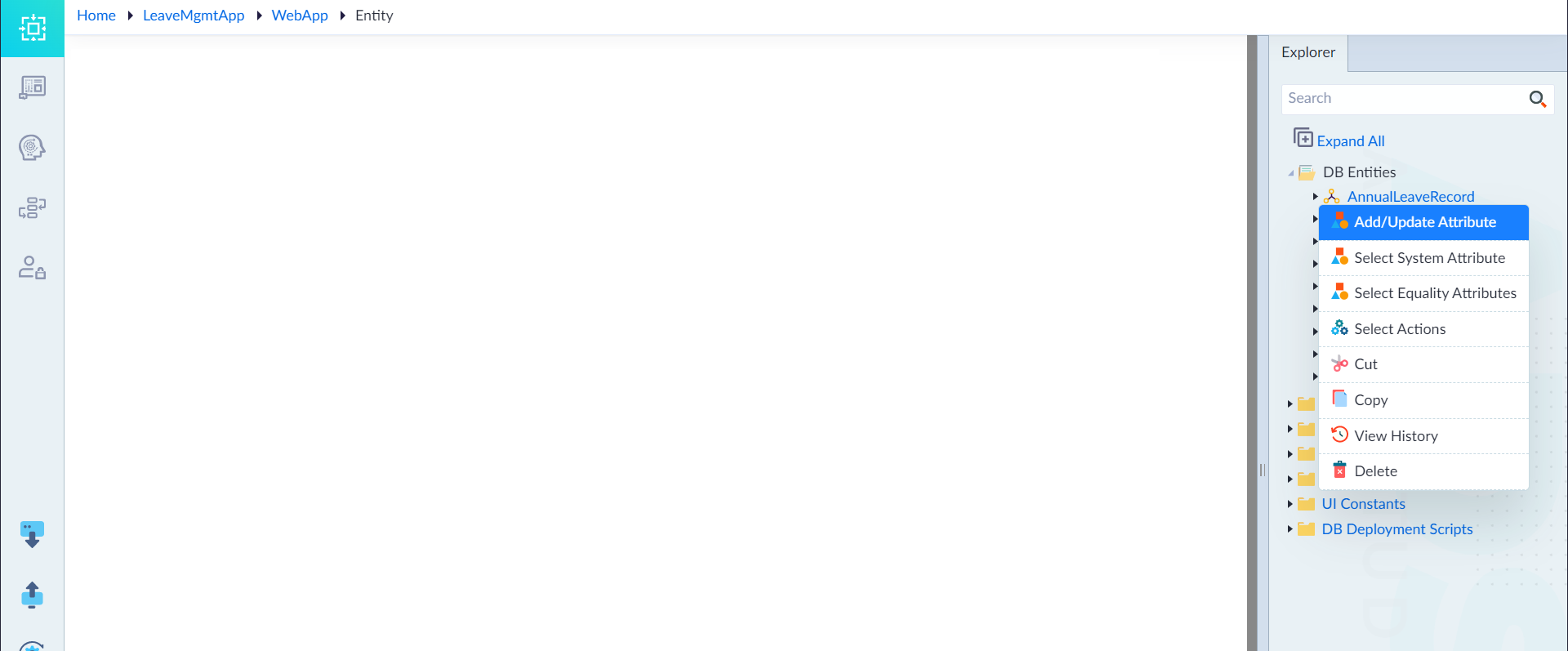
Open the DB Entities Folder
- In the Explorer menu, right-click the created DB Entity.
- Select Add/Update Attribute.
-
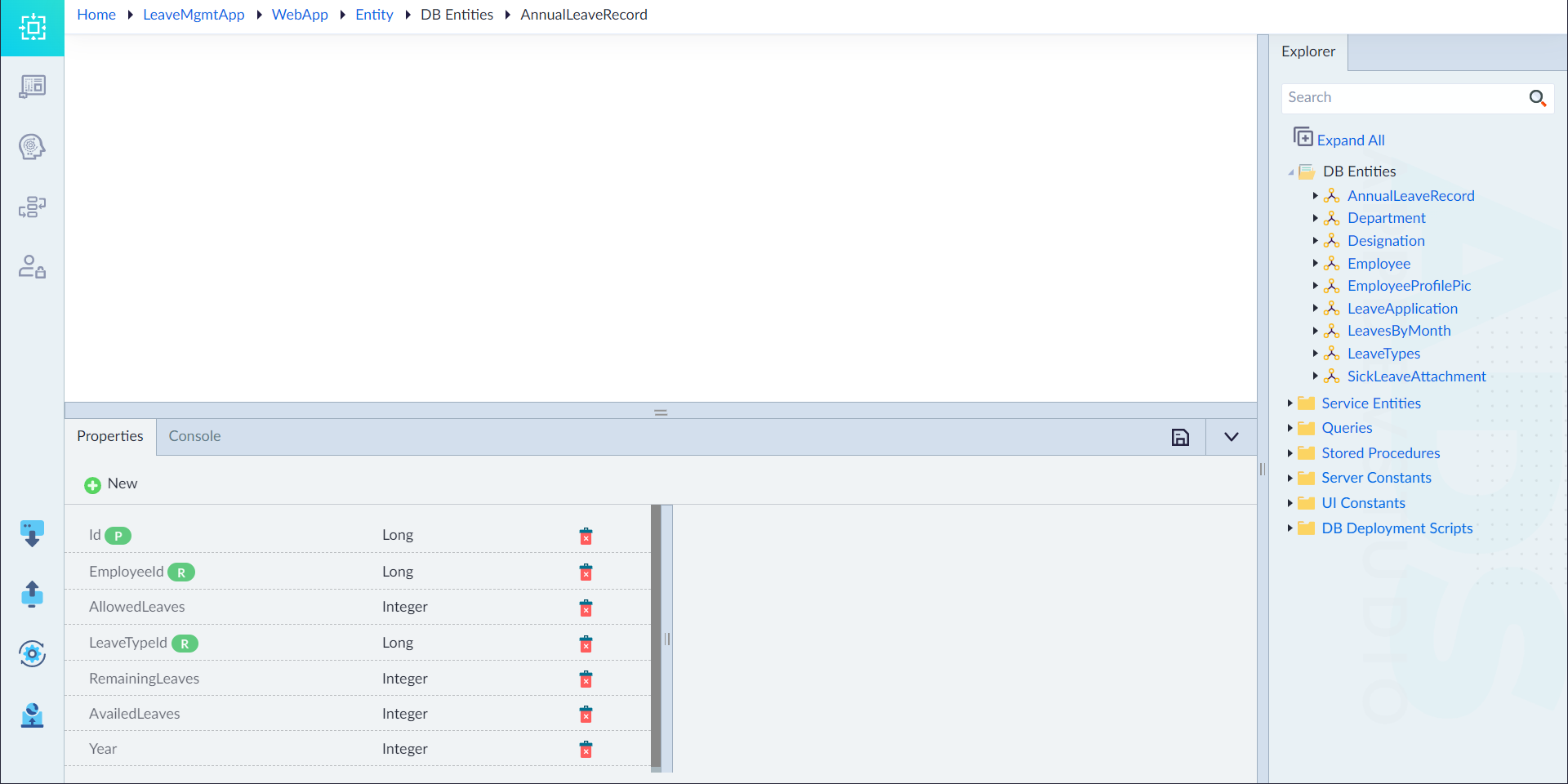
Configure Attribute Properties
- In the Properties Panel, click '+New'.
- Set the required properties as per the table below.
- Repeat this step to add multiple attributes.
- Click Save.
| Property | Description | Comments |
|---|---|---|
| Name* | Name of the attribute. | Must start with a letter followed by alphanumeric characters or ''. No spaces or special characters except ''. Cannot start with a number. |
| Data Type* | The data type of the attribute. | Options: String, Integer, Long, Double, Boolean, DateTime. |
| Relationship | Defines entity relationships. | Options: One-One, Many-One, Many-Many. |
| Reference Entity* | The related entity. | Visible only if a relationship is selected. |
| Reference Attribute* | The attribute in the related entity. | Visible only if a reference entity is selected. |
| Primary Key | Specifies if this is the primary key. | Only one primary key per entity. Default: No (except for Id). |
| Mandatory | Specifies if this attribute is required. | Default: No. |
| Unique | Ensures unique values for this attribute. | Default: No. |
| Encrypted | Specifies if this attribute should be encrypted. | Default: No. |
| Encryption Key | The key used for encryption. | Visible only if Encrypted = Yes. |
| Length | Maximum number of characters or digits. | Applicable for String and Number data types. |
| Date Option | Defines how DateTime attributes behave. | Options: Fixed (specific date), Current Date (auto-updates). |
| Cascade Delete | If enabled, deleting a parent removes child records. | Default: No. |
| Default Value | The initial value of the attribute. | - |
| Example | Sample data for reference. | Displayed in API documentation. |
| Scale | Number of decimal places (for Double). | Example: In 123.456, scale = 3 (digits after decimal). |
| Precision | Total digits stored (for Double). | Example: In 123.456, precision = 6 (all digits). |
| Description | A summary of the attribute. | Optional. |
Note: An asterisk (*) denotes a mandatory property.
Upon successful addition, the message "DB Entity saved Successfully" appears.