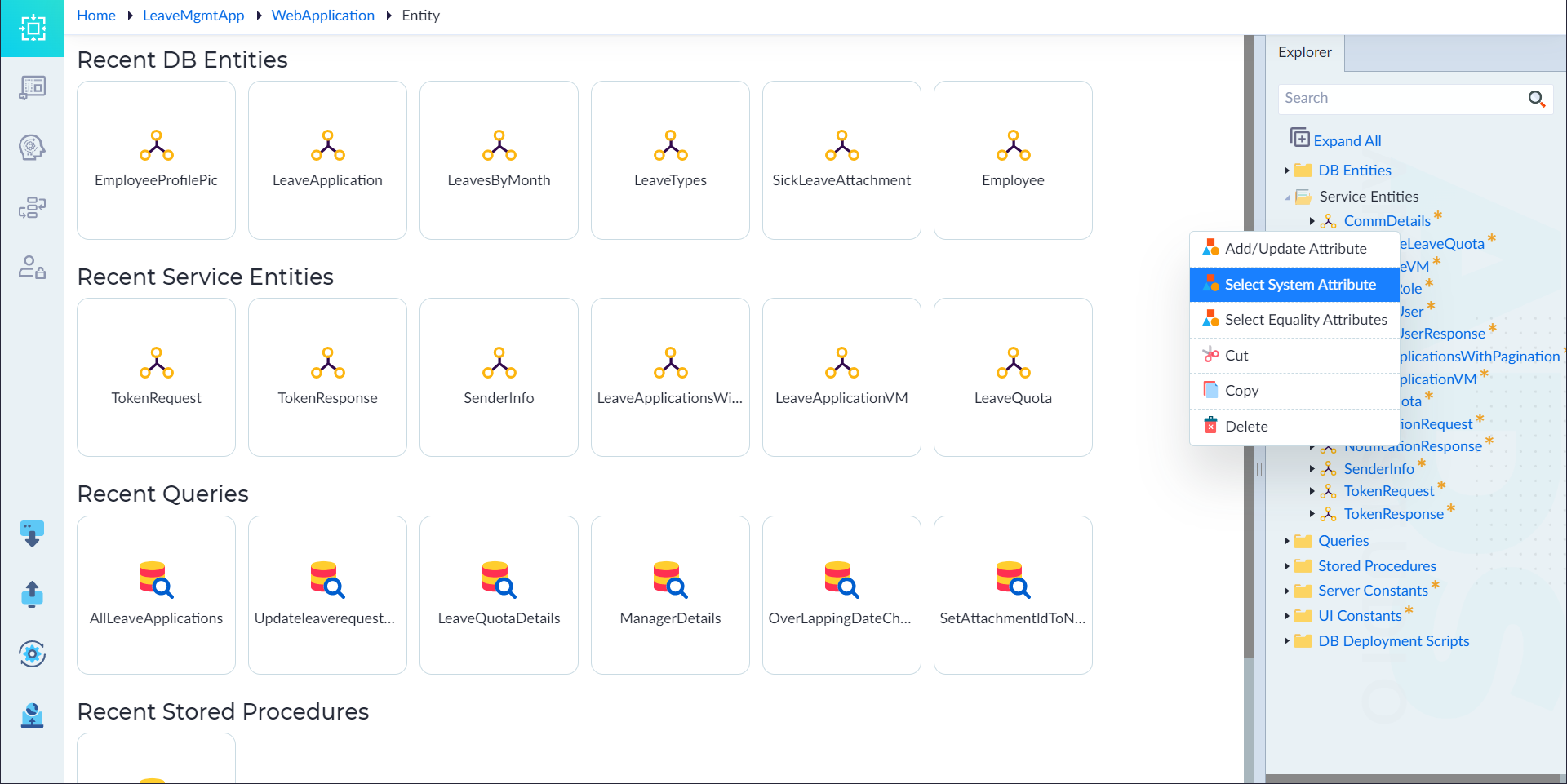
Select System Attributes (Service Entity)
What are System Attributes?
System attributes are predefined metadata fields automatically generated by the OwlGen. They help track essential details like creation timestamps and modification history.
List of System Attributes:
- CreatedBy – Stores the ID of the user who created the entity.
- CreatedOn – Captures the timestamp of when the entity was created.
- LastUpdatedBy – Stores the ID of the user who last modified the entity.
- LastUpdatedOn – Captures the timestamp of the last modification.
Steps to Add System Attributes
- Navigate to the Explorer Menu.
- Right-click an existing Service Entity and select Select System Attribute.
- Choose the required system attributes.
- Click Save.
- A confirmation message "System Attribute changes applied successfully" appears.