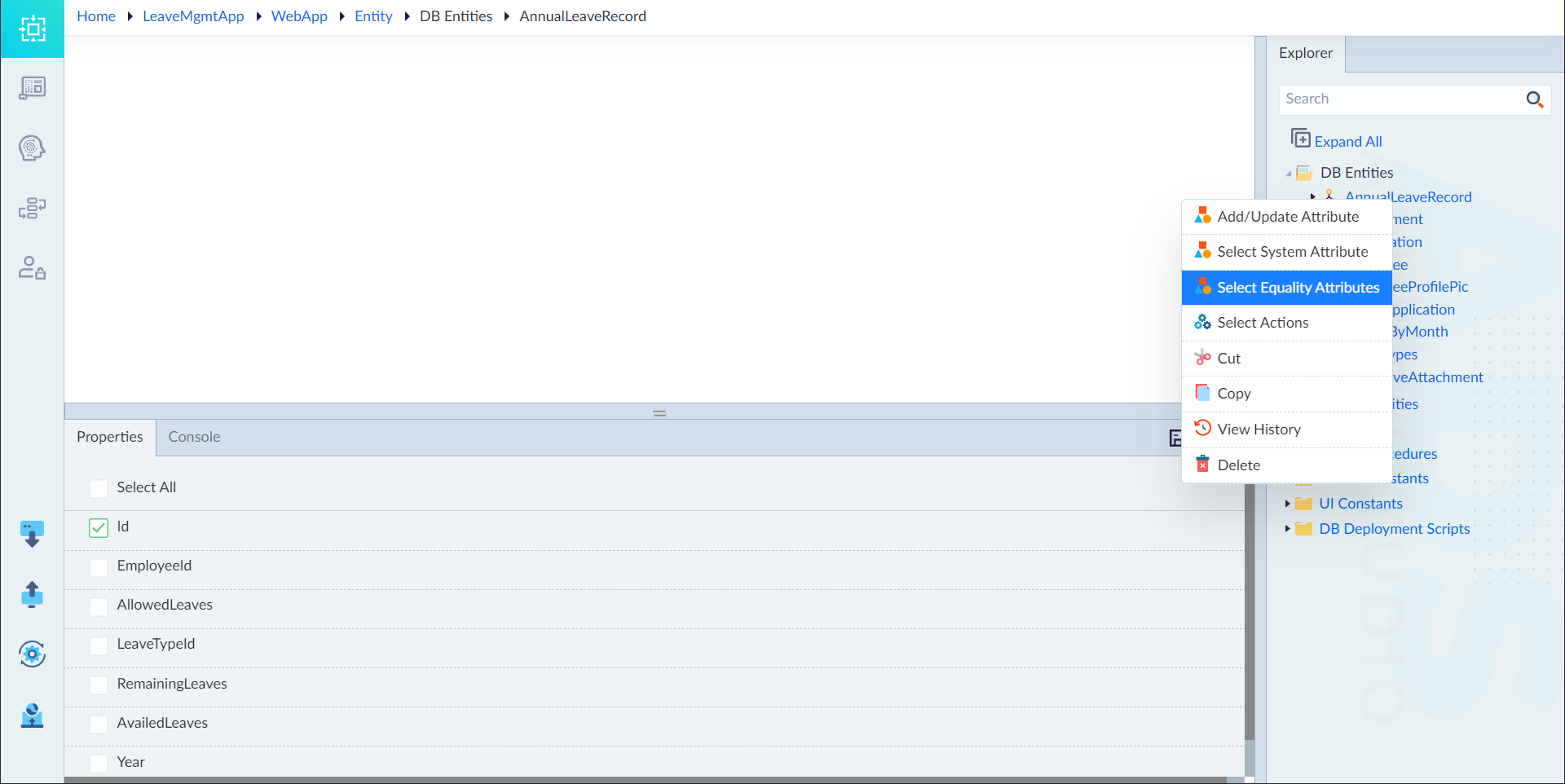
Select Equality Attributes (Service Entity)
When comparing entities within an application, ensuring accuracy and consistency is crucial. The Select Equality Attributes feature allows users to specify which attributes should be used when determining if two entities are identical. An Equals method is automatically generated based on these selected attributes.
Steps to Select Equality Attributes
-
Open the Service Entities
- In the Entity Explorer menu, right-click the created Service Entity.
- Select Select Equality Attributes.
-
Choose Attributes for Comparison
- In the Properties Panel, select the attributes from the list that should be used to check for equality between entities.
- These attributes will define how the system determines if two entities are considered equal.
-
Save the Selection
- Confirm the selection.
- Upon successful application, the system displays: "Service Entity saved successfully".
Use Case Example
Consider an Employee entity with attributes:
- Id
- FirstName
- LastName
If Email is selected as an equality attribute, two employee records with the same email will be considered equal, regardless of other differences.