Create a Constant
Follow the steps given below to create a Server constant (or) UI constant in OwlGen:
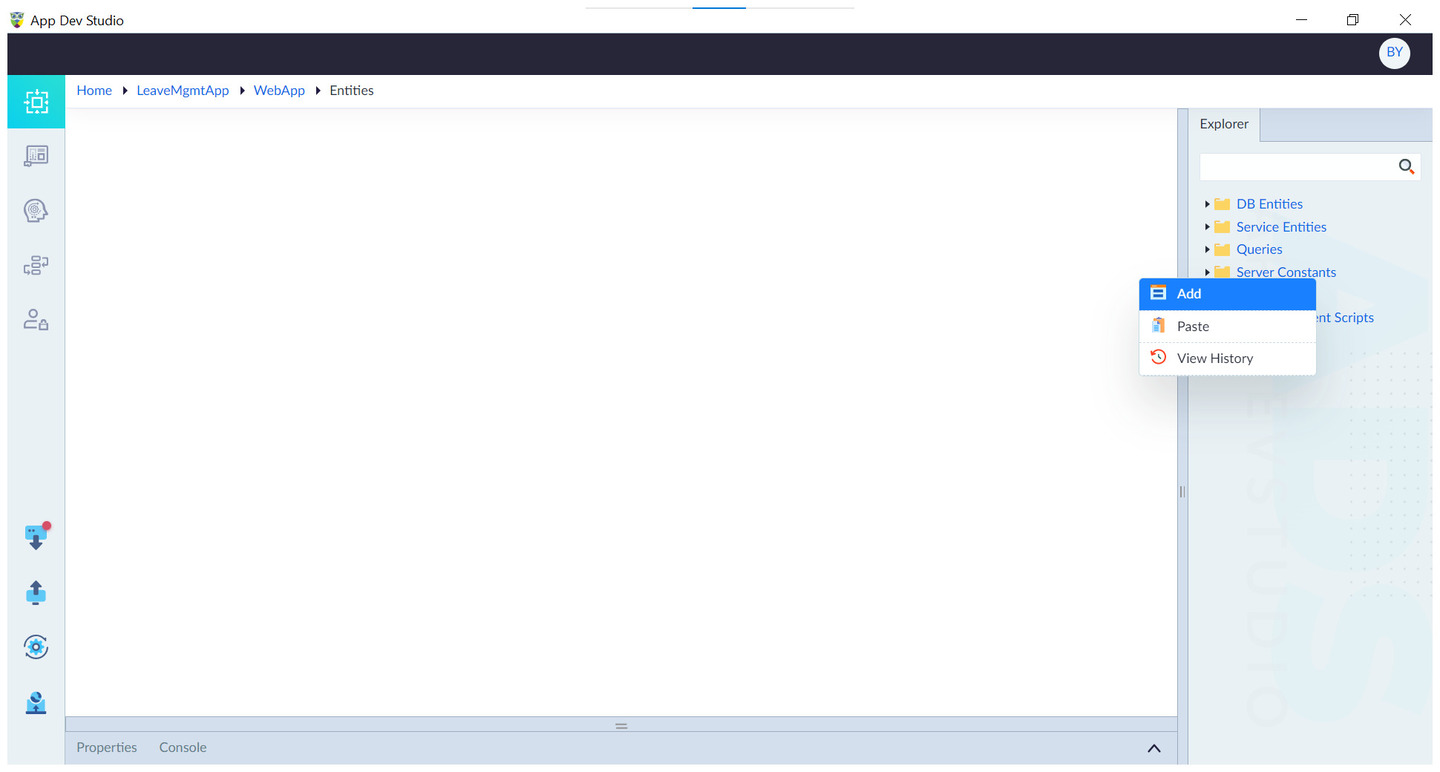
- From Explorer, right-click Server Constants (or) UI Constants and select Add. The property panel slides up from bottom.
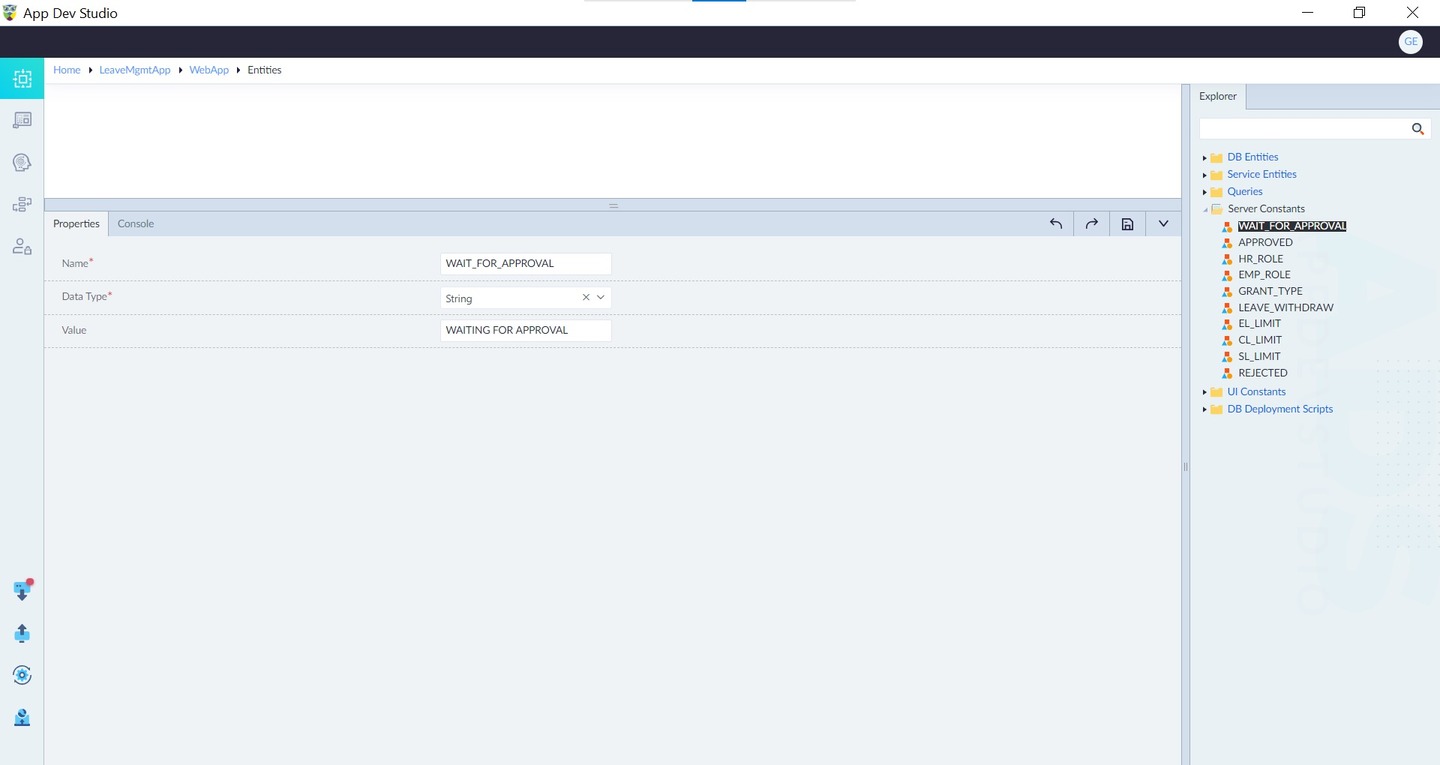
- Configure the below properties as necessary and click save.
| Property | Description | Comments |
|---|---|---|
| Name* | Provide the name of the constant. | - |
| Data Type* | Choose the data type of the constant. | Property is set to String by default. |
| Value | Provide the value of the constant. | - |
Note: An asterisk (*) denotes that the property is mandatory for creating a server constant (or) UI constant.
The "Constant Added Successfully" message appears upon successful creation.