Integrate Socket.IO into the Chat Interface
Integrating Socket.IO into a chat interface revolutionizes real-time communication, enabling instant message transmission between users. By seamlessly incorporating Socket.IO, users experience swift message delivery and enhanced interaction within the chat interface. This integration optimizes the chat experience, ensuring messages are promptly sent and received, fostering seamless communication among users.
Integrate Socket.IO into the Chat Interface
To integrate Socket.IO into a chat interface, follow the steps below:
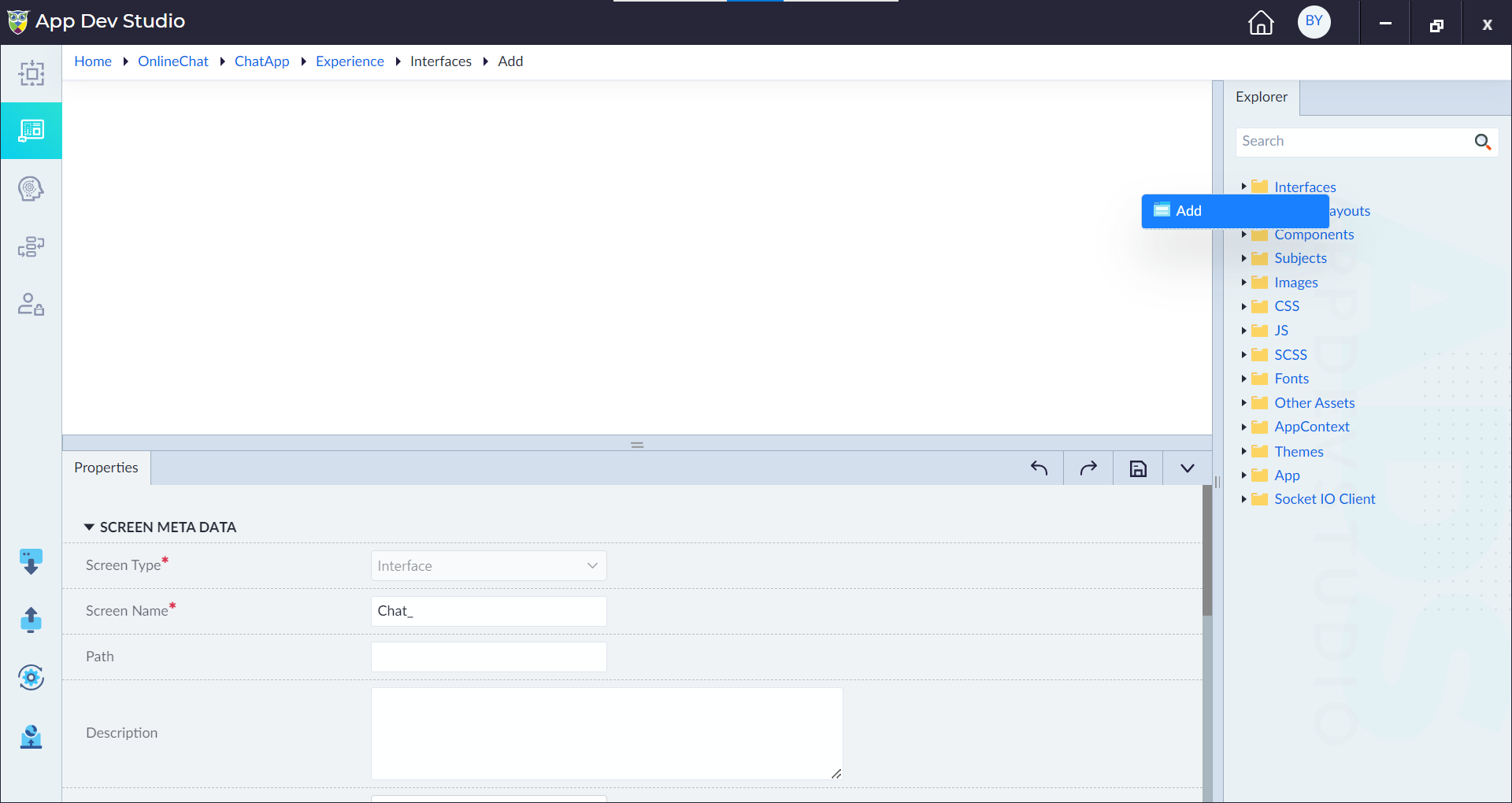
- Navigate to the Interfaces section and create a new interface named Chat.
- Drag and drop a text box widget onto the Chat interface.
- Set an ID for the text box, e.g.,
chatMessageInput. - Drag and drop a button widget next to the text box. Create a button named "Send".
- Configure the click event of the button to trigger the SendMessage event.
The following logic flow is part of the SendMessage event for a chat interface. This logic flow illustrates how a message is composed and sent using Socket.IO, ensuring real-time communication between the client and the server. Below is an explanation of each construct in the flow and how they contribute to integrating Socket.IO into the chat interface.
Step 1: Start Construct — This is the entry point of the event handler. It signifies the beginning of the process when a user clicks the "Send" button in the chat interface.
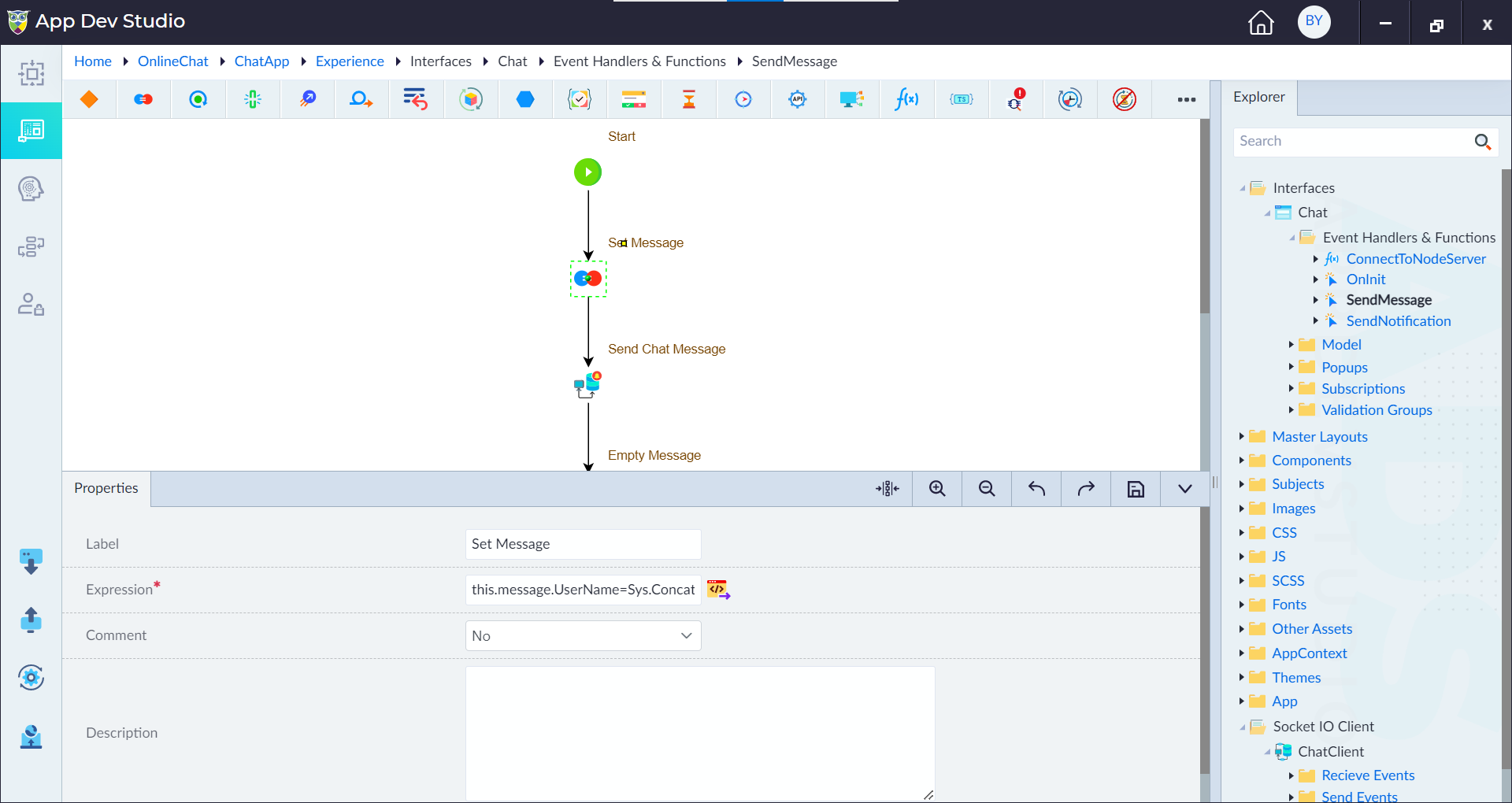
Step 2: Assignment Construct (Set Message)
The assignment construct initializes the message with the user's name and email. It combines the first name and last name to form the full name and assigns the email address from the user details. Configure the following properties for the Set Message construct:
- Label: Set Message
- Expression:
this.message.UserName=Sys.Concat(this.UserDetails.firstname," ",this.UserDetails.lastname);this.message.Email=this.UserDetails.email
- Comment: No
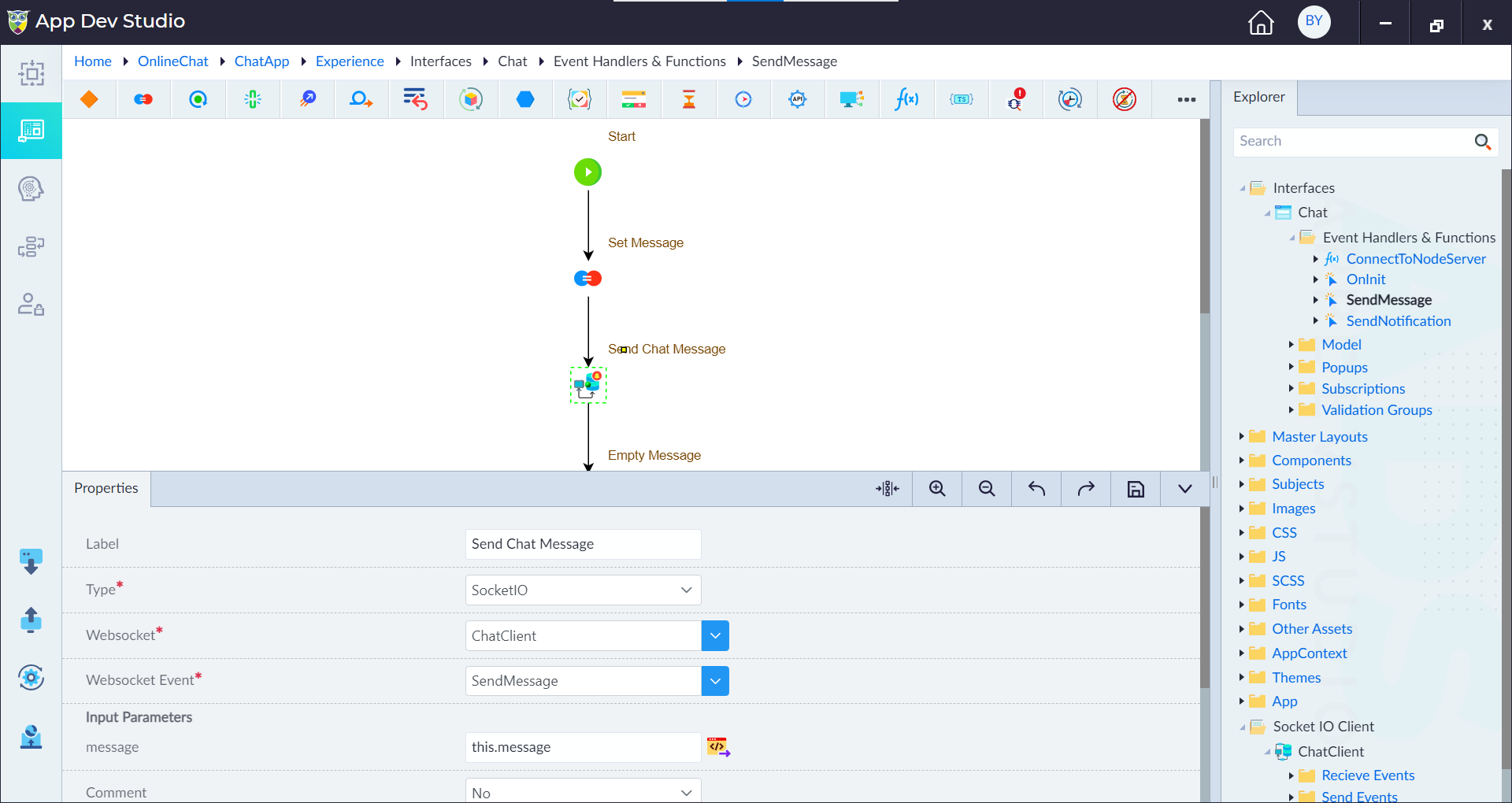
Step 3: Send Chat Message Construct
- Label: Send Chat Message
- Type: Socket IO
- Websocket: ChatClient (the previously configured Socket.IO client)
- Websocket Event: SendMessage (refers to the event in the Send Events folder of the Socket.IO client)
- Input Parameters:
- Message: this.message (binds the message object created in the previous step)
- Comment: No
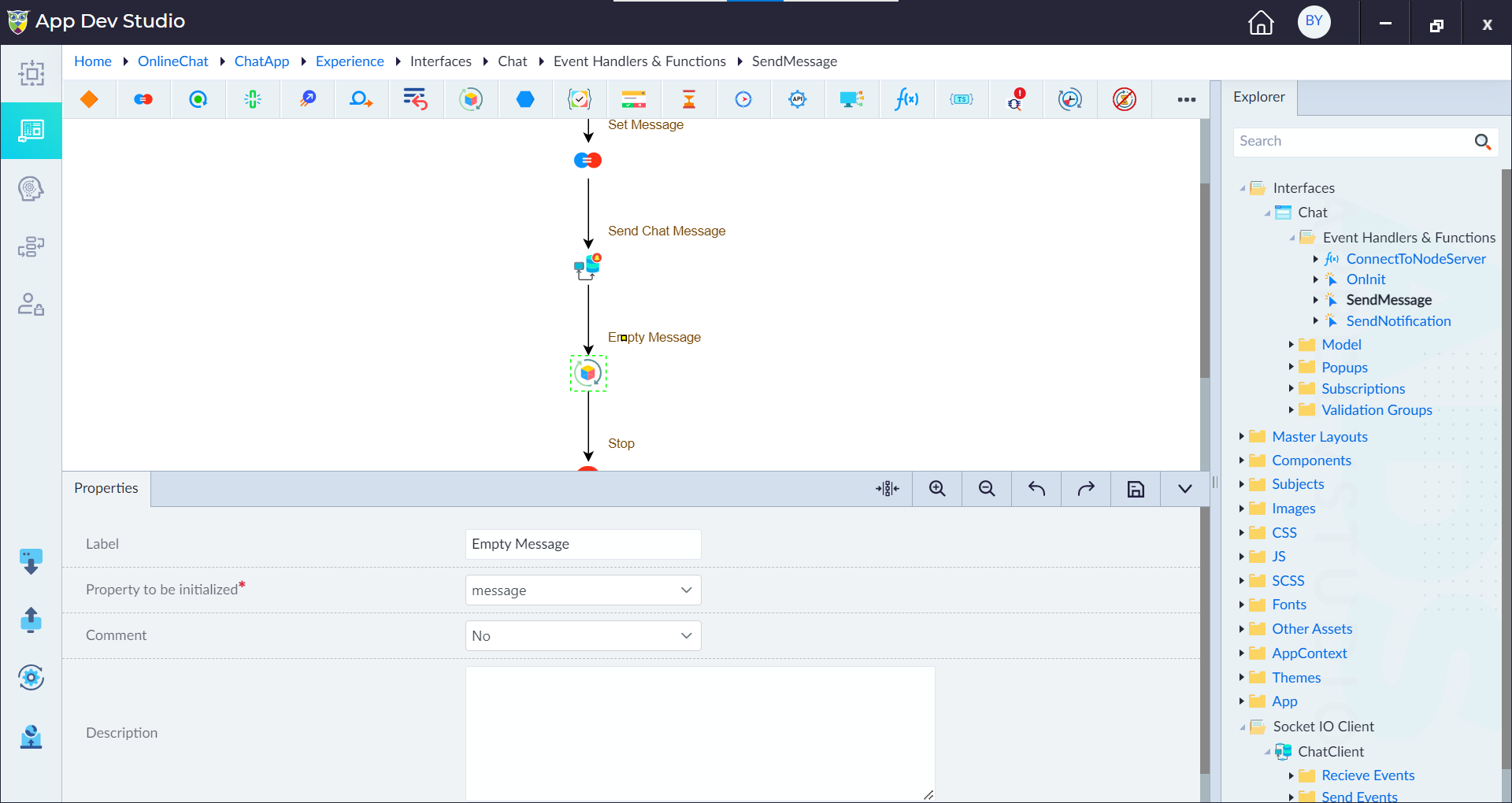
Step 4: Initialize Construct (Empty Message)
After sending the message, this construct resets the message object to an empty state. This ensures that the text box in the chat interface is cleared, allowing the user to type a new message. Configure the following properties:
- Label: Empty Message
- Property to be initialized: message
- Comment: No
Step 5: Stop Construct — This marks the end of the logic flow.