Dynamic Data Grid
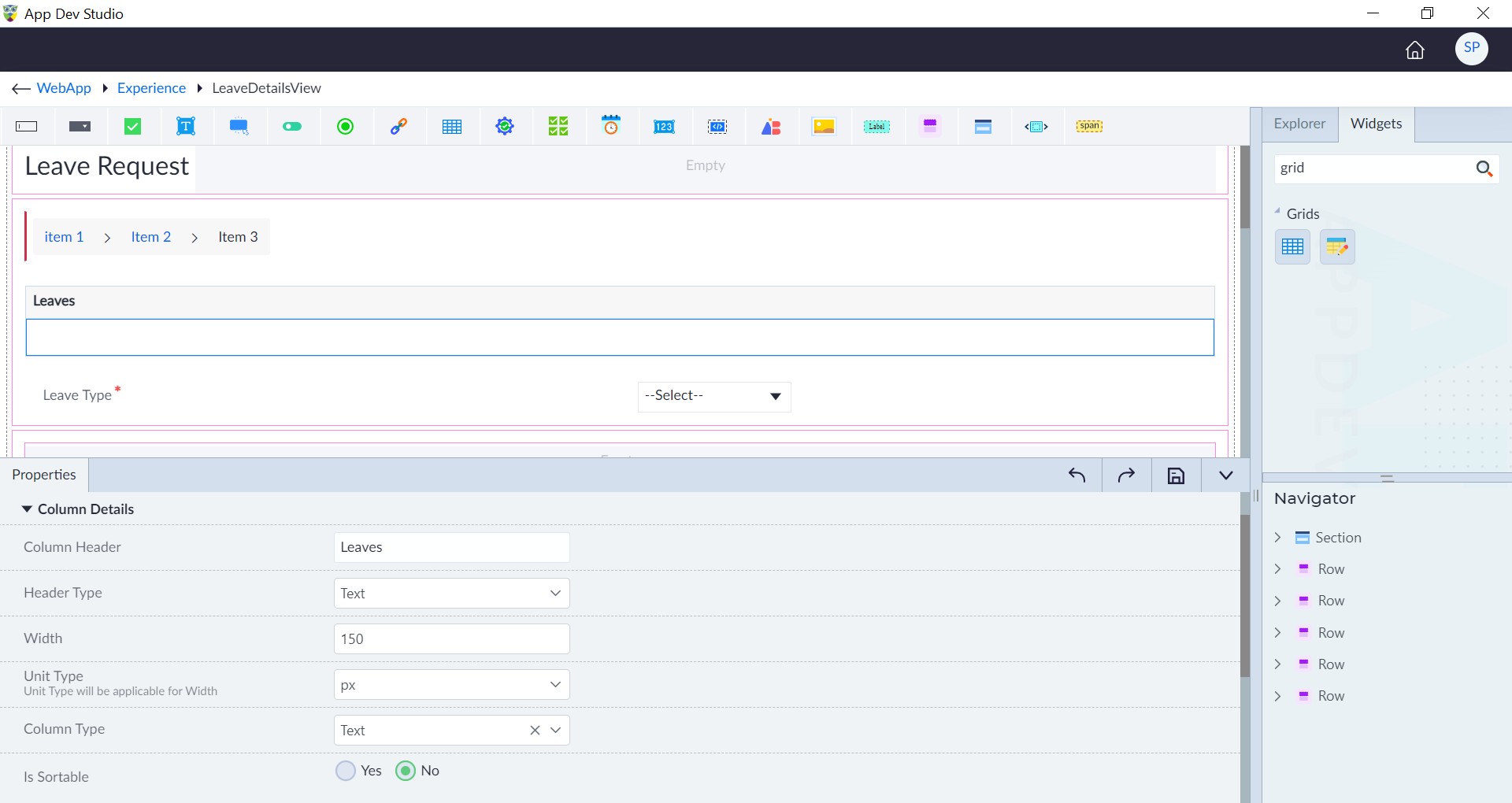
A Dynamic DataGrid is a customizable grid component that adapts dynamically to changes in data structure and content. It offers flexible configuration options for columns.
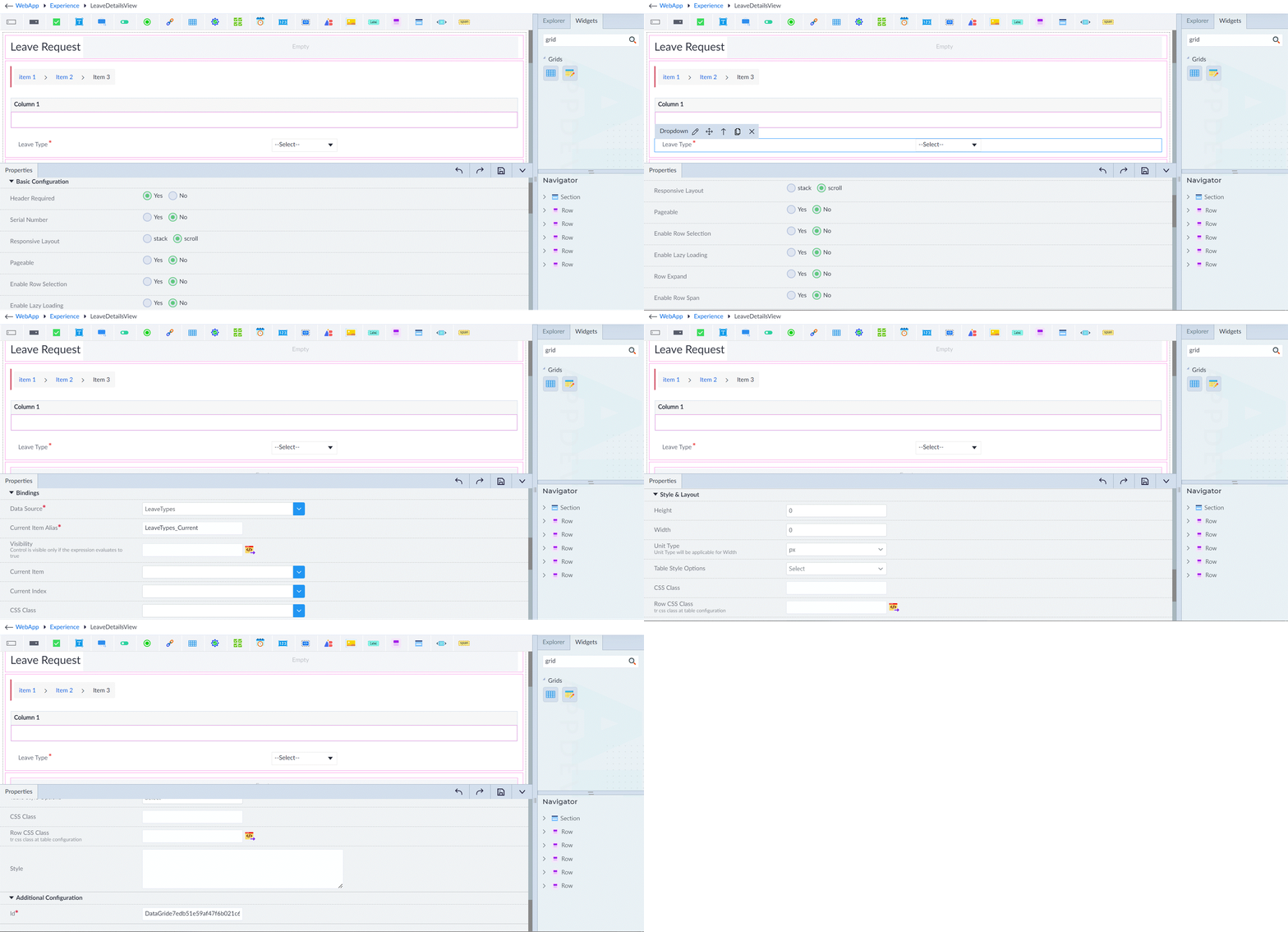
Following are the properties to be configured for this widget:
| Property | Description | Comments |
|---|---|---|
| Basic Configuration | ||
| Header Required | Select Yes or No whether header is required. | - |
| Serial Number | Select Yes or No whether the serial number is required. | - |
| Responsive Layout | Select stack or scroll. | - |
| Pageable | Select Yes or No to enable pagination. | - |
| Page Size | Provide the page size. | Visible only when Pageable is set to Yes. |
| Rows Per Page Options | Provide the options in comma separated values. | Visible only when Pageable is set to Yes. |
| Enable Row Selection | Select Yes or No. | - |
| Selection Type | Select Current Page or Complete Grid. | Visible only when Enable Row Selection is set to Yes. |
| Enable Lazy Loading | Select Yes or No. | - |
| Bindings | ||
| Data Source* | Select the data source from the drop-down. | - |
| Current Item Alias* | Provide the alias name for the current item. | - |
| Current Index Alias Name | Provide the alias name for the index of the current item. | - |
| Visibility | Provide the expression using the expression builder. | - |
| Current Item | Select the current item in the grid. | - |
| Current Index | Select the index of the current item. | - |
| CSS Class | Select the CSS class for styling. | - |
| First | Specify the index of the first row displayed on the current page. | You must create a model property first to bind the parameter. |
| Loading* | Select the appropriate item to load the data. | - |
| Total Records* | Select the total records from the drop-down. | - |
| OnLazyLoad* | Select the required callback function. | - |
| Style & Layout | ||
| Height | Provide the height. | - |
| Width | Provide the width. | - |
| Unit Type | Specify the type of unit. | - |
| Table Style Options | Select the appropriate table style options. | - |
| CSS Class | Provide the CSS class name for styling. | - |
| Row CSS Class | Provide the CSS class name for tr in a table. | - |
| Style | Provide the CSS rule sets. | - |
| Style Bindings | ||
| Name | Provide a name of the style binding. | - |
| Value | Assign a value to the style binding using an expression binder. | - |
| Additional Configuration | ||
| Id* | Provide the id. | An id is created by default. User can change the unique id as required. |
| Comment | Indicate whether a comment is required or not. | - |
note
An asterisk (*) denotes that the property is mandatory for configuring the Dynamic Data Grid widget.
The "Configuration saved successfully" message displays upon successfully configuring the widget.
Column Details
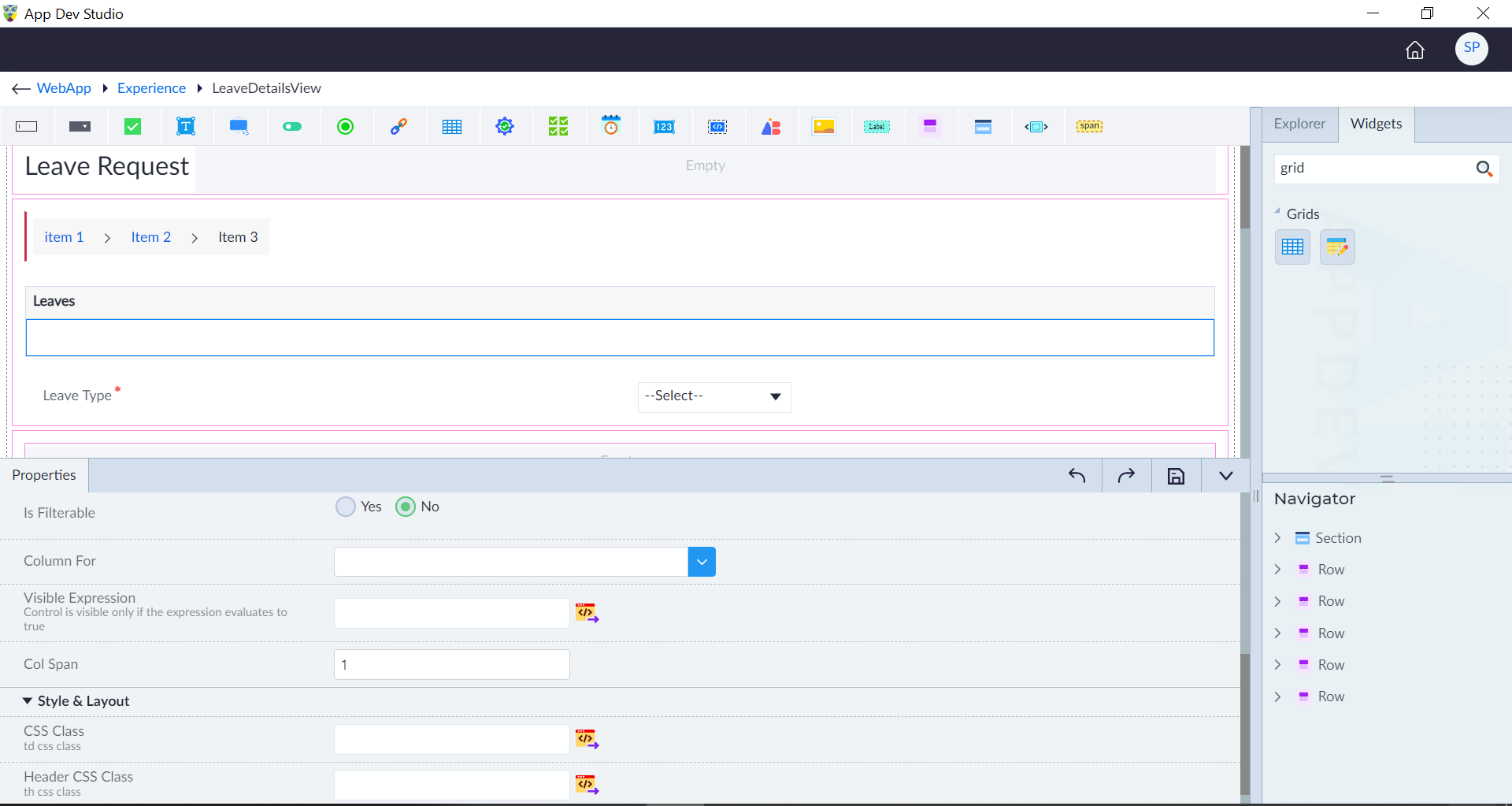
Following are the properties to be configured for a column:
| Property | Description | Comments |
|---|---|---|
| Column Details | ||
| Enable Dynamic Column | Toggle to enable or disable dynamic column functionality. | - |
| Data Source | Specify the data source for the dynamic column. | - |
| Header | Specify the header text for the column. | - |
| Field | Define the field name in the data source. | - |
| Field Type | Choose the type of data stored in the field. | - |
| Header Template | Provide a template for the header of the dynamic column. | - |
| Visible Expression | Configure the expression to control column visibility. | Control visibility based on expression evaluation. |
| Column Span | Specify the number of columns the dynamic column spans. | - |
| Column Width | Adjust the width of the dynamic column. | - |
| Sorting | Enable sorting functionality for the column. | - |
| Filtering | Activate filtering options for the column. | - |
| Filter Type | Choose the type of filter to apply to the column. | - |
| Mode | Select the mode of operation for the column. | - |
| Country Code | Input the country code for data formatting. | - |
| Pattern | Define the formatting pattern for data in the column. | - |
| Column Header | Set the header text for the column. | - |
| Header Type | Specify the type of header. | Choose from text or template. |
| Width | Provide the width. | - |
| Column Type | Select the content type to display in the column. | Choose from text, template, or Expression. |
| Is Sortable | Enable sorting capability for the column. | - |
| Is Filterable | Allow column data to be filtered. | - |
| Column For | Bind data to the column. | - |
| Visible Expression | Provide the expression using the expression builder. | - |
| Style & Layout | ||
| CSS Class | Provide the td CSS class name for styling. | - |
| Header CSS Class | Provide the th CSS class name for styling. | - |
The "Configuration saved successfully" message displays upon successfully configuring the widget.